Detailed Assessment & Score

Overall Rating
9.1 Excellent
Core Performance Metrics
Ease of Use 9.4/10
Features 8.9/10
AI Quality 9.0/10
Value 9.3/10
Key Facts & Details
Free Plan Available Yes
API Integration Support No
Official Mobile App No
Browser Extension Support No
Best Suited For
Freelancers and agencies building custom client websites Small businesses needing a quick, custom site with hosting Designers wanting absolute layout freedom without writing code
System Integrations
Google Analytics Stripe PayPal Mailchimp Facebook Pixel

About WebWave

WebWave is an advanced drag-and-drop website builder designed to give creators, freelancers, and small design agencies absolute design freedom. Unlike template-based builders that lock elements in rigid grids, WebWave uses an absolute positioning system—similar to graphic design software—allowing you to place text, shapes, and images anywhere on the canvas.

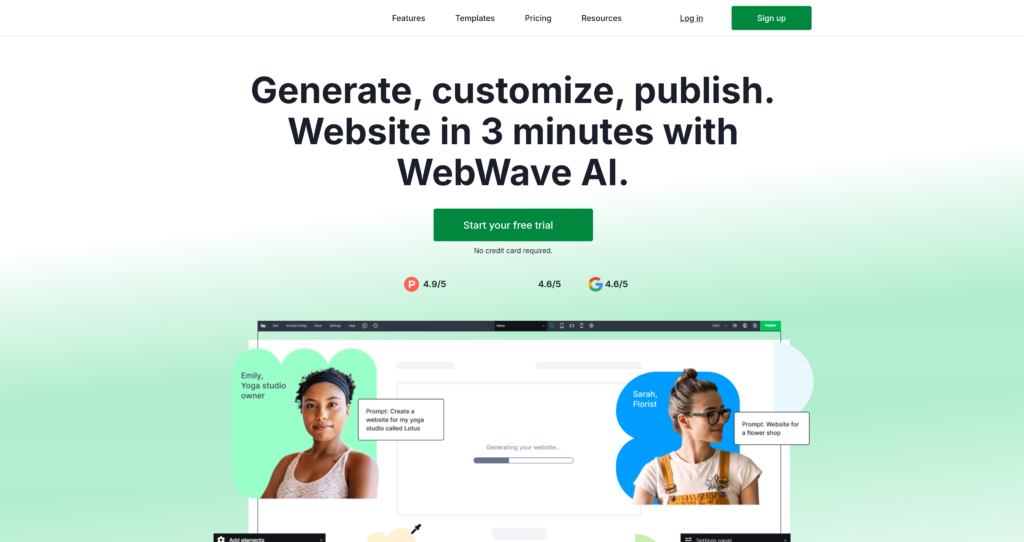
The platform features an AI site builder capable of generating responsive webpages, content copy, and image assets from a simple text prompt. It also includes white-labeling options, allowing agencies to brand the editor and client CMS panels. Readers comparing visual page builders can also explore Beautiful.ai, Mixo AI, and check out similar tools in our AI design and branding category.

Key Features

AI Website Generator : Automatically drafts complete, responsive web layouts, custom copy, and placeholder images from a single text prompt.

Pixel-Perfect Design Canvas : Absolute element positioning lets you drag, drop, and overlay design assets anywhere on the screen.

Responsive Web Design (RWD) : Detailed slider controls to configure custom desktop, tablet, and mobile layouts manually or automatically.

White-Label Editor Panel : Agencies can completely rebrand the editor panel and client CMS dashboards with custom agency logos.

Built-in E-Commerce : Integrated store tools supporting digital product downloads, inventory metrics, and Stripe/PayPal checkout buttons.

Managed SEO Suite : Set meta tags, customize URL paths, auto-generate sitemaps, and run site loading audits natively.

Client CMS Panel : Create custom administration portals for clients to update text, post blog articles, or monitor sales safely.

Integrated Cloud Hosting : Deploy websites with one click, including managed security certificates (SSL) and domain configurations.

Pros

✔ Absolute positioning canvas offers complete creative layout freedom without code constraints.

✔ AI website generator builds highly responsive, styled starter pages in seconds.

✔ White-label editor is excellent for freelancers hosting and managing client portfolios.

✔ Free-forever starter tier includes cloud hosting on a WebWave subdomain.

✔ Integrated CMS allows client managers to make minor text updates without breaking design layouts.

✔ Solid, comprehensive SEO management features built natively into the side options panel.

✔ Drag-and-drop e-commerce setups require absolutely zero external database integrations.

Cons

✖ Absolute layout editor has a minor learning curve for users accustomed to rigid, block-based grids.

✖ Custom custom domain connections are locked behind paid hosting subscriptions.

✖ AI-generated copy requires human review and editing to sound authentic.

✖ Less third-party template plugin options compared to platforms like WordPress.

✖ Exporting raw site code to host elsewhere is not supported natively.

✖ Advanced e-commerce capabilities can feel limited for high-volume wholesale stores.

Plans & Pricing

PlanTypePriceUsage LimitInclusions
FreeFreemiumFreeWebWave subdomainDrag-and-drop editor, basic AI credits, standard templates, and platform branding tags.
StarterSubscription$5/month (Billed annually)Custom domain connectedNo platform branding, 2 GB disk space, SSL certificate, 1 custom email box, and standard support.
ProSubscription$7/month (Billed annually)10 GB disk spaceUnlimited pages, no file limits, SEO audits, client CMS, and priority customer support.
BusinessSubscription$11/month (Billed annually)E-commerce store unlockedNo transaction fees, sell digital products, advanced security logs, and dedicated domain configurations.

Source: WebWave pricing. Verify current monthly hosting rates, disk limits, and white-label packages on the official website.

FAQs

Q1: How is WebWave different from Wix or Squarespace?+

Wix and Squarespace use block-based layout grids that limit element placement. WebWave uses an absolute positioning system (like Photoshop or Figma) where you can drag and overlap elements anywhere.

Q2: Can I rebrand WebWave for my agency?+

Yes, paid plans support white-label settings, allowing design agencies to place their own branding and logos on the editor interface and client CMS panels.

Q3: Is there a free version of WebWave?+

Yes, WebWave offers a free plan that allows you to design and publish a site on a ‘webwave.me’ subdomain with basic layout tools.

Q4: Can I export the code of my WebWave site?+

No, WebWave is a hosted website builder, meaning pages must remain hosted on WebWave servers. Raw code export is not supported natively.

Q5: How does the AI site builder work?+

You submit a short text prompt describing your business or site goals, and the AI automatically builds the responsive layout sections, writes the page copy, and maps the layout elements.

User Ratings & Reviews

0
Based on 0 User Reviews
5 Star
(0)
4 Star
(0)
3 Star
(0)
2 Star
(0)
1 Star
(0)

Leave a Reply

Comparison Matrix
Key Features
WebWave Icon WebWave Active
shadcn/ui Icon shadcn/ui
FIGMA Icon FIGMA
v0 Icon v0
Review Score 9.1/10 9.8/10 9.8/10 9.6/10
Pricing Model Freemium / Monthly Subscription / Agency White-Labeling Free / Open Source $0-60/month Freemium / Usage-Based / Enterprise
Free Plan ✔ Yes ✔ Yes ✔ Yes ✔ Yes
Starting Cost Freemium Free Freemium Freemium
Details Page Active Page Compare Compare Compare

Similar Alternatives to WebWave

shadcn/ui Logo

shadcn/ui

0 user reviews
9.8
Free / Open Source Free

shadcn/ui is an open-source component collection for building customizable React design systems with Tailwind CSS, Radix UI patterns, charts, blocks, and copyable source code.

FIGMA Logo

FIGMA

0 user reviews
9.8
$0-60/month Freemium

Figma is the industry-standard collaborative design platform that becomes AI-powered through 100+ plugins for wireframing, copywriting, asset generation, accessibility checking, and code export.

v0 Logo

v0

0 user reviews
9.6
Freemium / Usage-Based / Enterprise Freemium

v0 by Vercel is an AI app builder for generating, editing, integrating, and deploying full-stack websites and applications from natural-language prompts.

Canva Logo

Canva

0 user reviews
9.5
Freemium / Subscription Freemium

Canva is an online design and visual communication platform for creating presentations, social posts, videos, documents, websites, brand assets, and AI-powered marketing content.

Framer AI Logo

Framer AI

0 user reviews
9.4
Freemium Freemium

Framer AI helps users generate responsive website layouts, translate sites, use AI plugins, and launch modern no-code websites with hosting, CMS, SEO, analytics, and localization.

Fathom Logo

Fathom

0 user reviews
9.3
Freemium / Subscription / Enterprise Freemium

Fathom is a free AI meeting assistant that records, transcribes, highlights, and summarizes Zoom, Google Meet, and Microsoft Teams meetings.

Expo Logo

Expo

0 user reviews
9.3
Freemium / Usage-based Freemium

Expo is a full-stack React Native framework and cloud services platform for building, previewing, submitting, updating, monitoring, and deploying iOS, Android, and web apps.

Otter Logo

Otter

0 user reviews
9.3
Freemium / Subscription Freemium

Otter is an AI meeting assistant that records, transcribes, summarizes, answers questions, creates workflows, syncs notes to CRMs, and captures action items from meetings.