
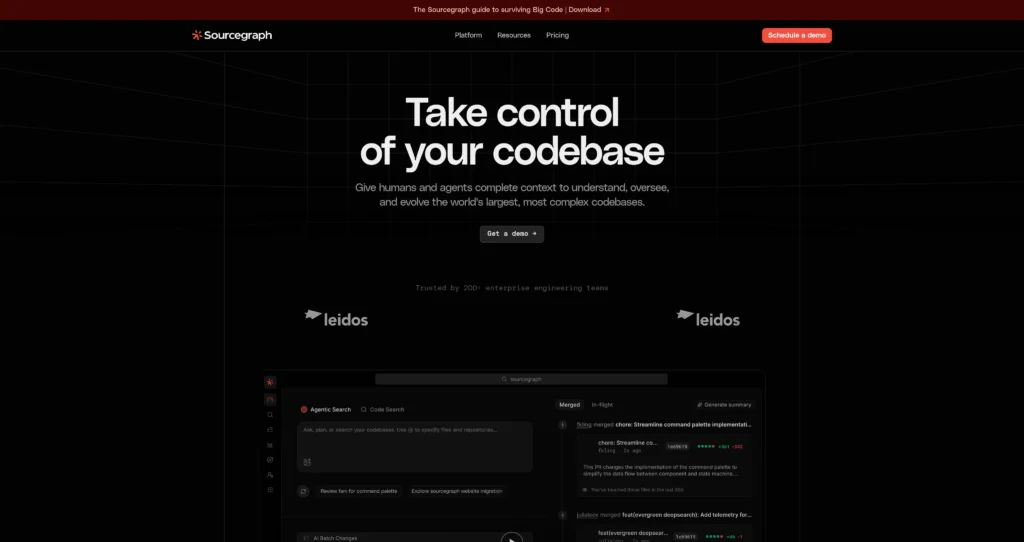
About Sourcegraph Cody
Sourcegraph Cody is Sourcegraph’s AI coding assistant and code intelligence experience for understanding large, complex codebases. Sourcegraph combines code search, navigation, AI-powered deep search, code insights, batch changes, monitoring, APIs, CLI access, and enterprise security into a platform for developer productivity at scale.
Cody became known for giving developers answers grounded in repository context, helping with code explanations, refactors, debugging, and codebase-wide questions. Today, Sourcegraph’s public pricing emphasizes enterprise-scale code understanding, AI credits, MCP server access, APIs, and codebase evolution workflows rather than a simple self-serve Cody plan for individuals.
Key Features
Codebase-aware AI : Answers questions using repository and code graph context, which helps with large or unfamiliar codebases.
Code search and navigation : Search, jump to definitions, navigate symbols, and understand code across connected repositories.
AI-powered Deep Search : Use AI search to investigate complex code questions across enterprise repositories.
Batch Changes : Automate large-scale code changes across many repositories.
Insights and monitoring : Track code patterns, migrations, risks, and repository-wide trends.
MCP server and APIs : Connect Sourcegraph context to tools such as Claude Code, Cursor, Codex, Amp, and other agentic developer workflows.
Enterprise deployment : Supports single-tenant cloud, self-hosted deployment, enterprise admin/security, and major code hosts.
Credit-based AI features : Enterprise plan includes AI credits pooled across the organization with rollover on renewal.
Pros
✔ Strong fit for enterprises with many repositories and large engineering teams.
✔ Code search and code graph context make AI answers more grounded than generic chat.
✔ MCP server, APIs, and CLI make Sourcegraph useful in modern agentic development workflows.
✔ Batch Changes and code monitoring support large-scale migrations and oversight.
✔ Works well for teams comparing Amazon Q Developer and enterprise code assistants.
Cons
✖ Current public pricing is enterprise-focused, not a lightweight self-serve individual plan.
✖ Starting price is high for small teams or solo developers.
✖ Setup and value depend on connected repositories, code host integrations, and organization adoption.
✖ Teams primarily seeking autocomplete may prefer simpler AI coding assistants.
Plans & Pricing
| Plan | Type | Price | Usage Limit | Inclusions |
|---|---|---|---|---|
| Enterprise | Enterprise | Starting at $16K | Includes credits for AI features; scales with team size | Search/navigation, AI-powered Deep Search, Batch Changes, Insights, Monitoring, MCP Server, APIs, CLI, major code hosts, single-tenant cloud, enterprise security/admin, and 24×5 support. |
| AI Credits | Included / pooled | Included with Enterprise; add-ons available | Credits included per user, pooled org-wide, no monthly expiry, rollover on renewal | Used for AI features and can be expanded with volume credit buckets. |
Source: sourcegraph.com/pricing (verify current Cody/Sourcegraph packaging with sales).
FAQs
Q1: What is Sourcegraph Cody used for?
It is used to understand, search, explain, navigate, and change large codebases with AI and code intelligence.
Q2: Is Cody still sold as a standalone free tool?
Current Sourcegraph pricing emphasizes an Enterprise plan rather than a simple Cody Free or Pro self-serve offering for new users.
Q3: Who should use Sourcegraph?
Sourcegraph is best for enterprise engineering teams with large, complex codebases that need search, code intelligence, AI context, and codebase-wide automation.
Final Verdict
Cody stands out by referencing full repository structure and search indices to give highly accurate responses. It is a superb coding assistant for developers working in large codebases.
Created on: May 28, 2026
Last updated: July 12, 2026