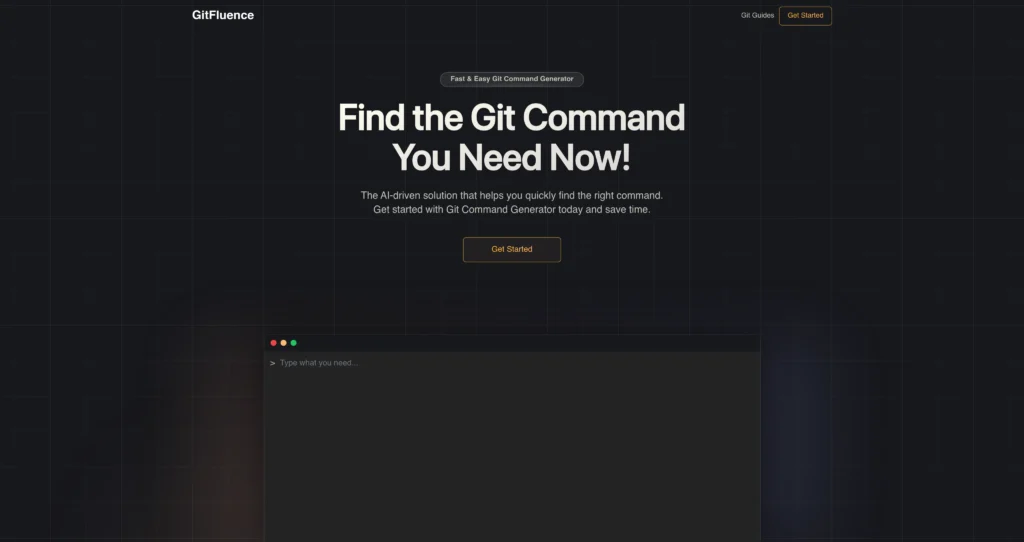
About GitFluence
GitFluence is an AI-driven Git command generator built to help developers quickly find the right command for a version-control task. Instead of searching documentation or remembering exact syntax, users describe what they want to do in plain English and GitFluence suggests relevant Git commands.
The tool is especially useful for beginner developers, students, bootcamp learners, occasional Git users, and experienced engineers who want a fast command reference during daily work. Its workflow is intentionally simple: describe the task, receive command suggestions, copy the result, and paste it into a terminal or command-line interface after reviewing it.
Key Features
Natural language Git prompts : Type a plain-English description such as creating a branch, merging changes, reverting a commit, or checking repository status.
AI command suggestions : GitFluence interprets the task description and suggests relevant Git commands that match the intended workflow.
Copy-ready output : Generated commands can be copied and pasted into a terminal, helping users move from intent to execution quickly.
Beginner-friendly workflow : New Git users can learn by describing actions in human language and seeing the matching command syntax.
Supports common Git tasks : Useful for branching, committing, pushing, pulling, merging, rebasing, stashing, resetting, reverting, and other everyday version-control operations.
Web-based access : Runs in the browser, so users do not need to install a CLI extension, IDE plugin, or desktop app to get command suggestions.
Time-saving reference : Helps developers avoid repeated searches through Git documentation, Stack Overflow, or old notes for command syntax.
Learning companion : Can be used alongside Git tutorials and documentation to reinforce how specific tasks map to real commands.
Pros
✔ Very simple workflow: describe the Git task, get a command, copy it, and review before running.
✔ Helpful for beginners who do not yet remember Git syntax.
✔ Saves time for experienced developers who occasionally forget less common commands.
✔ Web-based access means no installation or IDE setup is required.
✔ Useful for students, bootcamps, educators, support teams, and occasional Git users.
✔ Public site appears free to use, with no obvious paid pricing table on the official page.
✔ Focused tool with a narrow purpose, which makes it fast to understand.
Cons
✖ AI-generated Git commands should always be reviewed before running, especially destructive commands like reset, clean, or force push.
✖ It does not replace learning Git concepts such as branches, remotes, commits, merge conflicts, and history rewriting.
✖ Complex repository states may need more context than a short text prompt can provide.
✖ Browser-based workflow may be less convenient than an IDE or terminal-native assistant for heavy daily use.
✖ No detailed enterprise, team, or API pricing information is visible on the official site.
Plans & Pricing
| Plan | Type | Price | Usage Limit | Inclusions |
|---|---|---|---|---|
| Git Command Generator | Free | $0 ⚠️ (Verify on official website) | No public usage limits listed on the official page | Describe a Git task, receive AI-driven command suggestions, and copy the generated command for terminal use. |
| Paid / Team Plans | Not listed | No public paid pricing table found | Not specified | The official site does not show separate paid tiers, API plans, or enterprise packages at the time of review. |
Source: gitfluence.com (verify on official website).
FAQs
Q1: What is GitFluence used for?
GitFluence is used to generate Git commands from plain-language descriptions, making it easier to find the right command for branching, merging, committing, reverting, rebasing, stashing, and other Git tasks.
Q2: Is GitFluence free?
The official site presents GitFluence as a free web-based Git command generator, and no public paid pricing table is visible. Check the official site for the latest status.
Q3: Can beginners use GitFluence?
Yes. Beginners can describe what they want to do in Git and learn the matching command syntax, which makes it useful as a learning companion.
Q4: Should I run every generated command automatically?
No. Always review generated commands before running them, especially commands that modify history, delete files, remove branches, or force-push changes.
Q5: Does GitFluence require installation?
No installation is required for the web app. You can use it in a browser, then copy the suggested command into your terminal or command-line interface.
Published on: May 13, 2026