Detailed Assessment & Score

Overall Rating
9.3 Excellent
Core Performance Metrics
Ease of Use 9.2/10
Features 9.3/10
AI Quality 9.4/10
Value 9.5/10
Key Facts & Details
Free Plan Available Yes
API Integration Support Yes
Official Mobile App No
Browser Extension Support No
Best Suited For
Professionals wanting to outsource manual meeting notes Sales teams looking to auto-sync call logs to CRMs Managers seeking talk-time metrics and coaching scorecards
System Integrations
Zoom Google Meet Microsoft Teams Salesforce HubSpot Slack Asana Zapier

About Fathom

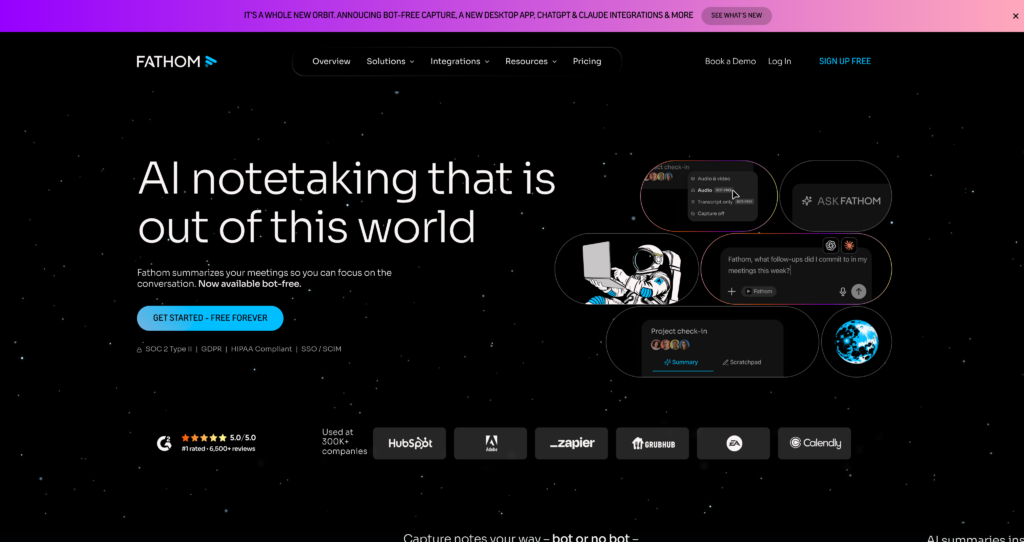
Fathom is a popular, AI-powered meeting recorder and transcriber designed to completely automate call note-taking. Compatible with Zoom, Google Meet, and Microsoft Teams, Fathom joins calls to transcribe conversational audio and summarize discussion topics in real time. This allows participants to focus entirely on the conversation without the distraction of manual writing.

Directly after a call ends, Fathom provides users with a structured, indexable summary of highlights, decisions, and action items. These meeting notes can be automatically synchronized with popular CRM networks and task trackers (such as Salesforce, HubSpot, Close, and Slack). Fathom.ai is an excellent productivity companion for professionals who want to eliminate manual note-taking and auto-sync call recaps. Readers comparing AI meeting tools can also explore MeetGeek, Otter, and discover other AI summarization tools.


Key Features

Recording & Transcription : Automatically records video calls and transcribes audio into text across 38 languages, saving files in unlimited storage.

Advanced AI Summaries : Generates structured meeting summaries, lists key takeaways, and highlights action items immediately after the meeting concludes.

"Ask Fathom" Search : A conversational, ChatGPT-like interface that allows you to search and query details across all your recorded meeting history.

CRM Synchronization : Automatically syncs call summaries, transcripts, and highlights directly into CRM tools like Salesforce, HubSpot, and Close.

Visible or Invisible Capture : Choose between using a visible recording participant bot or recording bot-free using the desktop application.

Highlight Clips : Mark specific moments of a call in real time to generate and share short video highlights with teammates or stakeholders.

Coaching Scorecards : Provides AI-driven coaching insights, talk-time statistics, and performance metrics for managers to train team members.

Universal Compatibility : Works seamlessly across Zoom, Google Meet, and Microsoft Teams without requiring complex individual setups.

Pros

✔ Generous free tier offers unlimited meeting recordings, transcripts, and cloud storage.

✔ Advanced AI transcription has high accuracy and supports multi-language speaker detection.

✔ Instantly generates beautifully structured summaries and next steps right after the meeting.

✔ Seamless integrations with popular CRMs (Salesforce, HubSpot) to automatically update client files.

✔ Real-time highlighting lets you capture and share important snippets with a single click.

✔ High data privacy standards with SOC 2 Type II, GDPR, and HIPAA compliance certifications.

✔ Intuitive "Ask Fathom" search makes finding specific meeting details across files fast and simple.

Cons

✖ Lacks a dedicated mobile app, making on-the-go transcript checks or sharing difficult.

✖ Gated advanced features (like unlimited summaries or template customizers) require a paid subscription.

✖ Adding a visual meeting bot can feel distracting or require approval in some corporate settings.

✖ The desktop client must remain running and requires background resources during active video calls.

✖ Occasional attribution errors can occur when matching speakers in noisy or overlapping audio conditions.

✖ Team features and shared dashboards have a mandatory minimum user seat requirement.

Plans & Pricing

PlanTypePriceUsage LimitInclusions
FreeFreemiumFreeUnlimited calls/transcripts, 5 AI summaries/moUnlimited video recording, 38-language translation, and basic Slack integrations.
PremiumSubscription$20/month per user (Or $16/mo billed annually)Unlimited steps & AI summariesCustom bot names, CRM sync, Zapier integrations, advanced summaries, and templates.
TeamSubscription$29/month per user (Or $19/mo billed annually, 2-user min)Unlimited steps & AI summariesEverything in Premium, plus shared team folders, centralized billing, and coaching scorecards.
EnterpriseCustomCustom (Contact Sales)CustomEnterprise security (SAML SSO, SCIM), custom data retention rules, and priority support.

Source: Fathom pricing. Verify current Premium and Team rates, seat options, limits, and compliance terms on the official website.

FAQs

Q1: Is Fathom really free? +

Yes, Fathom’s free plan is free forever. It offers unlimited recording, transcribing, and video storage. However, advanced AI features (like custom summary templates or CRM integrations) are gated or capped on the free tier.

Q2: Does Fathom work with all video conferencing platforms? +

Fathom is fully compatible with Zoom, Google Meet, and Microsoft Teams.

Q3: Can I record calls without a visible bot joining? +

Yes, Fathom offers a bot-free recording option via its desktop application, which captures the call audio and video directly from your system without placing a bot participant in the meeting window.

Q4: What is "Ask Fathom" and how does it work? +

"Ask Fathom" is an AI-powered conversational search feature. You can ask natural-language questions (e.g., “What did John say about the project budget last month?”) and the tool will search your call history to give you the answer.

Q5: Is my data safe with Fathom? +

Yes. Fathom is SOC 2 Type II certified, GDPR compliant, and supports HIPAA-compliant storage configurations to ensure all recorded data is securely stored and processed.

User Ratings & Reviews

0
Based on 0 User Reviews
5 Star
(0)
4 Star
(0)
3 Star
(0)
2 Star
(0)
1 Star
(0)

Leave a Reply

Comparison Matrix
Key Features
Fathom Icon Fathom Active
shadcn/ui Icon shadcn/ui
Together AI Icon Together AI
ClickUp Icon ClickUp
Review Score 9.3/10 9.8/10 9.4/10 9.3/10
Pricing Model Freemium / Subscription / Enterprise Free / Open Source Usage-Based / Enterprise Free / Subscription / Enterprise / AI Add-ons
Free Plan ✔ Yes ✔ Yes ✔ Yes ✔ Yes
Starting Cost Freemium Free Premium Freemium
Details Page Active Page Compare Compare Compare

Similar Alternatives to Fathom

shadcn/ui Logo

shadcn/ui

0 user reviews
9.8
Free / Open Source Free

shadcn/ui is an open-source component collection for building customizable React design systems with Tailwind CSS, Radix UI patterns, charts, blocks, and copyable source code.

Together AI Logo

Together AI

0 user reviews
9.4
Usage-Based / Enterprise Premium

Together AI is an AI-native cloud for running, fine-tuning, evaluating, and deploying open models with serverless APIs, dedicated inference, and GPU clusters.

ClickUp Logo

ClickUp

0 user reviews
9.3
Free / Subscription / Enterprise / AI Add-ons Freemium

ClickUp is an all-in-one work management and AI productivity platform for tasks, docs, chat, dashboards, automations, project management, ClickUp Brain, AI agents, and team workflows.

Otter Logo

Otter

0 user reviews
9.3
Freemium / Subscription Freemium

Otter is an AI meeting assistant that records, transcribes, summarizes, answers questions, creates workflows, syncs notes to CRMs, and captures action items from meetings.

QuillBot Logo

QuillBot

0 user reviews
9.3
Freemium / Subscription Freemium

QuillBot is an AI writing assistant with paraphrasing, grammar checking, summarization, AI detection, plagiarism checking, humanizing, translation, citations, and writing apps.

Expo Logo

Expo

0 user reviews
9.3
Freemium / Usage-based Freemium

Expo is a full-stack React Native framework and cloud services platform for building, previewing, submitting, updating, monitoring, and deploying iOS, Android, and web apps.

Phind AI Logo

Phind AI

0 user reviews
9.3
Free / Pricing not listed Free

Phind AI is an AI-powered search and chat tool for developers that helps answer coding questions, explain errors, debug issues, and find programming solutions with live web context.

Sourcegraph Cody Logo

Sourcegraph Cody

0 user reviews
9.3
Enterprise / Custom Premium

Sourcegraph Cody is Sourcegraph's AI coding assistant and code intelligence layer for understanding large codebases, searching code, answering questions, and supporting enterprise developer workflows.