Zed
Zed is a next-generation, GPU-accelerated code editor built in Rust, featuring native real-time collaboration and local or hosted AI integrations.
Pricing:
Freemium (Freemium)
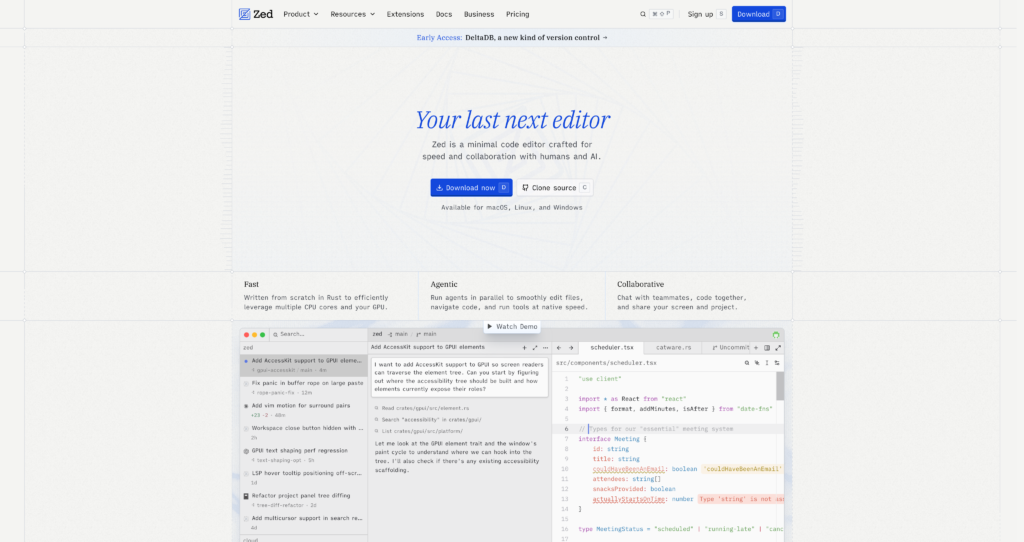
Zed is a next-generation, GPU-accelerated code editor built in Rust, featuring native real-time collaboration and local or hosted AI integrations.
Zed is a next-generation, high-performance code editor built in Rust, engineered specifically to utilize modern multi-core processors and GPU acceleration. Unlike traditional resource-heavy web-tech editors, Zed delivers a lightning-fast typing experience with minimal latency and near-instant launch times. It is designed to be developer-centric, focusing on high speed, built-in multiplayer collaboration, and a highly customizable environment.
The editor also natively supports both local and hosted artificial intelligence models, allowing developers to bring their own API keys or use Zed-hosted services. With its integrated multiplayer mode, remote teams can write code, talk via voice chat, and share projects seamlessly within a single application. For developers seeking an AI pair programmer and coding workspace that doesn’t bog down their system, Zed stands out as a powerful and lightweight alternative.
For developers comparing AI-native coding platforms, Zed is frequently matched against competitors like Cursor and Replit. You can explore other development workflows and utilities in our Code & Development Assistants category to find the best fit for your stack.
GPU-Accelerated Rendering : Uses your graphics card to render UI at a smooth 120 FPS. This results in incredibly low typing latency and highly responsive scrolling.
Multiplayer Collaboration : Built-in real-time collaboration allows multiple developers to edit the same file, share terminals, and voice chat. This enables seamless remote pair programming without external plugins.
Local and Hosted AI : Natively integrates with Ollama for offline coding, or Anthropic and OpenAI for advanced capabilities. This gives developers complete flexibility over their choice of model providers.
Edit Predictions : Employs inline AI autocomplete to predict and suggest the next lines of code based on context. This speeds up daily programming and repetitive boilerplate tasks.
Language Server Protocol : Features out-of-the-box support for the Language Server Protocol (LSP) to provide autocompletion, code navigation, and syntax highlighting. This offers a robust development environment for Rust, TypeScript, Python, and more.
Integrated Terminal : Includes a built-in terminal window that loads instantly and syncs with collaborative channels. This makes it easy to run build scripts and inspect outputs directly within the editor.
Vim Mode Support : Offers deep compatibility with standard Vim keyboard shortcuts and motions. This lets developers maintain their mouse-free workflow and editing speed.
Open-Source Core : Developed openly under an open-source license, allowing the community to inspect, customize, and contribute code. This ensures project longevity and a transparent development cycle.
✔ Exceptional speed and low system resource usage compared to Electron-based editors.
✔ Native, low-latency multiplayer collaboration with built-in voice chat.
✔ Ability to use your own API keys for AI models (no forced monthly subscription).
✔ Support for local offline AI models via Ollama integration.
✔ Free Personal tier allows full editor use and 2,000 accepted edit predictions.
✔ Clean, minimalist user interface that maximizes screen space for code.
✔ Deep Vim-mode support for keyboard-only efficiency.
✖ Smaller library of plugins and themes compared to massive ecosystems like VS Code.
✖ Currently only available on macOS and Linux, with Windows support in development.
✖ Interface configuration relies heavily on editing JSON files rather than a visual settings GUI.
✖ Integrated AI features require a paid subscription or your own API keys to scale.
✖ Collaboration requires trust, as shared project sessions expose your local filesystem.
✖ Some legacy language servers may require manual configuration to work smoothly.
✖ Lacks advanced built-in GUI panels for database exploration and API testing.
| Plan | Type | Price | Usage Limit | Inclusions |
|---|---|---|---|---|
| Personal | Free | Free | 2,000 accepted edit predictions/mo | Core editor features, native collaboration channels, local AI support (bring your own API keys) |
| Pro | Subscription | $10/month | Unlimited edit predictions | Access to Zed-hosted AI models, $5/mo in AI token credits, usage-based billing options |
| Business | Subscription | $30/seat/month | Custom usage limits | Everything in Pro plan plus organization-wide admin controls, billing, and custom data policies |
Source: Tool pricing. Verify current subscription, token credits, and seat options on the official Zed website.
Zed is written in Rust and utilizes GPU-acceleration to deliver extremely low typing latency and near-instant loading times, making it much faster than resource-heavy Electron-based editors like VS Code.
Yes, the core Zed editor and its built-in multiplayer collaboration tools are completely free under the Personal plan. Paid tiers are only required if you want to use Zed-hosted AI models or need team administration features.
Yes. Under the free Personal plan, you can easily configure your own API keys for Anthropic, OpenAI, Google, or local models via Ollama, allowing you to use AI assistants without any subscription fees.
Zed has native multiplayer features built in. You can call contacts, join shared workspaces, voice chat, and code together in real-time. Note that collaborators share a view of the host’s files, so it should only be used with trusted contacts.
Zed is fully supported on macOS and Linux. Windows support is actively in development and available in beta versions, but not yet fully optimized for production workflows.
| Key Features |
Zed
Active |  shadcn/ui
 |  GitHub Copilot
 |  v0
v0 |
|---|---|---|---|---|
| Review Score | 9.1/10 | 9.8/10 | 9.6/10 | 9.6/10 |
| Pricing Model | Freemium | Free / Open Source | $10/month or $100/year | Freemium / Usage-Based / Enterprise |
| Free Plan | ✔ Yes | ✔ Yes | ✖ No | ✔ Yes |
| Starting Cost | Freemium | Free | Freemium | Freemium |
| Details Page | Active Page | Compare | Compare | Compare |
shadcn/ui is an open-source component collection for building customizable React design systems with Tailwind CSS, Radix UI patterns, charts, blocks, and copyable source code.
GitHub Copilot is an AI coding assistant that suggests code, functions, and solutions directly within your IDE in real time.
v0 by Vercel is an AI app builder for generating, editing, integrating, and deploying full-stack websites and applications from natural-language prompts.
Windsurf is an AI-powered coding editor with Cascade agents, Tab autocomplete, and enterprise-ready collaboration tools, offering flexible plans from Free to Enterprise.
Retool allows developers to build functional internal tools and workflows by connecting databases and APIs to drag-and-drop React components.
Cursor is an AI coding agent and AI-native code editor for writing, editing, reviewing, and shipping software across desktop, CLI, cloud agents, automations, and team workflows.
Together AI is an AI-native cloud for running, fine-tuning, evaluating, and deploying open models with serverless APIs, dedicated inference, and GPU clusters.
Lovable is an AI-powered app builder that transforms natural language prompts into production-ready web applications with real, editable source code and instant deployment.