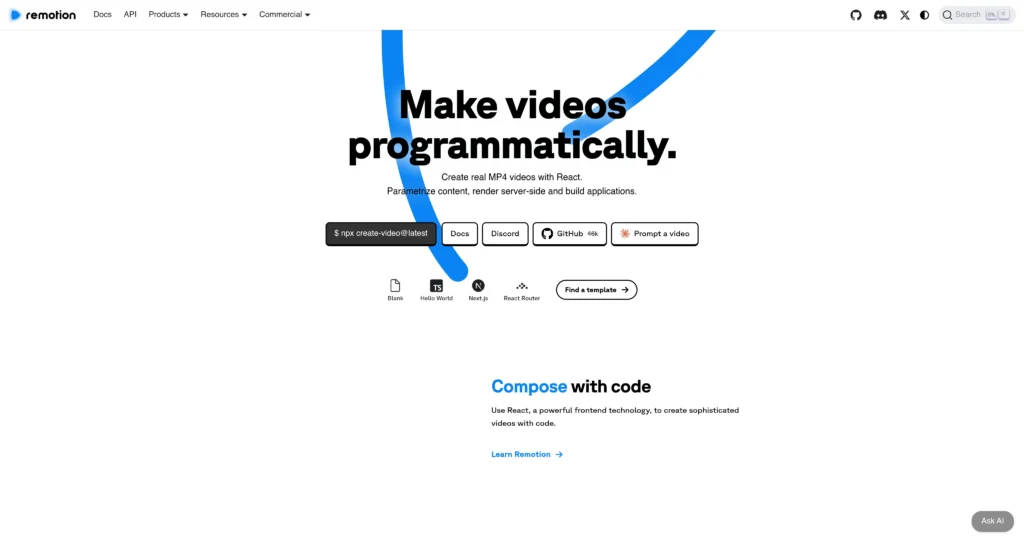
About Remotion
Remotion is a React framework for making real MP4 videos programmatically. Developers can compose videos with React components, parameterize scenes with data, render locally or server-side, and build custom video generation tools for products, marketing, personalization, dashboards, captions, screencasts, and motion design systems.
The platform is especially useful for developers and companies that want video creation to be code-driven, repeatable, and integrated into apps or automated workflows. Remotion includes tools such as Remotion Studio, Player, Lambda, Editor Starter, Timeline, Recorder, templates, and rendering options that make it possible to build video editors, prompt-to-video apps, personalized video campaigns, and high-volume rendering systems.

Key Features
React-based video creation : Use React components, props, CSS, and frontend patterns to compose sophisticated videos with code.
Parameterized videos : Pass data into compositions to generate personalized videos, dynamic reports, product videos, captions, and data-driven media at scale.
Real MP4 rendering : Render final videos as MP4 and other formats locally, on servers, or through serverless rendering infrastructure.
Remotion Studio : Preview, develop, debug, and iterate on video compositions with a developer-friendly visual workflow.
Remotion Player : Embed Remotion compositions into web apps and build interactive interfaces around video previews.
Remotion Lambda : Render videos serverlessly for scalable production workflows and automated video generation.
Editor Starter : Use a commercial starter template for building custom video editing applications with React and TypeScript.
Templates and examples : Official templates and showcase examples help teams start with proven video patterns like captions, music visualizers, screencasts, and year-in-review videos.
Pros
✔ Excellent for developers who want full programmatic control over video generation.
✔ React-based workflow is familiar to frontend teams and product engineers.
✔ Strong fit for personalized videos, automated rendering, SaaS video tools, captions, and motion systems.
✔ Free license allows commercial use for individuals and companies up to 3 people.
✔ Server-side and serverless rendering options make it viable for scalable automation.
✔ Large documentation set, templates, community, GitHub stars, and real-world showcases.
Cons
✖ It is developer-first; non-technical users may prefer a traditional no-code video editor.
✖ Companies with 4+ people need a paid Company License for eligible commercial use.
✖ Automator pricing can become usage-based at scale, especially for high-volume render systems.
✖ Complex video pipelines still require engineering work around data, rendering, storage, queues, and deployment.
✖ Teams must review licensing carefully if using Remotion inside client work, SaaS apps, or automated video tools.
Plans & Pricing
| Plan | Type | Price | Usage Limit | Inclusions |
|---|---|---|---|---|
| Free License | Free | $0 | Individuals and companies up to 3 people | Create and automate videos, commercial use allowed, unlimited use, no sign-up needed; must upgrade when team grows. |
| Remotion for Creators | Company License | $25/month per seat | 1 seat per user; intended for low-volume creation | For coding and prompting videos, local motion design systems, and creator-style workflows inside companies that need a paid license. |
| Remotion for Automators | Usage-based Company License | $0.01 per render, $100/month minimum | Usage-based renders; developers on automation projects do not require seats | For SaaS apps, video editors, prompt-to-video apps, and automated high-volume video creation tools. |
| Enterprise License | Enterprise | Starting at $500/month | Custom terms and usage | Everything in Company License plus private Slack or Discord, monthly consulting session, custom terms/billing/pricing, compliance forms, prioritized feature requests, and Editor Starter included. |
Source: remotion.pro/license and remotion.dev (verify current license terms before commercial use).
FAQs
Q1: What is Remotion used for?
Remotion is used to create videos with React code, generate personalized media, render MP4 files, build video editors, automate video creation, and embed video previews into apps.
Q2: Is Remotion free?
Yes, Remotion is free for individuals and companies of up to 3 people, including commercial use. Larger companies and collaborations need a paid Company License.
Q3: Can Remotion render videos server-side?
Yes. Remotion supports local rendering, server-side rendering, and serverless rendering options such as Remotion Lambda.
Q4: Is Remotion good for AI video apps?
Yes. Remotion can be used as a rendering and composition layer for prompt-to-video apps, personalized video tools, automated content systems, and custom video editors.
Q5: Who should use Remotion?
Remotion is best for React developers, product engineers, creative coders, SaaS teams, agencies, and companies that need programmable video generation rather than a manual timeline editor.
Published on: May 18, 2026