Home » Tools » Image & Art Generation » Vidmage AI
vidmage

Vidmage AI

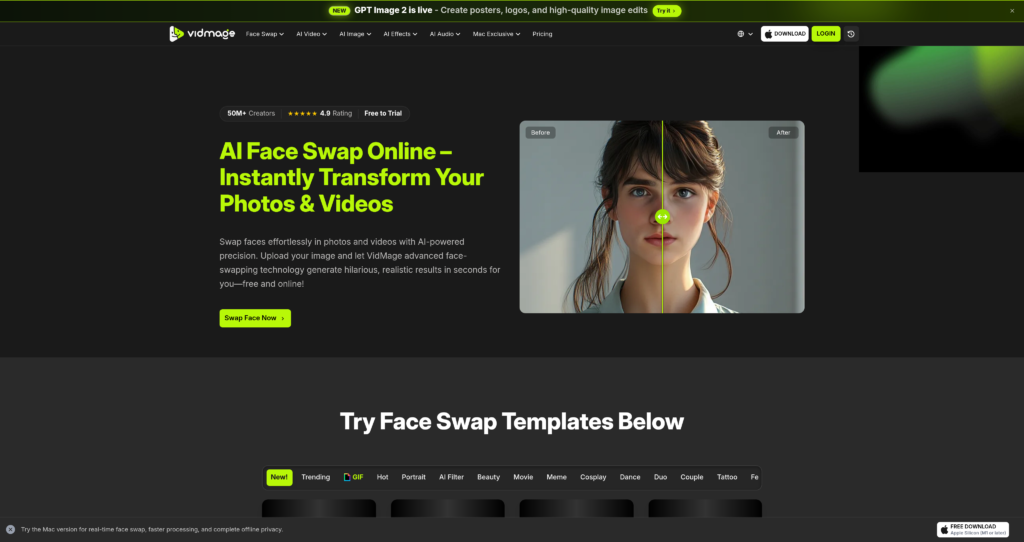
Vidmage AI promises to turn static assets and text prompts into dynamic video content. We tested its generation speed, rendering quality, and pricing structure to see if it delivers real value.

Pricing Model : $0.0 - $5.83 $8.33 /month First Year $69.99 then $99.99 , Freemium

AI Categories:

vidmage

About Vidmage AI

Vidmage AI enters the crowded synthetic media space offering fast text-to-video and image-to-video generation. Aimed primarily at content creators, marketers, and social media managers, it reduces the friction of traditional video production. The platform claims impressive rendering speeds, allowing users to output short-form content in minutes rather than hours. While the market is currently flooded with similar generation tools, Vidmage attempts to stand out by focusing on intuitive timeline controls alongside its core AI generation features. It’s a practical approach, though heavy reliance on prompt engineering remains a hurdle for absolute beginners.

Under the hood, Vidmage operates using a blend of diffusion models optimized for temporal consistency. This helps reduce the flickering often seen in AI-generated video. The interface operates entirely in the browser, relying on cloud-based GPUs to handle the heavy lifting. Security and trust signals are standard for the industry, utilizing encrypted cloud storage for user assets. However, professional editors might still find the lack of local rendering options slightly limiting for highly sensitive corporate projects.

Key Features

Text-to-Video Generation : Converts descriptive text prompts into short video clips using advanced diffusion models. This allows creators to prototype visual concepts without needing expensive stock footage.

Image-to-Video Animation : Animates static images by predicting and rendering realistic motion paths for subjects and backgrounds. Marketers can easily turn existing product photography into engaging social media ads.

AI Voiceover Integration : Generates synchronized synthetic speech from text inputs across multiple languages and accents. You save time by eliminating the need to record or hire external voice talent.

Style Transfer Presets : Applies specific artistic styles—like cinematic, anime, or 3D render—to generated clips via one-click filters. This ensures visual consistency across an entire marketing campaign without complex prompting.

Automatic Scene Transitions : Uses AI to analyze adjacent clips and generate smooth, logical transitions between them. Editors can assemble rough cuts much faster without manually tweaking keyframes.

Upscaling and Enhancement : Increases the resolution of generated outputs up to 4K while sharpening blurry details. This is crucial for professionals who need broadcast-quality assets for larger screens.

Custom Aspect Ratios : Supports instant reframing for various platforms, including 9:16 for TikTok and 16:9 for YouTube. You can repurpose a single generation across all your social channels with zero cropping errors.

Cloud Asset Library : Stores all generated clips, prompts, and uploaded assets in a centralized, searchable cloud workspace. Teams can collaborate asynchronously and retrieve past generations without digging through local hard drives.

Pros

✔ Generates usable short-form video clips significantly faster than manual animation.

✔ Interface is highly intuitive, requiring almost zero video editing experience.

✔ Image-to-video feature handles subtle facial movements with surprising accuracy.

✔ Cloud-based rendering prevents your local hardware from overheating or crashing.

✔ Built-in aspect ratio adjustments make social media distribution highly efficient.

✔ Voiceover synchronization matches lip movements reasonably well on human subjects.

✔ Pricing tiers offer enough flexibility for solo creators and small agencies alike.

Cons

✖ Temporal consistency still struggles during complex, high-motion scenes.

✖ Maximum video length per generation is heavily restricted on lower-tier plans.

✖ Requires highly specific, detailed prompting to avoid generic-looking outputs.

✖ Upscaling to 4K consumes credits rapidly, making high-res projects expensive.

✖ Lacks advanced timeline tools like multi-track audio mixing or color grading.

✖ Render queue times can spike noticeably during peak usage hours.

✖ No offline mode or local processing options for users with strict data privacy needs.

Plans & Pricing

PlanTypePriceUsage LimitInclusions
FreeTrial$050 credits ⚠️ (Verify on official website)720p exports, standard rendering speed, watermarked outputs.
StarterMonthly$9.00 ⚠️ (Verify on official website)500 credits/mo1080p exports, no watermarks, commercial rights included.
ProMonthly$29.00 ⚠️ (Verify on official website)2,000 credits/mo4K upscaling, priority render queue, early access to new models.
EnterpriseCustomContact SalesUnlimitedAPI access, custom AI model training, dedicated account manager, SSO.

FAQs

Q1: Can I use Vidmage AI videos for commercial purposes? +

Yes, paid plans grant you full commercial rights to the videos you generate. However, free tier users are typically restricted to non-commercial use and must retain the platform’s watermark.

Q2: How long does it take to render a video? +

Most standard 4-second clips render in under two minutes. Upscaling to 4K or generating longer sequences will noticeably extend the processing time, especially during peak server hours.

Q3: Do unused credits roll over to the next month? +

No, subscription credits generally reset at the beginning of each billing cycle. It is best to use your allocated generation limits before your monthly renewal date.

Q4: Can I upload my own audio tracks? +

Yes, the platform allows you to import custom MP3 or WAV files. You can sync these audio tracks directly to your generated video clips within the browser interface.

Q5: Does Vidmage AI offer an API for developers? +

API access is restricted to the Enterprise plan. You will need to contact their sales team directly to discuss integration requirements, rate limits, and custom pricing.

0/5
from 0 reviews
★★★★★
(0)
★★★★
(0)
★★★
(0)
★★
(0)
(0)

Leave a Reply

Alternative AI Tools

magnific

Magnific

0 user reviews
₹480/month - ₹14,625/month , Freemium

Magnific AI transforms low-resolution images into breathtaking high-definition masterpieces. By utilizing generative AI, it adds realistic details, textures, and lighting to any digital asset.

lucidpic

lucidpic

0 user reviews
$10 – $96/month , Premium

Lucidpic creates photorealistic AI portraits of people who don't exist, solving the headache of model releases and stock photo cliches. Here is our technical breakdown of its features and pricing.

Nano Banana 2

0 user reviews

Nano Banana 2 brings Google's advanced image generation tech into a streamlined interface. We tested its prompt accuracy, rendering speeds, and pricing to see if it actually delivers results.

Grok Imagine

0 user reviews
0$-200$ , Freemium

Grok Imagine delivers incredibly fast, highly detailed AI image generation with a controversial lack of strict guardrails. Here is everything you need to know about xAI's powerful new visual tool.