About Grok Imagine

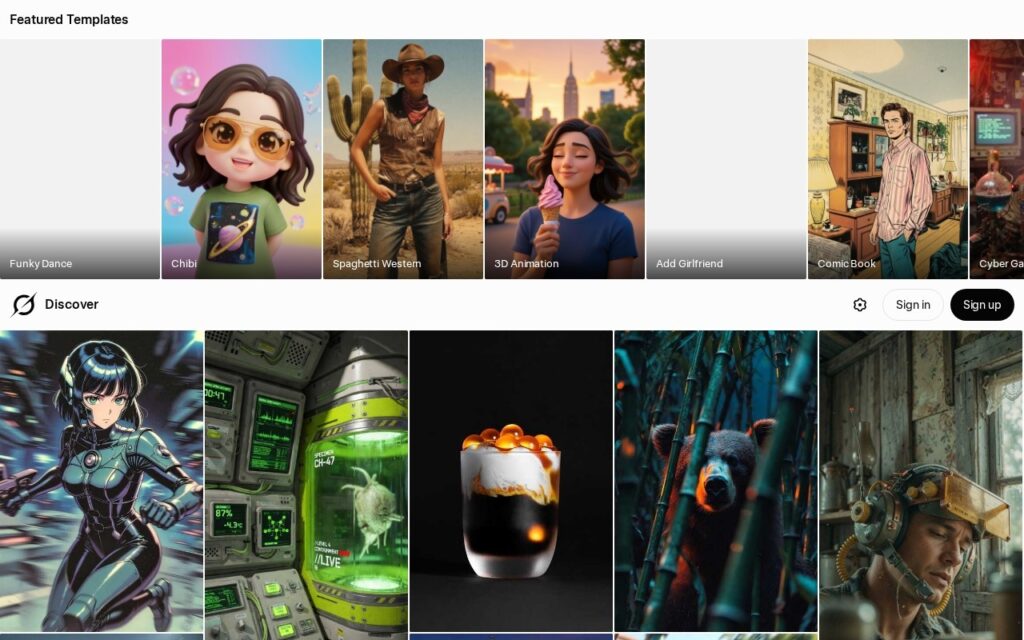
Built directly into xAI’s conversational interface, Grok Imagine is a text-to-image generator powered by Black Forest Labs’ FLUX.1 model. Aimed at social media managers, digital artists, and everyday creators, it stands out for its remarkably relaxed content filters compared to competitors like DALL-E 3. It generates highly detailed, 1024×1024 resolution images in just seconds. The primary differentiator is not just speed; it is the model’s exceptional ability to render legible text within images—a notorious pain point for older AI generators. This makes it highly practical for creating memes, mockups, and typographic posters.

The tool operates entirely through a conversational chatbot interface, allowing users to refine images through natural dialogue rather than complex parameter tweaks. Because it is backed by Elon Musk’s xAI network and integrated closely with the X platform, it benefits from massive compute resources and real-time data access. While the lack of strict safety guardrails has sparked debate, it offers a level of creative freedom that many professional users find refreshing, provided they navigate the platform responsibly.

Key Features

FLUX.1 Model Integration : The system is powered by the FLUX.1 architecture, utilizing advanced diffusion techniques for high-fidelity rendering. This ensures your outputs feature photorealistic details and complex lighting without requiring massive prompt engineering.

Advanced Text Rendering : The underlying model correctly maps and generates legible typography directly inside the pixel data. You can finally create signs, labels, and memes with accurate spelling on the first try.

Conversational Prompting : Users generate and edit images through natural language chat rather than a dashboard of sliders and toggles. This lowers the barrier to entry, letting you simply ask the AI to “make it darker” or “change the background.”

Minimal Content Filters : xAI applies significantly fewer safety guardrails at the prompt level compared to mainstream competitors. This grants you the freedom to generate edgy, satirical, or politically themed content that other platforms automatically block.

Rapid Generation Speeds : Utilizing xAI’s massive GPU clusters, the system produces initial image variations in under ten seconds. You spend less time waiting for progress bars and more time iterating on your visual concepts.

Direct X Integration : Images generated within the interface can be immediately published to your X timeline with a single click. This streamlines the workflow for social media managers operating heavily on the network.

Multi-turn Refinement : The AI retains the context of your current chat session when applying adjustments to a generated image. You can tweak specific visual elements without having to rewrite your entire foundational prompt.

High-Resolution Outputs : Default generations export at a crisp 1024×1024 pixel resolution with minimal artifacting. Your final assets are immediately usable for web publishing, presentations, or digital marketing campaigns.

Pros

✔ Exceptionally accurate text generation within images, practically eliminating misspelled AI typography.

✔ Lightning-fast generation times, often producing detailed results in under 10 seconds.

✔ Conversational interface makes iterative editing feel natural and intuitive for beginners.

✔ Relaxed safety filters allow for political satire and edgy artistic concepts.

✔ Bundled with X Premium, adding significant value to an existing social media subscription.

✔ Photorealistic outputs rival Midjourney v6 in texture, anatomy, and lighting quality.

✔ Zero complex parameters or aspect ratio commands to memorize; everything is plain English.

Cons

✖ Lack of strict guardrails easily leads to the generation of controversial or misleading deepfakes.

✖ No dedicated studio interface; you are forced to work within a linear, scrolling chat window.

✖ Missing advanced granular controls like regional inpainting or controlnet integration.

✖ Aspect ratio control is currently inconsistent compared to dedicated art generators.

✖ Tied strictly to the xAI/X ecosystem, requiring an account even if you only want the image tool.

✖ Style consistency across multiple prompts is difficult to maintain for comic or storyboard creators.

✖ Customer support is practically non-existent for individual users facing technical glitches.

Plans & Pricing

PlanTypePriceUsage LimitInclusions
Free TierBasic$0.00/month10 prompts/day ⚠️ (verify on official website)Standard resolution, slower queue, limited to select geographic regions
X PremiumPro$8.00/monthUnlimited ⚠️ (fair use applies)Full access to Grok Imagine, ad revenue sharing on X, blue checkmark
X Premium+Advanced$16.00/monthUnlimitedPriority generation speed, no ads on X timeline, largest context window
Verified OrganizationsEnterprise$200.00/monthCustom limitsOrganization-wide access, premium support, API access ⚠️ (verify on official website)

FAQs

Q1: Does Grok Imagine use DALL-E or Midjourney? +

No. Grok Imagine currently utilizes the FLUX.1 model developed by Black Forest Labs. This architecture is entirely separate from OpenAI or Midjourney and is highly regarded for its superior text rendering capabilities.

Q2: Can I use the generated images commercially? +

Yes, you retain the rights to the images you generate using Grok Imagine. You can use them for marketing, merchandise, or digital content without paying additional royalties to xAI.

Q3: Why did my prompt get blocked if Grok is uncensored? +

While Grok has significantly fewer guardrails than its competitors, it is not entirely lawless. The system still blocks explicitly illegal content and highly specific, malicious deepfakes of private individuals.

Q4: Is there a standalone app for Grok Imagine? +

Currently, there is no dedicated mobile app just for Grok Imagine. You must access it through the Grok interface on the X mobile app or via the grok.com website on your desktop browser.

Q5: Can I upload my own images for Grok to edit? +

Yes, Grok’s multimodal capabilities allow you to upload reference photos. You can ask the AI to analyze the image, alter its style, or use it as a foundational base for a completely new generation.

0/5
from 0 reviews
★★★★★
(0)
★★★★
(0)
★★★
(0)
★★
(0)
(0)

Leave a Reply

Alternative AI Tools

Whisk-labs-google

Whisk

0 user reviews
Free , Free

Whisk by Google Labs transforms images into creative prompts for exploring ideas and storytelling.

pixverse

PixVerse

0 user reviews
$7 - $129 / month , Premium

PixVerse is an AI video generator that transforms text and photos into viral short videos with trending effects, optimized for social media.

,

thumbnail-creator

Thumbnail Creator

0 user reviews
10 credits for 7 days, then $24/mo , Freemium

ThumbnailCreator is an AI-powered YouTube thumbnail generator that helps creators design click-worthy thumbnails in under 30 seconds — no design skills required.

,

neamx

NEAMX

0 user reviews
$7- $297 , Premium

NeamX is an AI thumbnail generator for YouTubers that creates viral-ready thumbnails in seconds with face integration, text-based editing, and quality enhancement features.

,