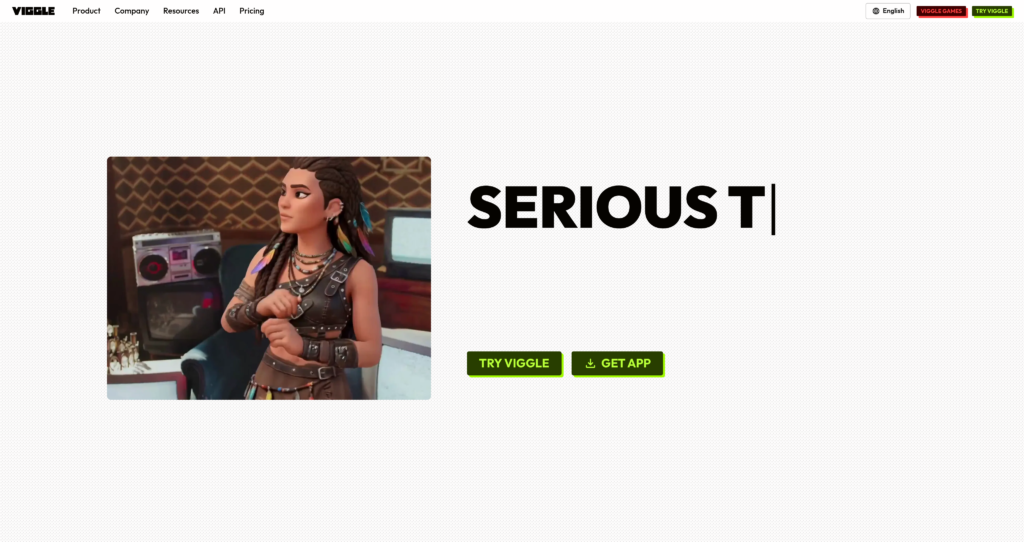
About Viggle

Viggle is an AI video and animation platform focused on controllable motion. Creators can animate characters from images, transfer real human movement onto a character, remix existing footage, create AI dance videos, swap faces or bodies, and generate short motion-driven clips without traditional rigging or animation software.

Viggle fits naturally with AI video creation tools, AI image tools, and design and branding tools. It is especially useful for social creators, meme makers, music marketers, animators, agencies, and teams that need fast character motion, image-to-video experiments, and viral-style video edits.

Key Features

Character animation : Bring a character image to life with motion templates, prompts, or uploaded movement references.

Motion transfer : Map human movement onto characters so users can create dances, walks, actions, and expressive animated clips.

Image-to-video tools : Turn static character images or photos into moving videos for social media, memes, and creative projects.

Video remix : Replace or remix characters inside existing footage while keeping the motion and scene direction useful for the new subject.

Face and body swap : Create face-swap and body-swap video outputs using uploaded media or templates.

Motion templates : Use a large library of templates for dances, poses, actions, memes, and social-video formats.

Watermark-free exports : Paid plans include 1080p watermark-free exports for cleaner social and production use.

Live and API options : Higher plans and enterprise options support live usage, larger quotas, and API or partnership needs.

Pros

✔ Strong tool for motion-driven AI videos, dance clips, character animation, and social content.

✔ Free plan gives creators a way to test relaxed-mode video generation before upgrading.

✔ Paid plans include unlimited relaxed-mode generations, faster generation, watermark removal, and permanent asset storage.

✔ Useful for creators who want controllable movement rather than only text-to-video prompting.

✔ Supports image animation, face swap, body swap, motion templates, and live-oriented workflows.

✔ Enterprise and partnership options are available for API integrations and custom campaigns.

Cons

✖ Credit usage can be confusing because fast mode, watermark-free videos, live usage, and different generation modes consume credits differently.

✖ Free outputs are limited and include slower relaxed-mode generation with watermark limitations.

✖ Short video limits and upload-size limits may not fit every production workflow.

✖ AI motion results can still need review for artifacts, identity issues, body proportions, and brand safety.

✖ Users should be careful with likeness rights and consent when creating face swaps, body swaps, or character remixes.

Plans & Pricing

PlanTypePriceUsage LimitInclusions
FreeFreeUS$0/month3 relaxed-mode videos per day; 1 generation at a time; 7-day storageLimited editor tracks, limited live session, watermarked relaxed-mode testing, and basic creator access.
ProSubscriptionUS$9.99/month80 credits/month; 4 video generations at a timeUnlimited video generations, unlimited editor tracks, 1080p watermark-free exports, faster generation, permanent storage, and limited live session.
LiveSubscriptionUS$19.99/month200 credits/month; 6 video generations at a time; 400 live minutes listed in comparison tablePro features plus priority access to Live and higher credit allowance for creators who need live-oriented usage.
MaxSubscriptionUS$79.99/month800 credits/month; 10 video generations at a time; unlimited live usageLargest listed self-serve plan with higher concurrency, permanent storage, watermark-free exports, and unlimited live usage.
Enterprise/PartnershipEnterpriseCustom pricingCustom usageCustom solutions, API integration, custom usage pricing, branded campaigns, and access to all features.

Source: viggle.ai/pricing (verify current prices, credit usage, live minutes, and generation limits on the official website).

FAQs

Q1: What is Viggle used for?+

Viggle is used to animate characters, transfer motion, create AI dance videos, remix footage, make face swaps, and generate short motion-based videos.

Q2: Does Viggle have a free plan?+

Yes. Viggle offers a Free plan with 3 relaxed-mode videos per day, 1 video generation at a time, limited editor tracks, and 7-day storage.

Q3: How do Viggle credits work?+

Viggle credits are used for fast-mode watermark-free videos and live usage. The official FAQ says credits vary by generation mode, so users should check the latest pricing page before heavy use.

Q4: Can Viggle remove watermarks?+

Paid plans list 1080p watermark-free exports. Free relaxed-mode videos are limited and may include watermark restrictions.

Q5: Who should use Viggle?+

Viggle is best for social creators, meme creators, animators, music marketers, agencies, and creative teams that need fast character animation and AI video motion tools.

0/5
from 0 reviews
★★★★★
(0)
★★★★
(0)
★★★
(0)
★★
(0)
(0)

Leave a Reply

Alternative AI Tools

Capify

0 user reviews
Freemium / Subscription , Freemium

Capify is an AI lyric video maker for musicians that transcribes songs, syncs lyrics, lets users customize timing and visuals, and exports lyric videos for music promotion.

, ,

Magic Patterns

0 user reviews
Freemium / Subscription , Freemium

Magic Patterns is an AI product design and prototyping tool that helps teams generate UI screens, frontend components, React/Tailwind code, and clickable product mockups from prompts and references.

, , ,

Kling AI

0 user reviews
Freemium , Freemium

Kling AI is a generative video platform that converts text and images into high-definition cinematic clips. It serves content creators and animators.

sketch

sketch

0 user reviews
Free 30-day trial, Pro plans from $12/editor/month, or $120 one-time license , Freemium

Sketch is a vector graphics editor and prototyping platform built natively for macOS, helping designers collaborate in real time and export handoff assets.