About Magnific

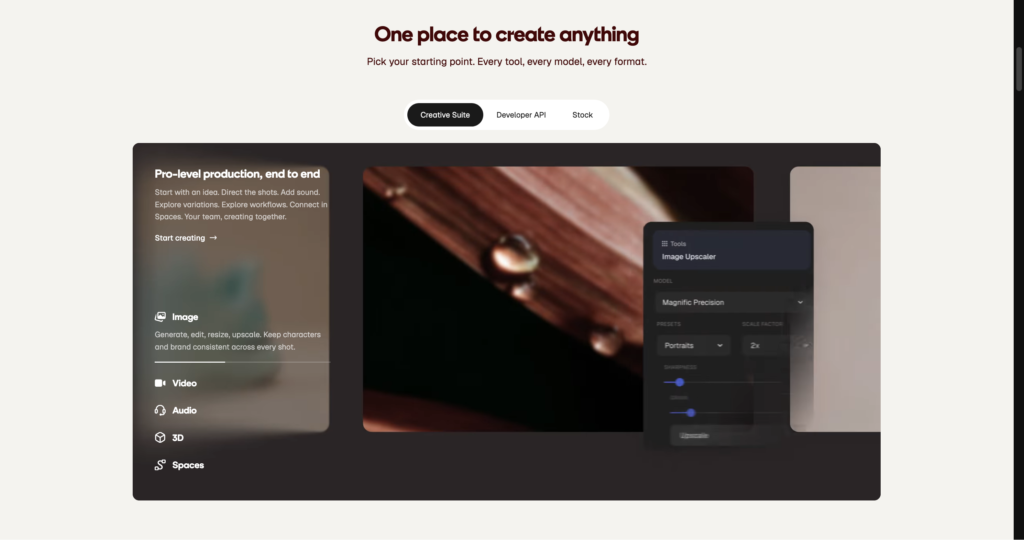
Magnific is an advanced generative AI image upscaler designed for digital artists, 3D modelers, and photographers. Unlike traditional interpolating software, it actively imagines and adds contextual high-resolution details to low-quality inputs. Users can push images up to massive 10k resolutions, making it ideal for large-format printing and professional post-production. The platform stands out by offering precise slider controls for creativity and resemblance, allowing creators to dictate exactly how much new information the AI introduces. While the results are often stunning, the steep entry cost means it’s primarily suited for working professionals rather than casual hobbyists.

Under the hood, the system operates on highly optimized latent diffusion models. Recent updates have introduced hybrid tools like directional relighting and stylistic transfers, moving the platform beyond simple upscaling into a full-fledged image refinement suite. Top Hollywood studios and independent game developers rely on its fast generation times to salvage unusable assets. However, the aggressive token-based billing system forces users to calculate the cost of every render, making trial-and-error experimentation an expensive habit.

Key Features

Generative Upscaling : The engine utilizes latent diffusion to hallucinate missing pixels based on the surrounding context of the image. You get hyper-realistic textures like skin pores and fabric weaves instead of blurry, mathematically stretched pixels.

Creativity Slider : This parameter controls the AI’s freedom to invent new visual data during the upscaling process. You can keep the output strictly faithful to the original or let the AI completely reimagine the scene.

HDR Enhancement : An algorithmic pass that deepens shadows, brightens highlights, and increases micro-contrast across the image. This instantly gives flat, lifeless 3D renders a polished, studio-quality finish.

Resemblance Control : This setting acts as a strict bounding box for the AI’s generative tendencies. It ensures structural integrity so your specific character faces or architectural lines don’t warp during extreme upscaling.

Directional Relighting : Users can input text prompts or use presets to shift the light source and color temperature of an existing 2D image. This saves hours of manual dodging and burning in Photoshop.

Style Transfer : The platform applies specific neural style presets—such as cinematic, anime, or photorealistic—during the generation phase. You can completely alter the aesthetic mood of an asset without redrawing it.

Fractal Detailing : The software processes images in segmented grids, allowing it to apply localized high-frequency details to massive files. This makes it possible to generate billboard-ready assets from standard 1080p source files.

Concurrent Processing : Higher-tier plans allocate dedicated server nodes for processing multiple image requests at once. Teams can batch-upscale entire folders of assets in a fraction of the time.

Pros

✔ Unmatched ability to generate realistic textures (skin, hair, fabric) from low-resolution inputs.

✔ Intuitive slider controls offer precise command over how much the AI alters the original image.

✔ Exceptionally fast processing times, often returning 4K renders in under a minute.

✔ The relighting tool effectively acts as a virtual studio, saving tedious manual edits.

✔ Dramatically improves the quality of raw outputs from Midjourney and Stable Diffusion.

✔ Web-based interface requires zero local GPU hardware to run intensive tasks.

✔ Consistent updates that frequently add new stylistic presets and functional tools.

Cons

✖ The $39/month starting price is prohibitively expensive for casual users.

✖ High-creativity settings often introduce bizarre structural hallucinations or extra limbs.

✖ The token system drains quickly, especially when experimenting with 4K and 8K exports.

✖ Text, logos, and specific geometric patterns frequently warp or become illegible.

✖ No native desktop application or local processing options available.

✖ Facial features can sometimes lose their original likeness if resemblance isn’t perfectly tuned.

✖ Lack of a permanent free tier makes it difficult to thoroughly evaluate before purchasing.

Plans & Pricing

PlanTypePriceUsage LimitInclusions
ProMonthly$39.002,500 Tokens/mo~200 normal upscales, 2 simultaneous generations, standard support
PremiumMonthly$99.006,500 Tokens/mo~500 normal upscales, 4 simultaneous generations, priority processing
BusinessMonthly$299.0020,000 Tokens/mo~1,600 normal upscales, 6 simultaneous generations, priority processing
EnterpriseCustomContact SalesCustomCustom token limits, API access, dedicated account manager, custom integrations

FAQs

Q1: How does Magnific differ from traditional upscalers like Topaz Gigapixel? +

Traditional upscalers use interpolation to guess missing pixels, which often results in smooth but plastic-looking images. Magnific uses generative AI to actually draw new details—like individual hairs or brick textures—that weren’t in the original file.

Q2: What happens if I run out of tokens before the month ends? +

If you exhaust your monthly token allowance, you cannot generate new images until your billing cycle resets. You can choose to upgrade to a higher tier immediately to unlock more tokens.

Q3: Can I use Magnific for commercial client projects? +

Yes. Images generated using Magnific’s paid tiers grant you full commercial rights. You can use the upscaled assets in games, print materials, and digital advertising.

Q4: Does it work well on real photographs, or just AI-generated art? +

It works on both, but requires different settings. For real photographs, you must keep the “Creativity” slider very low and the “Resemblance” slider high to prevent the AI from altering the subject’s actual likeness.

Q5: Is there an API available for developers? +

Magnific does offer API access, but it is typically reserved for Enterprise clients. You will need to contact their sales team to discuss custom integration requirements and volume pricing.

0/5
from 0 reviews
★★★★★
(0)
★★★★
(0)
★★★
(0)
★★
(0)
(0)

Leave a Reply

Alternative AI Tools

vidmage

Vidmage AI

0 user reviews
$0.0 - $5.83 $8.33 /month First Year $69.99 then $99.99 , Freemium

Vidmage AI promises to turn static assets and text prompts into dynamic video content. We tested its generation speed, rendering quality, and pricing structure to see if it delivers real value.

lucidpic

lucidpic

0 user reviews
$10 – $96/month , Premium

Lucidpic creates photorealistic AI portraits of people who don't exist, solving the headache of model releases and stock photo cliches. Here is our technical breakdown of its features and pricing.

Nano Banana 2

0 user reviews

Nano Banana 2 brings Google's advanced image generation tech into a streamlined interface. We tested its prompt accuracy, rendering speeds, and pricing to see if it actually delivers results.

Grok Imagine

0 user reviews
0$-200$ , Freemium

Grok Imagine delivers incredibly fast, highly detailed AI image generation with a controversial lack of strict guardrails. Here is everything you need to know about xAI's powerful new visual tool.