Detailed Assessment & Score

Overall Rating
8.9 Very Good
Core Performance Metrics
Ease of Use 8.7/10
Features 9.1/10
AI Quality 8.8/10
Value 9.0/10
Key Facts & Details
Free Plan Available Yes
API Integration Support No
Official Mobile App No
Browser Extension Support No
Best Suited For
Businesses creating animated marketing and explainer videos HR and training managers designing onboarding content Educators and teachers building animated classroom slides Content creators looking to customize detailed cartoon avatars Social media managers producing engaging video graphics
System Integrations
YouTube Facebook Google Drive Dropbox Zoom

About Animaker

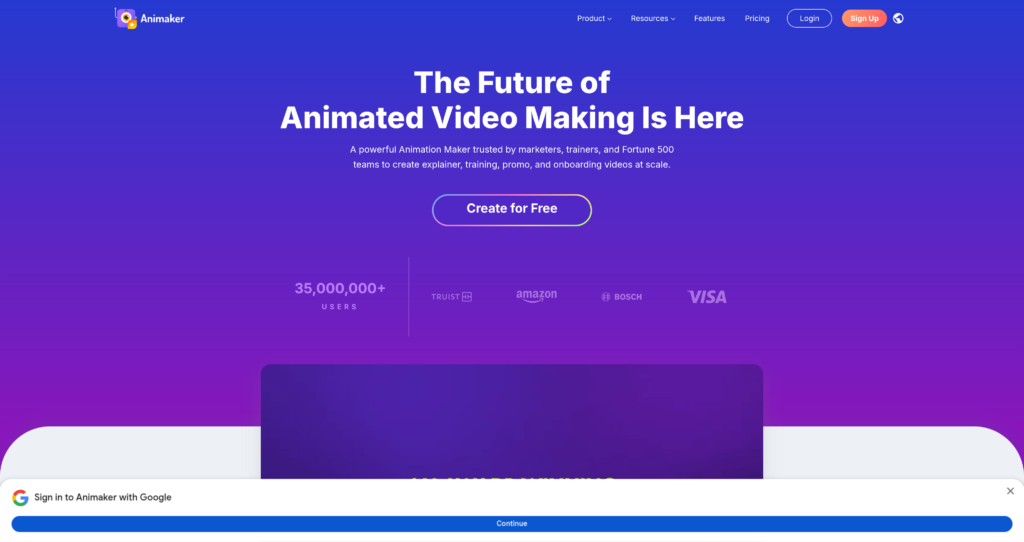
Animaker is a highly popular, cloud-based video animation platform designed to make studio-quality video creation accessible to non-designers. By offering a drag-and-drop workspace along with a massive library of pre-built templates, characters, backgrounds, and audio tracks, the software allows users to build engaging animated presentations, explainer videos, and social clips. It is used extensively by startups, educators, and enterprise marketing teams to simplify visual storytelling.

At the center of Animaker is its detailed character builder, which enables creators to build custom cartoon avatars with distinct clothing, facial features, and animations. The platform also natively integrates auto-lip-syncing and AI text-to-speech tools, allowing characters to speak naturally in multiple voices and languages. Whether you are aiming to produce short marketing reels or detailed onboarding tutorials, Animaker provides a complete and user-friendly creative suite.

For content creators comparing animation and video software, Animaker can be compared alongside editing tools like Fliki AI and dubbing platforms like Rask AI. You can discover more options in our Video Creation & Editing category page.

Key Features

Character Builder : Allows creators to design billions of unique animated character avatars with customized outfits, expressions, and poses.

Auto Lip-Syncing : Synchronizes your voiceover recordings or generated text-to-speech tracks automatically with the characters’ mouth movements.

Pre-Built Assets : Provides access to a massive library containing millions of stock photos, videos, stickers, icons, and animated backgrounds.

HTML5 Engine : Delivers a highly responsive web editor that runs smoothly on most browsers without needing system intensive software downloads.

Text-to-Speech : Converts written text into high-quality spoken audio in multiple languages, genders, and realistic vocal tones.

Smart Move : Simplifies custom path animation by enabling objects or characters to move smoothly between selected screen coordinates with one click.

Video Resizer : Instantly reformats animated projects into vertical, square, or landscape aspect ratios optimized for different social channels.

Team Collaboration : Offers shared workspace folders and multiplayer editing features so team members can review and refine animated projects together.

Pros

✔ Extremely easy-to-use drag-and-drop editor suited for beginners.

✔ Unbelievably deep character customization with billions of unique asset combinations.

✔ High-quality auto lip-syncing saves time on manual audio alignment.

✔ Multi-language text-to-speech engine supports localized global video creation.

✔ Ongoing free plan allows full access to test editor tools and layouts.

✔ Massive built-in library of stock icons, graphics, and background music.

✔ Seamless direct sharing options to YouTube, Facebook, and other social sites.

Cons

✖ Exported videos on the free plan carry prominent Animaker watermarks.

✖ Professional commercial usage rights are locked behind the Pro subscription tier.

✖ Long-form rendering and complex animations can suffer from web browser lag.

✖ Pricing can scale up quickly if purchasing extra downloads or premium assets.

✖ Offline project editing and local installations are not supported.

✖ Download limits are strictly capped per month even on paid subscription plans.

✖ Advanced animations and custom camera paths require a steeper learning curve.

Plans & Pricing

PlanTypePriceUsage LimitInclusions
FreeFreeFree5 watermarked downloads/moSD video quality, basic asset library, standard templates
BasicSubscription$20/month (or $12.50/mo billed annually)5 premium downloads/moHD (720p) quality, 5 custom characters/mo, smart auto lip-sync
StarterSubscription$35/month (or $19/mo billed annually)10 premium downloads/moFull HD (1080p) quality, 15 custom characters/mo, auto resize option
ProSubscription$79/month (or $49/mo billed annually)30 premium downloads/mo2K video quality, 30 custom characters/mo, full commercial rights, team sharing
EnterpriseSubscriptionCustom (Contact Sales)Unlimited downloads4K video quality, custom character avatars, advanced collaboration folders

Source: Tool pricing. Verify current monthly subscriptions, character limits, and yearly discount offerings on the official Animaker website.

FAQs

Q1: Can I use Animaker for free? +

Yes. Animaker offers a free plan that lets you create videos and slides. However, free downloads are limited in number, exported in SD quality, and include an Animaker watermark.

Q2: How does the auto lip-sync feature work? +

To use lip-syncing, you simply record your voice, upload an audio track, or write text using text-to-speech, and then apply it to a character. Animaker’s software automatically matches the character’s lip movements to the spoken words.

Q3: Can I monetize videos created on Animaker? +

Yes, but you must upgrade to a plan that includes commercial rights, such as the Pro plan. Videos made on the Free or Basic tiers typically do not support commercial licensing.

Q4: What is a custom character in Animaker? +

Custom characters are avatars you build from scratch in the Character Builder. Paid plans allow you to build and save a set number of unique custom characters in your library per month.

Q5: Does Animaker support group collaboration? +

Yes. Team features are available on the Pro and Enterprise plans, allowing users to collaborate on projects, share assets, and manage workflow approvals in shared workspaces.

User Ratings & Reviews

0
Based on 0 User Reviews
5 Star
(0)
4 Star
(0)
3 Star
(0)
2 Star
(0)
1 Star
(0)

Leave a Reply

Comparison Matrix
Key Features
Animaker Icon Animaker Active
Runway ML Icon Runway ML
HeyGen Icon HeyGen
Synthesia Icon Synthesia
Review Score 8.9/10 9.6/10 9.6/10 9.5/10
Pricing Model Freemium $12/month – 625 credits/month $29/month $29/month
Free Plan ✔ Yes ✔ Yes ✔ Yes ✖ No
Starting Cost Freemium Freemium Freemium Premium
Details Page Active Page Compare Compare Compare

Similar Alternatives to Animaker

Runway ML Logo

Runway ML

0 user reviews
9.6
$12/month – 625 credits/month Freemium

Runway ML is a creative AI platform that enables video, image, and audio generation using powerful machine learning tools online.

HeyGen Logo

HeyGen

0 user reviews
9.6
$29/month Freemium

HeyGen is an AI video creation platform that turns text into professional spokesperson videos using customizable avatars and voiceovers.

Synthesia Logo

Synthesia

0 user reviews
9.5
$29/month Premium

Synthesia is an AI video generation platform that allows users to create professional videos with AI avatars and voiceovers from text.

Canva Logo

Canva

0 user reviews
9.5
Freemium / Subscription Freemium

Canva is an online design and visual communication platform for creating presentations, social posts, videos, documents, websites, brand assets, and AI-powered marketing content.

Kling AI Logo

Kling AI

0 user reviews
9.5
Freemium Freemium

Kling AI is a generative video platform that converts text and images into high-definition cinematic clips. It serves content creators and animators.

Veo 3.1 Logo

Veo 3.1

0 user reviews
9.4
Subscription via Google AI plans Premium

Veo 3.1 is Google Gemini's AI video generation model for creating high-quality 8-second videos with native audio from text prompts or images.

Hailuo AI Logo

Hailuo AI

0 user reviews
9.4
$12/month Freemium

Hailuo AI is a generative video tool that turns text prompts or images into short, animated video clips with realistic motion and cinematic effects.

Riverside Logo

Riverside

0 user reviews
9.4
Freemium / Subscription Freemium

Riverside is an AI-powered recording, editing, live streaming, webinar, and podcast production platform for creating studio-quality audio and video content remotely.