
About Bolt
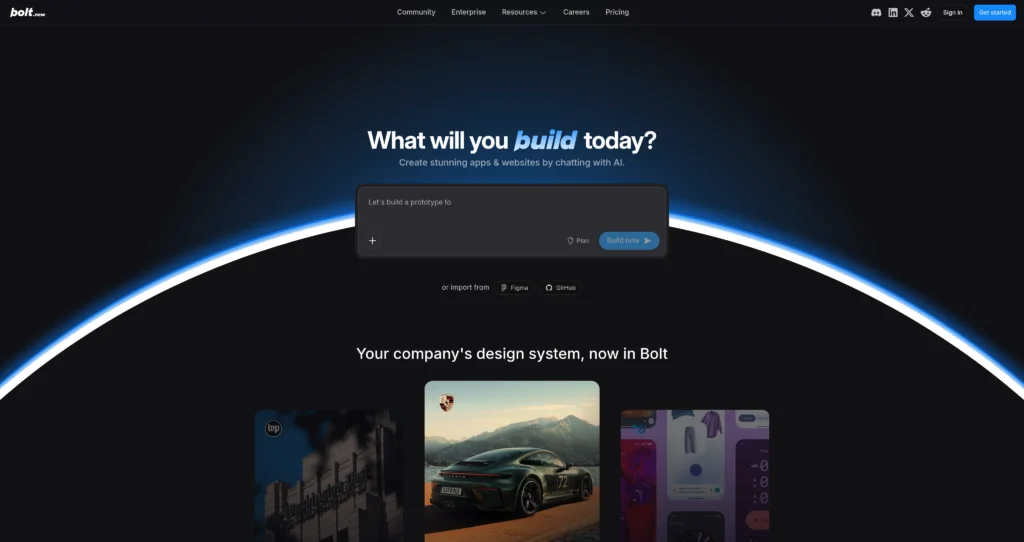
Bolt, commonly known as Bolt.new, is StackBlitz’s AI-powered app builder for creating websites and web apps directly in the browser. Users describe what they want to build, and Bolt generates code, installs packages, runs the project, previews it live, and supports editing without requiring local development setup.
The platform is built on StackBlitz WebContainers, which lets Node.js-style development run inside the browser. Bolt is useful for founders, developers, product teams, students, and non-technical builders who want to prototype apps quickly. It sits in the same broad category as Atoms, Expo, and MarsX, but Bolt’s main advantage is instant browser-based generation and preview.
Key Features
Prompt-to-app generation : Describe a website, dashboard, landing page, SaaS prototype, or app idea and have Bolt generate a working project.
In-browser development environment : Run the editor, terminal, package installation, dev server, and preview inside a browser tab through WebContainers.
Live preview : See generated changes immediately, inspect the app, and iterate with follow-up prompts.
Full-stack web app workflows : Build with modern JavaScript frameworks and connect databases, hosting, APIs, and app logic depending on project needs.
Website hosting : Plans include website hosting, request limits, custom domains on Pro, and Bolt branding rules depending on plan.
Token-based usage : Uses monthly AI tokens for generation and editing, with Pro and Teams plans offering higher limits and no daily token cap.
Private sharing and collaboration : Pro supports private site sharing, while Teams adds centralized billing and organization-level access management.
AI image editing and SEO tools : Paid plans include extras such as SEO boosting, image editing with AI, larger uploads, and expanded database features.
Pros
✔ Excellent for quickly turning app ideas into working browser prototypes.
✔ No local setup required, which helps beginners, students, and builders on locked-down machines.
✔ Live preview and terminal make it feel closer to a real dev environment than a static mockup tool.
✔ Free plan includes public/private projects, monthly tokens, hosting, and databases for testing ideas.
✔ Pro removes daily token limits and adds custom domains, no Bolt branding, larger uploads, and private sharing.
✔ Helpful for website creation, MVPs, internal tools, landing pages, and early product validation.
Cons
✖ Token usage can be hard to predict for larger apps or repeated iterations.
✖ AI-generated apps still require human review for security, accessibility, performance, and maintainability.
✖ Complex production apps may need traditional development work after the prototype stage.
✖ Free plan includes Bolt branding on websites and lower usage limits.
✖ Teams that need deep native mobile functionality may prefer a framework like Expo instead.
Plans & Pricing
| Plan | Type | Price | Usage Limit | Inclusions |
|---|---|---|---|---|
| Free | Free | $0/month | 300K tokens daily limit; 1M tokens/month | Public and private projects, Bolt branding on websites, 10MB file upload limit, website hosting, up to 333k web requests, and unlimited databases. |
| Pro | Subscription | $25/month billed monthly | No daily token limit; starts at 10M tokens/month | No Bolt branding, private site sharing, 100MB file uploads, hosting, up to 1M web requests, token rollover, custom domain support, SEO boosting, unlimited databases, expanded database capacity, database provider choice, and AI image editing. |
| Teams | Team subscription | $30/month per member billed monthly | Everything in Pro plus team controls | Centralized billing, team-level access management, granular admin controls and user provisioning, organization sharing, and private NPM registry support. |
Source: bolt.new/pricing (verify current token limits and plan terms on official website).
FAQs
Q1: What is Bolt used for?
Bolt is used to generate, edit, preview, host, and deploy web apps from natural-language prompts inside a browser-based development environment.
Q2: Is Bolt free?
Yes. Bolt has a Free plan with public/private projects, 1M monthly tokens, hosting, databases, and Bolt branding on websites.
Q3: What makes Bolt different from a normal code editor?
Bolt combines AI generation with a browser-based development environment powered by WebContainers, so the app can run, install packages, and preview without local setup.
Q4: Can Bolt publish websites?
Yes. Bolt plans include website hosting, and Pro adds custom domain support and removes Bolt branding from websites.
Q5: Who should use Bolt?
Bolt is best for founders, developers, students, product teams, agencies, and makers who want fast web app prototypes and browser-based AI coding workflows.
Final Verdict
Bolt is a powerful in-browser full-stack AI development tool that speeds up web app creation significantly. It offers premium developer experience, though complex production deployments still require manual setup.
Created on: May 28, 2026
Last updated: July 12, 2026