
About Expo
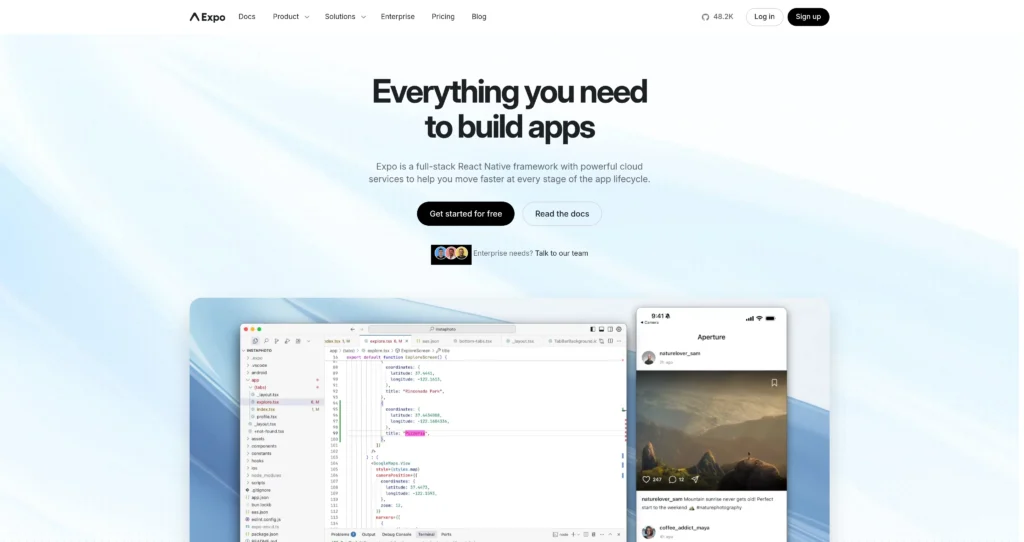
Expo is a full-stack React Native framework with cloud services that help developers build, preview, submit, update, monitor, and deploy mobile apps faster. It gives teams a modern app-development workflow for iOS, Android, and web from a shared React codebase.
The platform combines the Expo SDK, Expo Go, Expo Orbit, EAS Build, EAS Submit, EAS Update, Workflows, Hosting, Insights, and production-ready libraries for native device features. Expo is useful for solo developers, startups, agencies, and enterprise teams that want React Native productivity without manually managing every native build, app-store submission, update, and release pipeline step.
Key Features
Full-stack React Native framework : Build iOS, Android, and web apps with React while still supporting native code through Expo Modules API and config plugins.
Expo SDK : Access 100+ production-ready libraries for camera, push notifications, deep links, media, device APIs, and common mobile app needs.
Expo Go and device preview : Test apps on real devices quickly without a full native build during early development.
EAS Build : Build Android and iOS binaries in the cloud, with priority queues, build credits, concurrency, and larger workers depending on plan.
EAS Submit : Automate submission to the App Store and Google Play to reduce release friction.
EAS Update : Send over-the-air updates to users for JavaScript and asset changes without waiting for app-store review.
Workflows and CI/CD : Automate builds, tests, submissions, and releases with Expo Workflows and managed cloud infrastructure.
Insights and monitoring : Track app usage, update health, hosting requests, API function usage, error rates, and release performance.
Pros
✔ Strong fit for React and React Native teams building iOS, Android, and web apps from one codebase.
✔ Expo SDK and tooling reduce native setup work for common mobile features.
✔ EAS Build, Submit, Update, and Workflows simplify release and deployment pipelines.
✔ Free plan includes meaningful build and update allowances for solo developers and experiments.
✔ Production and Enterprise plans add higher build credits, SSO, priority support, compliance, and scale.
✔ Large community, strong documentation, and broad React Native adoption make it easier to find help.
Cons
✖ Teams building very custom native functionality may still need Kotlin, Swift, native modules, and deeper platform expertise.
✖ Paid plans include usage-based charges beyond included build/update allowances.
✖ Cloud build queues, concurrency, workers, and update limits vary by plan.
✖ Developers new to React Native still need to learn mobile platform constraints, app-store rules, and native release workflows.
✖ Enterprise security, SLA, and compliance features require custom pricing.
Plans & Pricing
| Plan | Type | Price | Usage Limit | Inclusions |
|---|---|---|---|---|
| Free | Free | $0/month | 15 Android and 15 iOS builds; 60 minutes on CI/CD Workflows; updates to 1K MAUs | Low-priority build queue, app-store submit, access to Launch, 25 projects, unlimited members, and core Expo services for solo developers and passion projects. |
| Starter | Subscription + usage | $19/month + extra usage | $45 build credit; updates to 3K MAUs | High-priority queue, access to large workers, 50 projects, unlimited members, and higher limits for developers launching real-world apps. |
| Production | Subscription + usage | $199/month + extra usage | $225 build credit; 2 included concurrencies; updates to 50K MAUs | 100 projects, 10 environment variable environments, priority support, SSO, and features for teams building and distributing production apps. |
| Enterprise | Custom | Custom | Starting at $1,000 build credit; 5 included concurrencies; updates to 1M+ MAUs | 300 projects, CI/CD Workflows insights, Slack and strategic support add-ons, service level agreements, enterprise scale, security, and compliance support. |
Source: expo.dev/pricing (verify on official website).
FAQs
Q1: What is Expo used for?
Expo is used to build, preview, submit, update, monitor, and deploy React Native apps for iOS, Android, and web from a shared development workflow.
Q2: Is Expo free?
Yes. Expo has a Free plan with build, CI/CD, submit, update, project, and member allowances. Paid plans add higher limits, priority queues, and team features.
Q3: What is EAS in Expo?
EAS, or Expo Application Services, includes cloud services like Build, Submit, Update, Workflows, Hosting, and Insights for shipping apps faster.
Q4: Can Expo apps use native code?
Yes. Expo supports native code through Expo Modules API, config plugins, and React Native workflows, so teams can extend beyond pure JavaScript when needed.
Q5: Who should use Expo?
Expo is best for React Native developers, startups, agencies, product teams, and enterprises that want faster cross-platform app development and managed release infrastructure.
Final Verdict
Expo remains the industry standard for React Native cross-platform mobile development, combining excellent developer tools, CLI utilities, and a cloud build service that saves massive development time.
Created on: May 18, 2026
Last updated: July 12, 2026