About GanttPRO
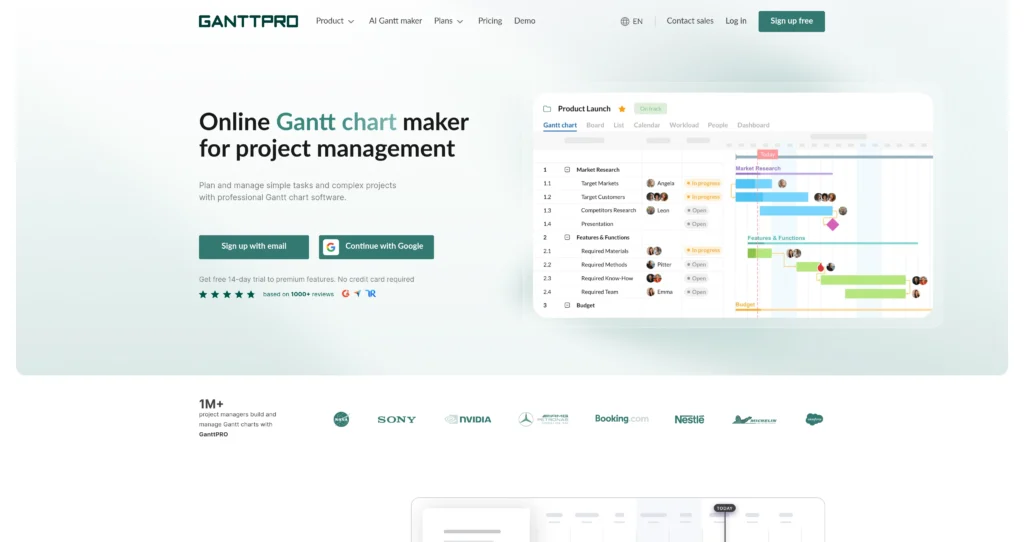
GanttPRO is online Gantt chart software built for planning, scheduling, and managing projects visually. It helps teams map tasks, dates, deadlines, milestones, dependencies, assignees, progress, and resources in a structured timeline view.
The platform is useful for project managers, operations teams, agencies, construction teams, software teams, and anyone who needs a clearer alternative to spreadsheets or overly complex enterprise project tools. Alongside Gantt charts, GanttPRO also includes board, list, dashboard, calendar, portfolio, workload, budgeting, time tracking, import/export, and collaboration features depending on the plan.

Key Features
Interactive Gantt charts : Build project timelines with tasks, subtasks, milestones, dependencies, deadlines, assignees, and progress tracking in one visual schedule.
Multiple project views : Switch between Gantt, board, list, dashboard, calendar, portfolio, and workload views so different teams can work in the format they prefer.
Dependencies and auto scheduling : Link tasks and automatically adjust schedules when dates shift, helping teams understand how one delay affects the wider plan.
Resource workload management : Plan who is working on what, spot overloaded team members, and balance workloads across projects.
Baselines and critical path : Compare planned vs. actual progress and identify the tasks that most directly affect project completion dates.
Team collaboration : Use comments, attachments, notifications, roles, rights, and shared project links to keep stakeholders aligned.
Budgeting and time tracking : Track estimates, logged time, costs, budgets, and reports on higher-tier plans for more complete project control.
Import, export, and integrations : Import from tools like Excel, MS Project, and Jira Cloud, export to formats such as PDF, PNG, XML, and Excel, and connect supported business tools.
Pros
✔ Strong visual timeline experience for complex projects with many dependencies.
✔ Easier to learn than many enterprise project management tools while still covering serious planning needs.
✔ Multiple views help teams collaborate without forcing everyone into the Gantt chart all day.
✔ Auto scheduling, baselines, deadlines, and critical path features help reduce planning mistakes.
✔ Workload, budget planning, and time tracking make it useful beyond basic task lists.
✔ 14-day free trial lets teams test premium features before paying.
✔ Good import/export options for teams moving from spreadsheets or MS Project-style workflows.
Cons
✖ No permanent free plan is highlighted on the pricing page; it is primarily trial plus paid subscriptions.
✖ Monthly billing and team-size rules can vary, so teams should verify current terms before buying.
✖ Advanced resource, budget, portfolio, and reporting tools are gated to higher plans.
✖ Teams that only need a simple checklist may find full Gantt planning more structured than necessary.
✖ Enterprise security and admin features require the Enterprise plan or custom sales discussion.
Plans & Pricing
| Plan | Type | Price | Usage Limit | Inclusions |
|---|---|---|---|---|
| Free Trial | Trial | $0 for 14 days | Trial access to premium features | No credit card required; lets teams test GanttPRO before subscribing. |
| Core | Subscription | $7/user/month billed annually | Per-user pricing | Core project management features including Gantt charts, project calendar, auto scheduling, and virtual resources. |
| Advanced | Subscription | $10/user/month billed annually | Per-user pricing | Everything in Core plus overdue tasks, custom fields and filters, calendar exceptions, and custom project templates. |
| Business | Subscription | $17/user/month billed annually | Per-user pricing | Everything in Advanced plus workload management, portfolios and reports, budget planning, and time tracking. |
| Enterprise | Enterprise | Custom / promotional pricing may apply | Available for larger teams; verify current minimums | Everything in Business plus SAML SSO, custom roles and rights, enterprise onboarding assistance, and priority support. |
Source: ganttpro.com/pricing (verify on official website).
FAQs
Q1: What is GanttPRO best for?
GanttPRO is best for teams that need visual project scheduling, dependencies, milestones, workload planning, and progress tracking in a Gantt chart-first workspace.
Q2: Does GanttPRO offer a free trial?
Yes. GanttPRO offers a 14-day free trial to premium features, and the pricing page says no credit card is required.
Q3: Can GanttPRO replace spreadsheets for project planning?
For many teams, yes. GanttPRO provides structured timelines, dependencies, workload, calendars, reports, and exports that are difficult to maintain manually in spreadsheets.
Q4: Does GanttPRO support resource and budget planning?
Yes, but the most complete workload, portfolio, budget, and time tracking capabilities are associated with higher-tier plans such as Business and Enterprise.
Q5: Can I import or export project data?
Yes. GanttPRO supports importing from sources such as Excel, MS Project, and Jira Cloud, and exporting project charts or data to formats like PNG, PDF, XML, and Excel.
Published on: May 12, 2026