About Lindy
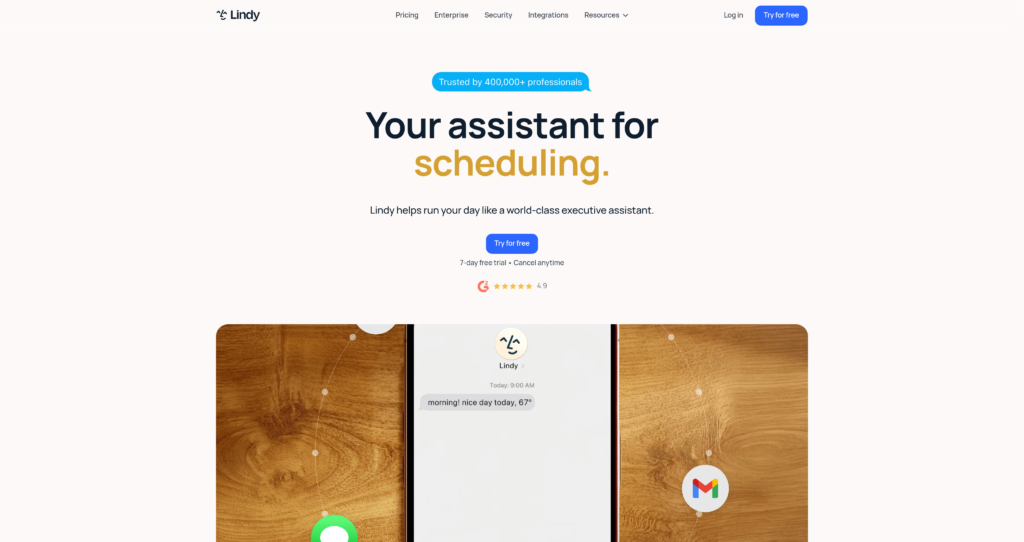
Lindy Lindy is an autonomous AI assistant designed to streamline administrative tasks for busy professionals, executives, and teams. Built on advanced large language models, the platform integrates with daily communication channels to execute operations like inbox management, meeting coordination, and follow-ups. Users interact with the assistant directly via conversational interfaces, specifically optimized for SMS and iMessage. By centralizing these tasks within standard text messaging, it minimizes the need to context-switch across multiple administrative apps. The platform serves as a continuous background operator to keep calendars and inboxes organized.
Under the hood, Lindy utilizes conversational AI coupled with custom integrations to connect with calendars, email accounts, and productivity tools. The technology learns the user’s writing style and communication preferences over time to draft contextually appropriate email replies and prioritize tasks. Despite its advanced natural language capabilities, the tool functions strictly as a draft-and-approve system to prevent unauthorized communications. Security is treated as a priority with built-in end-to-end encryption frameworks. One notable limitation is its reliance on third-party messaging interfaces, which can occasionally experience delivery lags depending on carrier networks.

Key Features
Email Drafting & Inbox Management : Lindy connects directly to up to five inboxes depending on your plan, drafting context-appropriate email replies for review. It learns your communication style over time to ensure outgoing messages sound professional and aligned with your personal voice.
SMS & iMessage Integration : The assistant is fully accessible via standard text messaging, allowing you to manage work tasks directly from your phone. Users can assign tasks, check schedules, and trigger workflows without opening specialized business applications.
Intelligent Meeting Scheduling : Lindy automates the entire process of finding mutually convenient times and booking calendar events. By coordinating directly with your calendar, it eliminates the back-and-forth negotiation typically associated with scheduling meetings.
Meeting Recording & Note-Taking : The AI agent joins scheduled video conferences to record meetings, generate accurate transcripts, and extract actionable summaries. It automatically drafts post-meeting prep sheets and follow-up emails to keep participants aligned.
Multi-App Integrations : Lindy connects with over 100 popular tools including Gmail, Outlook, Google Calendar, Slack, and Notion. This wide ecosystem ensures your assistant can push and pull data seamlessly across your existing software stack.
Custom Computer Use : Available on higher tiers, this feature allows the AI to perform complex operations on your screen to complete tasks. It broadens the assistant’s capabilities beyond simple API actions to manual interface navigations.
Pros
✔ Seamless conversational setup via SMS and iMessage that takes less than 60 seconds.
✔ Strictly drafts messages for approval, ensuring zero unauthorized emails are sent.
✔ Strong privacy framework with HIPAA compliance options and local data encryption.
✔ Accelerates meeting follow-ups by auto-generating clear summaries and actionable tasks.
✔ Broad software compatibility with over 100 direct tool integrations.
✔ Gradually adapts to personal tone and email writing styles over extended use.
Cons
✖ The SMS interface can feel cluttered when managing long email threads or complex schedules.
✖ Higher tiers are required to support more than two active email inboxes.
✖ No dedicated standalone mobile app, relying entirely on SMS or web interfaces.
✖ Features like screen-based Computer use are locked behind the $99.99/mo Pro tier.
✖ The trial period is limited to 7 days, which may be short for thorough evaluations.
✖ Lacks offline processing support as it depends entirely on active network connections.
Plans & Pricing
| Plan | Type | Price | Usage Limit | Inclusions |
|---|---|---|---|---|
| Plus ⚠️ | Monthly | $49.99/mo | Standard usage | Up to 2 inboxes, SMS/iMessage chat, email drafting, meeting scheduling, note-taking, and 100+ integrations. |
| Pro | Monthly | $99.99/mo | 3x usage of Plus | Up to 3 inboxes, computer use, live onboarding session, plus all Plus features. |
| Max | Monthly | $199.99/mo | 7x usage of Plus | Up to 5 inboxes, and all Pro features. |
| Enterprise | Custom | Custom | Shared usage + bonus credits | Dedicated support, onboarding & enablement, HIPAA compliance & signed BAA, SSO & SCIM, custom company context, and audit logs. |
FAQs
Q1: Will Lindy send emails or text messages without my prior approval?
No, Lindy operates as a draft-only assistant. It prepares emails and calendar events for you to review and approve before anything is officially sent to external contacts.
Q2: Can I use Lindy on an Android device?
Yes, Lindy is fully compatible with any SMS-capable device. Although optimized for iMessage on iOS, Android users can interact with the assistant via standard text messages.
Q3: How long does it take for Lindy to learn my communication style?
Lindy continuously observes how you draft emails, schedule events, and manage conversations. The system refines its accuracy and tone matching the more you interact with it.
Q4: What security measures does Lindy use to protect my data?
Lindy utilizes enterprise-grade encryption and never sells or uses your data to train public models. Enterprise plans additionally support SSO, SCIM provisioning, and custom audit logs.
Q5: What is included in the 7-day free trial?
The 7-day trial provides complete access to all Plus features. This includes inbox management, SMS/iMessage accessibility, meeting recording, scheduling, and standard note-taking tools.
Published on: June 6, 2026