ChatCut
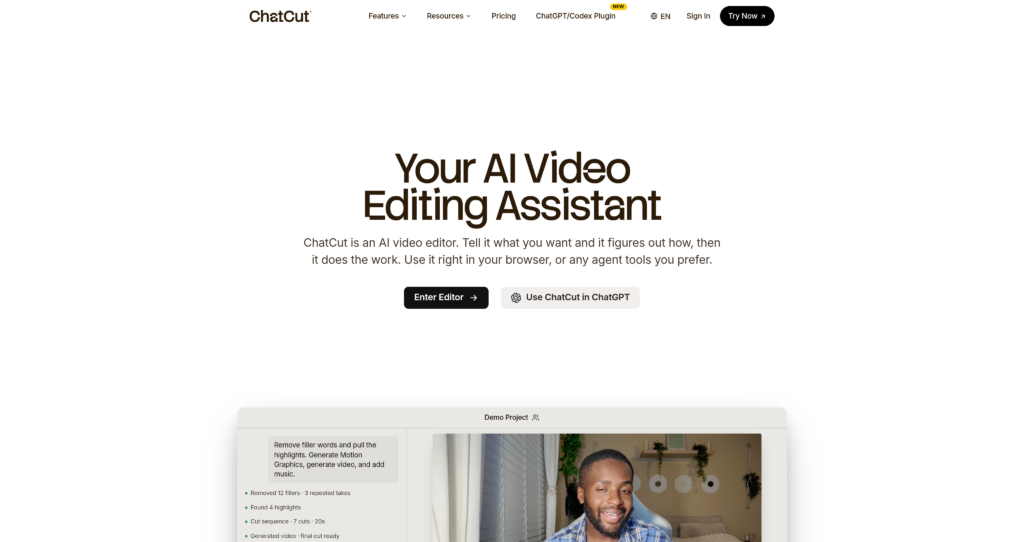
ChatCut is an AI-powered text-based video editor that allows users to edit talking-head videos simply by modifying the auto-generated transcript.

ChatCut is an AI-powered text-based video editor that allows users to edit talking-head videos simply by modifying the auto-generated transcript.

ChatCut is a web-based, AI-powered video editing platform designed specifically to streamline the production of talking-head videos. Using advanced speech-to-text models, ChatCut automatically transcribes uploaded videos, allowing users to edit the footage by editing the text transcript. Deleting a sentence or word in the transcript instantly cuts the corresponding video segment.
Additionally, ChatCut features natural language prompt editing, enabling creators to issue commands like “remove silent pauses” or “generate highlights” to let the AI process the timeline automatically. The tool also supports exporting XML timelines to professional platforms, facilitating smooth handoffs. Readers comparing video builders can also explore Fathom, Descript, and check out our AI video creation category.

Text-Based Timeline Editing : Edit video footage simply by deleting or rearranging words and phrases in the auto-generated transcript.
Natural Language Prompts : Issue plain-text commands (e.g. “cut silence”, “add music”) to automate repetitive editing steps.
Smart Audio Cleanup : One-click removal of background noise, filler words, and awkward long silences.
Automated Content Highlights : AI analyses transcript context to extract the most engaging clips for short-form social platforms.
Multi-Platform XML Export : Export edited timelines as XML files directly compatible with Adobe Premiere Pro and DaVinci Resolve.
Auto-Captioning Generator : Automatically generate and burn styled captions and subtitles onto videos in multiple languages.
AI Sound Track Matcher : Automatically matches background music and sound effects based on the mood and pacing of the call.
Template Styles Library : Quickly apply pre-styled visual frames, text overlays, and transitions to ensure brand consistency.
✔ Editing via text transcript makes video clipping accessible to complete beginners.
✔ Remove-silence automation saves substantial time on talking-head footage.
✔ High transcription accuracy across multiple spoken languages and accents.
✔ XML export support fits cleanly into professional post-production workflows.
✔ Cloud-based rendering does not require a high-performance local computer.
✔ Free tier available to test transcription and basic editing capabilities.
✔ Pre-styled caption templates make social media content export-ready.
✖ Best optimized for speech; struggles with complex action or video frames.
✖ Monthly rendering and transcription limits apply to the free plan tier.
✖ Advanced color grading or nested timeline editing is not supported natively.
✖ Heavy reliance on internet speed for video upload and cloud processing.
✖ Captions can require manual spelling adjustments for technical jargon.
✖ Lacks team workspace sharing on the entry-level subscription plan.
| Plan | Type | Price | Usage Limit | Inclusions |
|---|---|---|---|---|
| Free | Freemium | Free | Limited monthly video minutes | Basic text-based editing, standard transcription, and platform watermark. |
| Pro | Subscription | $15/month | Expanded transcription minutes | Watermark-free exports, XML timeline downloads, premium AI prompt commands, and priority cloud rendering. |
Source: ChatCut pricing. Verify current video minute allotments, XML export options, and plan terms on the official website.
ChatCut transcribes your video audio. When you delete or edit words in the text transcript, the editor automatically cuts the corresponding section of the video timeline.
Yes, users on the Pro plan can export XML timelines to continue advanced editing in professional suites like Adobe Premiere Pro and DaVinci Resolve.
Yes, ChatCut has a free tier that includes basic transcription minutes and standard text-based editing, though exports contain watermarks.
ChatCut is highly optimized for talking-head content, interviews, video podcasts, and tutorials where spoken dialogue guides the video structure.
Yes, ChatCut uses secure cloud hosting to process and store your uploads, and files are only accessible within your private account workspace.
| Key Features | ||||
|---|---|---|---|---|
| Review Score | 9.0/10 | 9.8/10 | 9.6/10 | 9.6/10 |
| Pricing Model | Freemium / Monthly Subscription | Free / Open Source | $12/month – 625 credits/month | $29/month |
| Free Plan | ✔ Yes | ✔ Yes | ✔ Yes | ✔ Yes |
| Starting Cost | Freemium | Free | Freemium | Freemium |
| Details Page | Active Page | Compare | Compare | Compare |
shadcn/ui is an open-source component collection for building customizable React design systems with Tailwind CSS, Radix UI patterns, charts, blocks, and copyable source code.
Runway ML is a creative AI platform that enables video, image, and audio generation using powerful machine learning tools online.
HeyGen is an AI video creation platform that turns text into professional spokesperson videos using customizable avatars and voiceovers.
Synthesia is an AI video generation platform that allows users to create professional videos with AI avatars and voiceovers from text.
Canva is an online design and visual communication platform for creating presentations, social posts, videos, documents, websites, brand assets, and AI-powered marketing content.
Kling AI is a generative video platform that converts text and images into high-definition cinematic clips. It serves content creators and animators.
Veo 3.1 is Google Gemini's AI video generation model for creating high-quality 8-second videos with native audio from text prompts or images.
Hailuo AI is a generative video tool that turns text prompts or images into short, animated video clips with realistic motion and cinematic effects.