About AIPPT

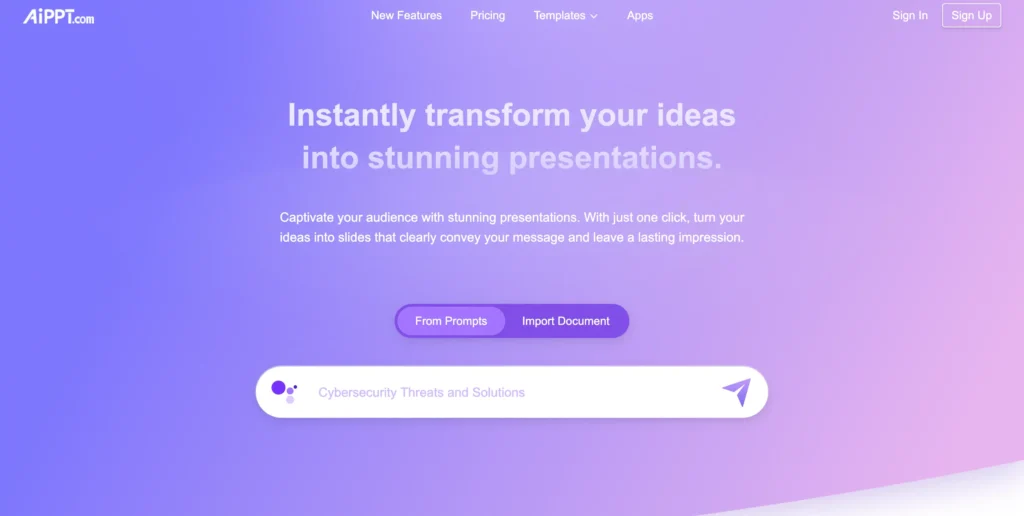
AIPPT targets professionals, educators, and students who waste hours staring at blank slides. It takes a simple text prompt or an uploaded document and turns it into a fully formatted presentation in under two minutes. While the market is flooded with automated slide generators, this tool differentiates itself through its aggressive focus on structural logic rather than just pasting generic images next to text. You don’t just get a static template; you get an AI that actually attempts to map out the narrative arc of your pitch, lecture, or project update.

Under the hood, the platform relies on natural language processing to extract key concepts and assign them to appropriate visual layouts. It operates on a hybrid model, meaning the AI generates the initial draft, but you retain manual control via a browser-based editor to tweak the final product. The platform boasts a growing user base across corporate and academic sectors, which adds a layer of credibility. However, like all generative tools, it requires human oversight to catch occasional hallucinations or repetitive phrasing.

Key Features

Document-to-Slide Conversion : The system ingests standard text files or PDFs and uses NLP to extract the most critical data points. This saves you from manually copying and pasting paragraphs into individual slides.

Prompt-Based Generation : Users can input a single descriptive sentence, and the AI generates a multi-slide outline complete with titles and bullet points. It gets you past the blank-page syndrome instantly.

Smart Layout Engine : The algorithm automatically calculates text density and pairs it with appropriate visual frameworks like timelines, grids, or charts. Your text won’t overflow the slide or look misaligned.

Native PPTX Export : The platform compiles the final output into a standard Microsoft PowerPoint file rather than locking you into a proprietary web viewer. You can download the file and apply your own native animations later.

Integrated Asset Library : The editor connects directly to a database of vector icons, stock photos, and background graphics. You don’t have to leave the tab to hunt for high-quality visuals.

Content Expansion Tool : An integrated text editor allows you to highlight a bullet point and command the AI to rewrite, shorten, or expand the text. It helps adjust the tone of your presentation on the fly.

Cloud Synchronization : All generated decks and manual edits are saved continuously to cloud servers. You can start a presentation on your desktop and finish tweaking it on a laptop without transferring files.

Global Theme Controls : The interface includes a master styling menu where you can input specific hex codes and font families. This ensures the AI’s output adheres strictly to your company’s brand guidelines.

Pros

✔ Generates complete, structured slide decks in roughly 90 seconds.

✔ Exports directly to editable PPTX format, avoiding the web-only trap of many competitors.

✔ Handles long-form document uploads (Word/PDF) with surprising accuracy.

✔ The browser interface is highly intuitive, requiring zero graphic design experience.

✔ Offers a wide variety of modern, professional templates that avoid the dated look of native PowerPoint themes.

✔ Multilingual support accurately handles non-English prompts and document summaries.

✔ Cloud-based editor allows for quick manual text tweaks immediately post-generation.

Cons

✖ AI-selected images frequently miss the mark when dealing with niche technical or medical topics.

✖ Lacks advanced animation or transition controls within the web editor.

✖ Text generation often leans toward generic corporate speak unless your prompt is highly specific.

✖ Cannot import and retain complex data charts from Excel perfectly.

✖ The mobile editing experience feels cramped and frustrating to navigate.

✖ Customer support response times often lag significantly during peak business hours.

✖ Credit consumption rates for high-volume users can add up quickly.

Plans & Pricing

PlanTypePriceUsage LimitInclusions
FreeBasic$0Visit aippt.com for current pricingVisit aippt.com for current pricing
ProSubscriptionVisit aippt.com for current pricingVisit aippt.com for current pricingVisit aippt.com for current pricing
EnterpriseCustomContact SalesVisit aippt.com for current pricingVisit aippt.com for current pricing

FAQs

Q1: Can I edit the generated slides in Microsoft PowerPoint? +

Yes, you can export your finished deck as a standard PPTX file. This allows you to apply native PowerPoint transitions, animations, and edit individual text boxes locally on your machine.

Q2: Does AIPPT support uploading my own documents? +

Yes, the platform accepts text and document uploads. The AI reads your provided material, summarizes the key points, and distributes that information across a logical slide structure.

Q3: Are the AI-generated images copyright-free? +

The platform pulls from standard stock libraries and generative models, meaning the outputs are generally safe for commercial use. However, you should always verify the specific licensing terms on their website if you plan to broadcast the deck publicly.

Q4: Can I collaborate with my team in real-time? +

Currently, the web editor focuses primarily on single-user generation. If you need simultaneous multi-user editing, your best workflow is to export the file to Google Slides or PowerPoint for the Web.

Q5: Is there a money-back guarantee on paid plans? +

Refund policies for digital credit-based AI tools are typically very strict because server compute costs are high. Visit aippt.com for current pricing and review their exact terms of service before committing to an annual subscription.

0/5
from 0 reviews
★★★★★
(0)
★★★★
(0)
★★★
(0)
★★
(0)
(0)

Leave a Reply

Alternative AI Tools

SlidesAI

0 user reviews
₹0.00 - ₹1,554.31 / month , Freemium

SlidesAI.io helps you instantly generate professional presentations from text using AI, saving time and boosting productivity.