About MeetGeek
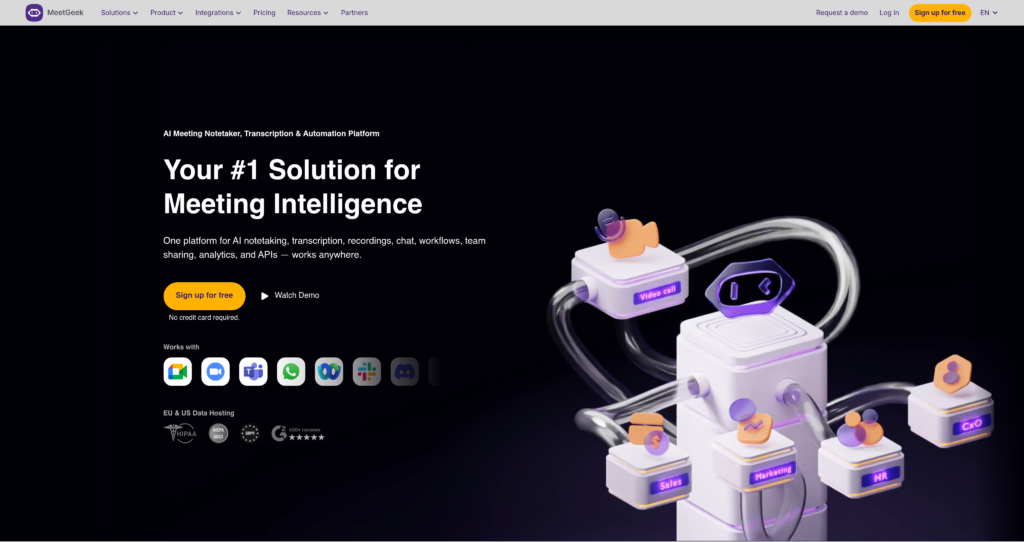
MeetGeek is an AI meeting assistant that records online meetings, creates transcripts, summarizes discussions, extracts action items, and helps teams share meeting insights automatically. It is built for sales teams, customer success teams, recruiters, managers, founders, consultants, and anyone who spends a large part of the week in calls.
MeetGeek fits well beside AI productivity tools and automation workflow tools. Instead of relying on manual notes after every meeting, teams can use MeetGeek to capture decisions, follow-ups, highlights, and searchable transcripts, then send that information into the tools they already use.

Key Features
AI meeting recording : Automatically record meetings so teams can revisit calls, review details, and avoid losing important context.
Transcription : Turn meetings into searchable transcripts that make it easier to find decisions, questions, objections, and next steps.
AI summaries : Generate concise meeting recaps with key points, highlights, tasks, and follow-up items.
Action item extraction : Identify next steps and owners so teams can move from discussion to execution faster.
Meeting insights : Analyze calls for topics, engagement, performance signals, and team-level patterns depending on the plan.
Tool integrations : Connect meeting outputs with calendars, video conferencing tools, CRMs, task tools, documentation tools, and communication platforms.
Team collaboration : Share meeting notes, clips, transcripts, and summaries with teammates so everyone can stay aligned.
Workflow automation : Use automated sharing and integrations to push meeting insights into follow-up workflows without manual copy-paste.
Pros
✔ Strong fit for teams that need reliable meeting notes, summaries, and action items.
✔ Free Basic plan makes it easy to test the workflow before upgrading.
✔ Helps reduce manual note-taking and post-meeting admin work.
✔ Useful for sales, recruiting, customer success, management, consulting, and internal team meetings.
✔ Integrations help move meeting insights into existing team workflows.
✔ Business and Enterprise plans add larger limits and team-oriented controls.
Cons
✖ Recording meetings may require participant consent depending on company policy and local law.
✖ AI summaries can miss nuance, so important decisions should still be reviewed by a human.
✖ Heavy meeting volume may require a paid plan for enough transcription and storage limits.
✖ Best value comes when the team actively uses integrations and follow-up workflows.
✖ Enterprise-grade security and admin features may require custom pricing.
Plans & Pricing
| Plan | Type | Price | Usage Limit | Inclusions |
|---|---|---|---|---|
| Basic | Free | US$0/user/month | Limited meeting transcription and storage | Core AI meeting assistant features for trying MeetGeek with basic limits. |
| Pro | Subscription | US$9.99/user/month | Higher transcription and storage limits than Basic | More meeting hours, summaries, integrations, and productivity features for individual professionals and small teams. |
| Business | Subscription | US$17/user/month | Expanded team limits | Team-focused features, larger usage limits, analytics, collaboration, and workflow support for growing teams. |
| Enterprise | Enterprise | Custom pricing | Custom limits | Advanced security, admin, support, compliance, and deployment options for larger organizations. |
Source: meetgeek.ai/pricing (verify current billing, limits, and plan inclusions on the official website).
FAQs
Q1: What is MeetGeek used for?
MeetGeek is used to record meetings, generate transcripts, summarize calls, extract action items, and share meeting insights with teams.
Q2: Does MeetGeek have a free plan?
Yes. MeetGeek offers a Basic free plan with limited meeting transcription and storage, making it useful for testing the platform.
Q3: Can MeetGeek join online meetings automatically?
MeetGeek is designed to work with online meetings and calendar-based workflows so users can record and summarize calls without taking manual notes.
Q4: Who should use MeetGeek?
MeetGeek is best for sales teams, recruiters, customer success teams, consultants, managers, founders, and remote teams that need better meeting follow-up.
Q5: Is MeetGeek safe for sensitive meetings?
MeetGeek includes business and enterprise options, but teams should review the official security, compliance, consent, and retention settings before recording sensitive meetings.
Published on: June 7, 2026