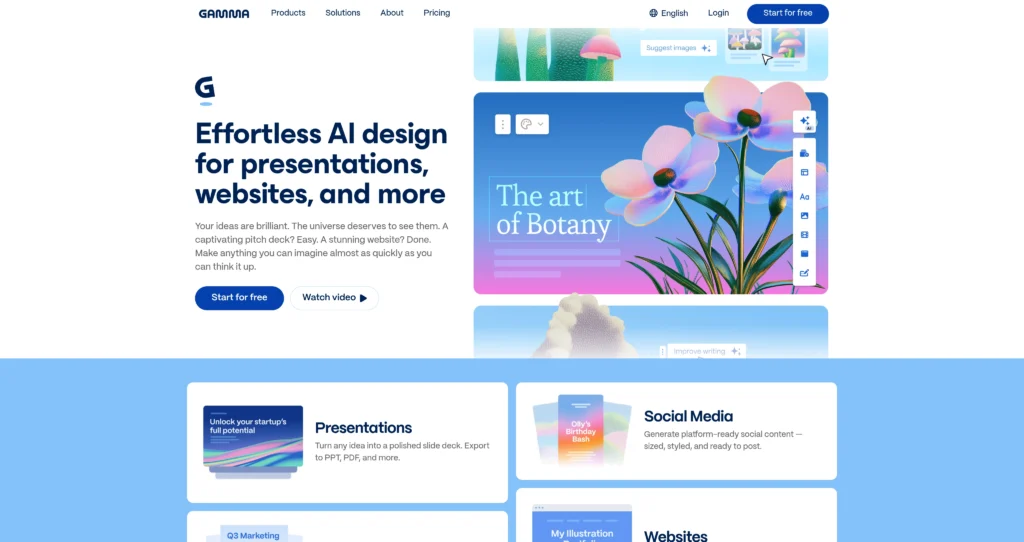
Gamma replaces legacy presentation software with an AI-driven engine that turns prompts into polished decks, docs, and sites. Find out if it’s the right tool for your next pitch.

Pricing: 0$ - 20$/month (Freemium)
gamma-app

About Gamma

Gamma is an AI-powered presentation and document builder designed to replace legacy tools like PowerPoint and Google Slides. Aimed at startup founders, marketers, and educators, it turns text prompts or outlines into fully formatted, visually appealing decks in seconds. Instead of forcing users to manually align text boxes, the platform uses a fluid, card-based layout system that automatically adjusts as you type. With millions of users already on board, its primary differentiator is speed. You can generate a reliable first draft of a pitch deck or project proposal in under a minute.

Under the hood, the platform combines natural language processing with an intelligent design engine. You type in standard Markdown, and the system automatically handles the visual hierarchy. It also supports hybrid workflows, letting you manually tweak the AI’s output or embed interactive widgets like Airtable bases and YouTube videos. Backed by major venture capital, the tool has proven highly reliable, though power users might miss the absolute pixel control found in traditional design software.

Key Features

AI Text-to-Deck Generation : The core engine uses large language models to convert a single text prompt into a multi-card presentation complete with relevant stock imagery. This drastically reduces the blank-page anxiety associated with starting a new project.

One-Click Theming Engine : Gamma applies global CSS-style design tokens to your entire document, allowing you to swap color palettes and typography instantly. You don’t have to manually update individual slides when your brand colors change.

Interactive Media Embedding : The editor natively supports iframe embeds from platforms like Spotify, YouTube, Typeform, and Airtable. This turns static presentations into interactive, self-serve web experiences for your clients.

Fluid Card-Based Layout : Content is structured in flexible blocks rather than fixed-dimension slides, automatically reflowing text and images to fit the screen. Your presentations will look equally good on a mobile phone or a massive conference monitor.

Real-Time Collaboration : Multiple users can edit the same document concurrently, complete with threaded comments and reaction emojis. Distributed teams can finalize a pitch deck together without dealing with conflicting file versions.

Built-in Analytics : The platform tracks view counts, engagement times, and card-level drop-offs for any shared link. Sales teams can see exactly which part of their proposal made a potential client lose interest.

PPT and PDF Export : Users can export their web-native Gamma files into standard PowerPoint (.pptx) or PDF formats. This ensures compatibility with corporate clients who still require traditional file attachments.

Custom Branding & Fonts : Higher-tier plans allow administrators to upload proprietary TTF/OTF font files and lock in specific brand hex codes. This ensures all employee-generated AI presentations stay strictly within corporate design guidelines.

Pros

✔ Generates highly readable, well-structured first drafts in under 60 seconds.

✔ Responsive design ensures presentations look perfect on both desktop and mobile screens.

✔ Generous free tier gives you 400 AI credits, which is plenty for testing the platform.

✔ Markdown support makes rapid text formatting incredibly fast for developers and writers.

✔ Native integrations with platforms like Figma and Airtable keep external data live.

✔ Bypasses the tedious formatting and alignment busywork required by PowerPoint.

✔ Clean, modern default themes prevent users from creating visually clashing slides.

Cons

✖ Lacks absolute pixel positioning; you cannot drag elements to exact coordinates.

✖ AI-generated text can often sound generic and requires heavy manual editing.

✖ Exporting to PowerPoint occasionally breaks complex layouts or interactive embeds.

✖ Custom font uploads are restricted to the most expensive Pro tier.

✖ No offline editing mode; you need an active internet connection to work.

✖ Analytics are relatively basic compared to dedicated document tracking software like DocSend.

✖ The 400 AI credits on the Plus plan can run out quickly if you rely heavily on AI rewrites.

Plans & Pricing

PlanTypePriceUsage LimitInclusions
FreeFree Forever$0400 one-time AI creditsUnlimited users, basic PDF/PPT export, 7-day change history, basic analytics. Includes Gamma branding.
PlusMonthly / Annual$10/mo (or $8/mo billed annually)400 AI credits per monthRemoves Gamma badge, 30-day change history, unlimited folders, premium PDF/PPT exports.
ProMonthly / Annual$20/mo (or $15/mo billed annually)Unlimited AI creationAdvanced AI models, custom fonts, unlimited change history, detailed analytics.
EnterpriseCustomContact SalesCustom limitsDedicated account manager, custom MSA/billing, SAML SSO, advanced workspace roles, security reviews.

FAQs

Q1: Can I export my Gamma presentations to PowerPoint? +

Yes, all plans allow you to export your work as a .pptx file. However, keep in mind that interactive elements like embedded videos or web forms will not function in a static PowerPoint file.

Q2: How do the AI credits work? +

Generating a full presentation costs 40 credits, while AI chat edits cost 10 credits. Free users get a flat 400 credits at signup, Plus users get 400 credits every month, and Pro users get unlimited AI access.

Q3: Does Gamma support custom fonts and corporate branding? +

Yes, but you will need to upgrade to the Pro plan. The Pro tier allows you to upload custom TTF/OTF font files and set strict brand color palettes for your team to follow.

Q4: Can I use Gamma offline? +

No. Gamma is a strictly browser-based, cloud-native application. You must have an active internet connection to create, edit, or present your documents directly from the platform.

Q5: Is the AI-generated content actually good enough to present? +

It provides an excellent structural foundation and layout, but you shouldn’t present it blindly. You’ll always need to review the text for accuracy, adjust the tone, and inject your own specific data points.

User Ratings & Reviews

0
Based on 0 User Reviews
5 Star
(0)
4 Star
(0)
3 Star
(0)
2 Star
(0)
1 Star
(0)

Leave a Reply

Comparison Matrix
Key Features
Gamma Icon Gamma Active
shadcn/ui Icon shadcn/ui
Phind AI Icon Phind AI
ClickUp Icon ClickUp
Review Score N/A 9.8/10 9.3/10 9.3/10
Pricing Model 0$ - 20$/month Free / Open Source Free / Pricing not listed Free / Subscription / Enterprise / AI Add-ons
Free Plan ✖ No ✔ Yes ✔ Yes ✔ Yes
Starting Cost Freemium Free Free Freemium
Details Page Active Page Compare Compare Compare

Similar Alternatives to Gamma

shadcn/ui Logo

shadcn/ui

0 user reviews
9.8
Free / Open Source Free

shadcn/ui is an open-source component collection for building customizable React design systems with Tailwind CSS, Radix UI patterns, charts, blocks, and copyable source code.

Phind AI Logo

Phind AI

0 user reviews
9.3
Free / Pricing not listed Free

Phind AI is an AI-powered search and chat tool for developers that helps answer coding questions, explain errors, debug issues, and find programming solutions with live web context.

ClickUp Logo

ClickUp

0 user reviews
9.3
Free / Subscription / Enterprise / AI Add-ons Freemium

ClickUp is an all-in-one work management and AI productivity platform for tasks, docs, chat, dashboards, automations, project management, ClickUp Brain, AI agents, and team workflows.

Albato Logo

Albato

0 user reviews
9.3
Freemium / Monthly Subscription / Embedded SDK Freemium

Albato is a no-code visual workflow automation platform designed to connect business apps, sync data, and embed integrations directly inside SaaS products.

CheatLayer Logo

CheatLayer

0 user reviews
9.3
Premium Subscription / Desktop Cloud Agents Premium

CheatLayer is an AI-powered automation platform that translates natural language prompts into browser scripts, custom Chrome extensions, and cloud agents.

Fathom Logo

Fathom

0 user reviews
9.3
Freemium / Subscription / Enterprise Freemium

Fathom is a free AI meeting assistant that records, transcribes, highlights, and summarizes Zoom, Google Meet, and Microsoft Teams meetings.

Expo Logo

Expo

0 user reviews
9.3
Freemium / Usage-based Freemium

Expo is a full-stack React Native framework and cloud services platform for building, previewing, submitting, updating, monitoring, and deploying iOS, Android, and web apps.

Otter Logo

Otter

0 user reviews
9.3
Freemium / Subscription Freemium

Otter is an AI meeting assistant that records, transcribes, summarizes, answers questions, creates workflows, syncs notes to CRMs, and captures action items from meetings.