Zapier
Zapier is a popular no-code automation platform that connects apps and automates workflows with simple triggers and actions.
Pricing:
$19.99 /mo (Freemium)
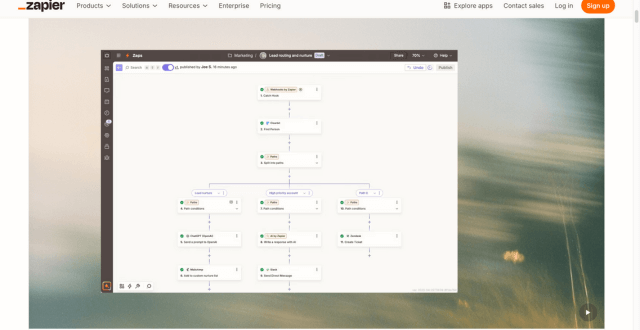
Zapier is a popular no-code automation platform that connects apps and automates workflows with simple triggers and actions.
Zapier is a widely-used automation platform that enables users to connect hundreds of applications and services to automate repetitive tasks and streamline business processes. With an intuitive interface and support for multi-step workflows, Zapier lets you build “Zaps” — event-triggered automations that move data between tools without manual intervention. Designed for marketers, small businesses, and enterprise teams alike, Zapier supports conditional logic, filters, formatting tools, and built-in actions to create powerful automated sequences. Its ecosystem spans CRM platforms, email services, project tools, productivity apps, databases, and more, making Zapier a cornerstone of modern productivity stacks for teams looking to save time, reduce errors, and scale operations efficiently.
Pricing Type: Free + Paid Subscription Plans
Zapier’s pricing is based on monthly task allowances and feature tiers. Higher plans unlock faster automation intervals, advanced features, and greater task capacity.
| Plan | Type | Price (Monthly) | Task Limit | Key Inclusions |
|---|---|---|---|---|
| Free | Free | $0 | 100 tasks | Basic automations, single-step Zaps |
| Starter | Paid | $19.99 | 750 tasks | Multi-step Zaps and filters |
| Professional | Paid | $49 | 2,000 tasks | Custom logic and unlimited Zaps |
| Team | Paid | $299 | 50,000 tasks | Shared workspace and collaboration |
| Company | Paid | $599 | 100,000 tasks | Advanced security and enterprise features |
Notes on Pricing:
– Task limits refer to the maximum number of actions your workflows can run per month.
– Higher-tier plans include features like paths (advanced logic), shared workspaces, and priority support.
Q1: Does Zapier offer a free plan?
Yes, Zapier’s free plan allows you to test automations with up to 100 tasks per month and basic single-step workflows.
Q2: What is a “task” in Zapier?
A task is counted every time an action in your workflow runs, such as sending an email, creating a record, or updating data.
Q3: Can Zapier handle complex workflows?
Yes, with multi-step Zaps, filters, and paths, Zapier supports advanced automation flows.
Q4: Who should use Zapier?
Zapier is ideal for marketers, entrepreneurs, small businesses, and teams that need reliable automation without coding.
Q5: How fast do Zaps run?
Zapier checks for triggers at intervals depending on your plan; higher plans offer more frequent checks.
| Key Features |
Zapier
Active |  v0
v0 |  Framer AI
 |  Together AI
 |
|---|---|---|---|---|
| Review Score | 9.5/10 | 9.6/10 | 9.4/10 | 9.4/10 |
| Pricing Model | $19.99 /mo | Freemium / Usage-Based / Enterprise | Freemium | Usage-Based / Enterprise |
| Free Plan | ✖ No | ✔ Yes | ✔ Yes | ✔ Yes |
| Starting Cost | Freemium | Freemium | Freemium | Premium |
| Details Page | Active Page | Compare | Compare | Compare |
v0 by Vercel is an AI app builder for generating, editing, integrating, and deploying full-stack websites and applications from natural-language prompts.
Framer AI helps users generate responsive website layouts, translate sites, use AI plugins, and launch modern no-code websites with hosting, CMS, SEO, analytics, and localization.
Together AI is an AI-native cloud for running, fine-tuning, evaluating, and deploying open models with serverless APIs, dedicated inference, and GPU clusters.
Cursor is an AI coding agent and AI-native code editor for writing, editing, reviewing, and shipping software across desktop, CLI, cloud agents, automations, and team workflows.
n8n is a flexible, open-source automation platform that lets you build powerful workflows between apps, APIs, and databases visually.
Make is a visual no-code automation and integration platform that connects apps, builds workflows, and automates complex business processes.
Riverside is an AI-powered recording, editing, live streaming, webinar, and podcast production platform for creating studio-quality audio and video content remotely.
Veo 3.1 is Google Gemini's AI video generation model for creating high-quality 8-second videos with native audio from text prompts or images.