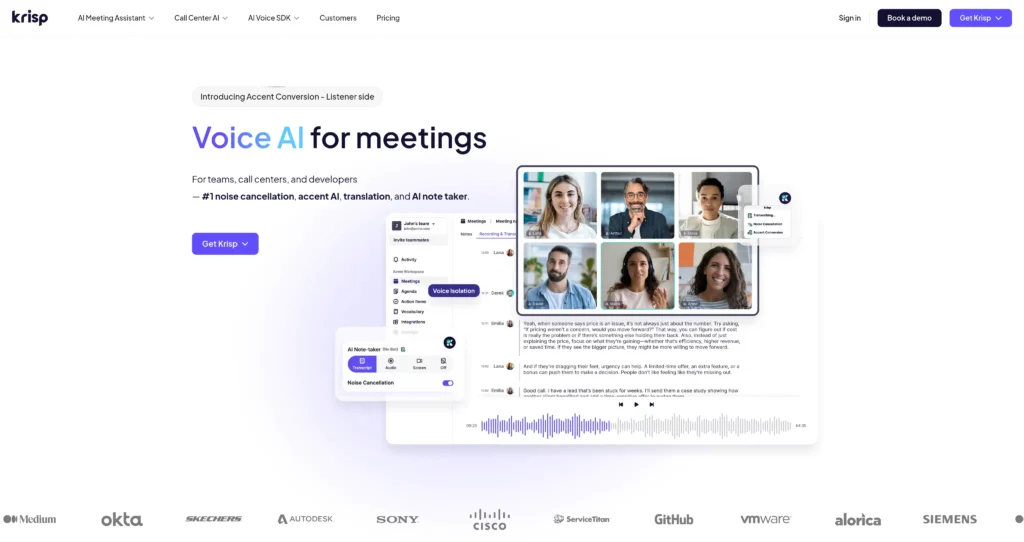
Krisp operates at the OS level to filter background noise and generate meeting notes without sending awkward bots into your calls. Here is our full technical breakdown of its performance and limits.

Pricing: 0$ - 15$/month (Freemium)
9.3 Score
krisp-ai

Detailed Assessment & Score

Overall Rating
9.3 Excellent
Core Performance Metrics
Ease of Use 9.6/10
Features 9.1/10
AI Quality 9.4/10
Value 9.1/10
Key Facts & Details
Free Plan Available Yes
API Integration Support Yes
Official Mobile App No
Browser Extension Support No
Best Suited For
Remote workers having online meetings Call centers reducing background noise Podcasters recording online interviews Freelancers working from coffee shops
System Integrations
Zoom Microsoft Teams Google Meet Slack Skype Discord

About Krisp

Krisp operates as a virtual audio layer between your microphone and your communication apps, stripping out background noise and generating transcripts without relying on meeting bots. Aimed at remote teams, call centers, and freelancers, it processes audio locally on your machine. The standout metric here is its latency; Krisp filters audio in milliseconds, making it imperceptible during live calls. Unlike competitors that require calendar integrations and send virtual participants into Zoom, Krisp captures audio directly at the operating system level.

The software uses deep neural networks trained on thousands of hours of audio to distinguish human speech from dog barks, sirens, and even other voices in the same room. While the noise cancellation happens entirely on-device to protect privacy, the newer AI meeting transcription features do require sending text data to the cloud. It is highly reliable across platforms, though heavy CPU loads on older machines can occasionally cause minor audio stuttering.


Key Features

Bi-Directional Noise Cancellation : Filters incoming and outgoing audio streams by intercepting the signal before it reaches your VoIP client. You won’t hear your colleagues’ background noise, and they won’t hear yours.

Background Voice Isolation : Maps the acoustic profile of the primary speaker and aggressively gates secondary voices. This prevents nearby conversations in open offices or cafes from bleeding into your microphone.

Bot-Free Transcriptions : Captures meeting dialogue at the system audio level rather than joining the call as a virtual participant. This avoids the awkwardness of announcing an AI bot to external clients.

Acoustic Echo Cancellation : Analyzes speaker output and microphone input simultaneously to eliminate feedback loops. It prevents the hollow, ringing echo common when participants refuse to wear headphones.

AI Meeting Summaries : Processes the raw transcript through a large language model to generate action items and formatted notes. Users get immediate post-call documentation without manual formatting.

Widget-Based Interface : Floats a minimalist control panel over your screen during active microphone usage. You can toggle noise suppression or check talk-time metrics without switching away from your presentation.

On-Device Audio Processing : Runs the primary deep learning models locally on your Mac or Windows machine. Raw audio never hits a remote server, satisfying strict corporate compliance requirements.

Call Analytics : Tracks your speaking duration, meeting volume, and participation ratios over time. This data helps professionals monitor their communication habits and avoid dominating conversations.

Pros

✔ Processes audio locally, ensuring raw voice data never leaves your machine.

✔ No calendar integration or awkward meeting bots required for transcriptions.

✔ Works universally with any desktop app that uses a microphone, including Zoom, Teams, and Slack.

✔ Background voice cancellation effectively isolates the primary speaker even in crowded rooms.

✔ Bi-directional filtering cleans up the audio of other participants who have bad microphones.

✔ Setup is incredibly fast, installing a virtual driver in seconds without requiring system reboots.

✔ Call analytics provide genuinely useful insights into your talk-to-listen ratio.

Cons

✖ Free tier limits noise cancellation to just 60 minutes per day, which is easily exhausted.

✖ AI transcripts require cloud processing, breaking the strict on-device privacy model of the audio filter.

✖ Aggressive noise gating can occasionally clip the first syllable of a sentence if you speak softly.

✖ Requires a desktop client installation, making it unusable on locked-down corporate machines without admin rights.

✖ Mobile application lacks the full feature parity and system-wide integration of the desktop version.

✖ Continuous use on older laptops can noticeably drain the battery and spin up cooling fans.

✖ Non-English transcription accuracy drops noticeably compared to its native English performance.

Plans & Pricing

PlanTypePriceUsage LimitInclusions
Free Trial7 Days$0Unlimited (7 days) Test all premium features risk-free, no credit card required, unlimited transcription, unlimited noise cancellation, unlimited audio & video recording, unlimited AI notes & action items, limited AI accent conversion & understanding
CoreSubscription$8/mo/user1 hr/day accent conversion, 5 GB storage Unlimited AI note-taker, unlimited noise cancellation, unlimited integrations & webhook, mobile app, multilingual transcript, AI chat, team & billing management, integrations (Hubspot, Slack, Zapier, Teams), MCP integration
AdvancedSubscription$15/mo/user30 GB storage Unlimited accent conversion, advanced integrations, advanced admin controls, manager view, company deal grouping, trim and comment, Salesforce integration, everything in Core plan
EnterpriseCustomContact SalesUnlimited SSO/SCIM, advanced security & reports, private transcription & recordings (on-device), super admin role, dedicated account manager, usage analytics reports, HIPAA compliance, unlimited storage, everything in Advanced plan

FAQs

Q1: Does Krisp record my audio? +

Krisp processes audio locally on your device for noise cancellation, meaning your raw voice data is never recorded or sent to a server. However, if you enable the AI transcription feature, the text data is sent to the cloud for processing.

Q2: Will Krisp work with my specific headset? +

Yes. Krisp operates independently of your hardware. It creates a virtual microphone and speaker on your operating system, so it works with any physical microphone, headset, or built-in laptop speaker.

Q3: How does Krisp generate transcripts without a bot? +

Instead of joining your Zoom or Teams call as a virtual participant, Krisp captures the audio directly from your system’s sound driver. This allows it to transcribe the meeting silently in the background.

Q4: Does Krisp slow down my computer? +

Krisp is highly optimized, but running deep learning models locally does require CPU resources. On modern machines, the impact is negligible, but users with older hardware might notice increased battery drain or fan noise.

Q5: Can I use Krisp on my smartphone? +

Krisp is primarily designed for desktop operating systems (Windows and macOS). While they have experimented with mobile applications, the core system-wide integration that makes Krisp powerful is restricted by iOS and Android sandboxing rules.

User Ratings & Reviews

0
Based on 0 User Reviews
5 Star
(0)
4 Star
(0)
3 Star
(0)
2 Star
(0)
1 Star
(0)

Leave a Reply

Comparison Matrix
Key Features
Krisp Icon Krisp Active
ElevenLabs Icon ElevenLabs
Riverside Icon Riverside
Replicate Icon Replicate
Review Score 9.3/10 9.4/10 9.4/10 9.3/10
Pricing Model 0$ - 15$/month Freemium Freemium / Subscription Usage-Based / Enterprise
Free Plan ✔ Yes ✔ Yes ✔ Yes ✖ No
Starting Cost Freemium Freemium Freemium Premium
Details Page Active Page Compare Compare Compare

Similar Alternatives to Krisp

ElevenLabs Logo

ElevenLabs

0 user reviews
9.4
Freemium Freemium

ElevenLabs is a leading generative AI voice synthesis platform that converts written text into highly realistic, natural-sounding audio.

Riverside Logo

Riverside

0 user reviews
9.4
Freemium / Subscription Freemium

Riverside is an AI-powered recording, editing, live streaming, webinar, and podcast production platform for creating studio-quality audio and video content remotely.

Replicate Logo

Replicate

0 user reviews
9.3
Usage-Based / Enterprise Premium

Replicate is an AI model API platform for running public models, fine-tuning with custom data, and deploying custom models on scalable cloud hardware.

Suno Logo

Suno

0 user reviews
9.3
Freemium Freemium

Suno AI is a generative AI music platform that allows anyone to generate complete songs, including vocals, instrumentation, and lyrics, from simple text descriptions.

Udio Logo

Udio

0 user reviews
9.3
Freemium / Subscription Freemium

Udio is an AI music generator for creating songs from prompts, writing lyrics, remixing tracks, extending arrangements, and editing music in a timeline.

Descript Logo

Descript

0 user reviews
9.2
Freemium Freemium

Descript is an all-in-one visual editor that simplifies video and audio editing by transforming media files into editable text transcripts.

Speechify Logo

Speechify

0 user reviews
9.2
Freemium / Subscription Freemium

Speechify is an AI text-to-speech and voice productivity platform for listening to documents, PDFs, websites, emails, books, AI podcasts, voice typing, and voice AI assistant workflows.

Deepgram Logo

Deepgram

0 user reviews
9.2
Free $200 credit available, pay-as-you-go from $0.0048/minute Freemium

Deepgram provides high-performance speech-to-text, text-to-speech, and voice agent APIs for developers. It offers fast, accurate transcription and vocal synthesis.