Detailed Assessment & Score

Overall Rating
9.1 Excellent
Core Performance Metrics
Ease of Use 9.3/10
Features 9.0/10
AI Quality 9.1/10
Value 9.4/10
Key Facts & Details
Free Plan Available Yes
API Integration Support Yes
Official Mobile App Yes
Browser Extension Support Yes
Best Suited For
Analyzing long financial reports Translating long multilingual books Summarizing academic papers
System Integrations
Web browser iOS Android Chrome Extension

About Kimi

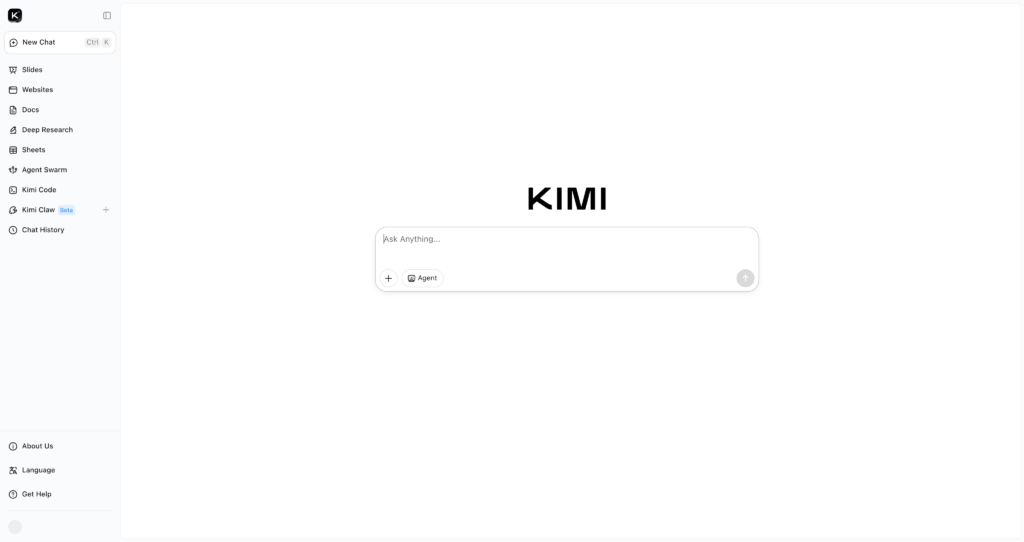
Kimi is an AI assistant from Moonshot AI built for chat, research, document understanding, coding support, agent workflows, and long-context productivity. Users can ask questions, analyze files, summarize information, draft content, explore technical topics, and run more advanced assistant workflows through Kimi’s membership-based feature set.

Kimi is useful for people comparing AI productivity tools, research and summarization tools, and AI coding assistants. It works well for students, researchers, writers, developers, operators, and teams that need a flexible AI workspace rather than a single-purpose assistant.

Key Features

AI chat assistant : Ask questions, brainstorm ideas, draft content, explain concepts, and work through complex tasks in a conversational interface.

Research workflows : Use Kimi for information gathering, summarization, reasoning, and structured answers across everyday and professional topics.

File and document help : Analyze documents, process office files, summarize materials, and extract useful insights from uploaded content where supported by the current plan.

Kimi Code : Paid plans include coding-related quota, making Kimi useful for programming help, debugging, code explanation, and development workflows.

Agent workflows : Membership plans list agent quotas, concurrent tasks, speed priority, and higher-tier Agent Swarm usage for more advanced task execution.

Professional database calls : Plans include professional database usage allowances, with higher tiers offering more calls per billing cycle.

Unified credits : Kimi memberships use a shared credit pool across supported features, so usage is metered by token consumption rather than managed separately for each feature.

Web and mobile access : Kimi is available through the web app and mobile experiences, making it practical for daily AI work across devices.

Pros

✔ Flexible AI assistant for research, writing, document work, coding, and productivity tasks.

✔ Free Adagio plan lets users test Kimi before upgrading to a paid membership.

✔ Paid plans scale agent quota, concurrent tasks, Kimi Code usage, and database calls.

✔ Unified credits make usage easier to understand across supported Kimi features.

✔ Higher tiers include Agent Swarm, Kimi Claw, faster priority, and larger usage allowances.

✔ Useful for users who want one assistant for both general productivity and technical workflows.

Cons

✖ Feature availability and plan names can vary by region, language, and billing page.

✖ Credit-based usage means heavy agent, coding, or research sessions can consume limits faster than expected.

✖ Some advanced features are only available on higher-tier plans.

✖ AI-generated answers, research, and code still need human verification before important use.

✖ Users should check official membership details before subscribing because pricing and quotas can change.

Plans & Pricing

PlanTypePriceUsage LimitInclusions
AdagioFreeUS$0/monthApprox. 6 agent tasks; 1 concurrent task; 200 professional database callsFree access for everyday testing with limited agent and database usage.
ModeratoSubscriptionUS$19/monthApprox. 60 agent tasks; 2 concurrent tasks; 1x Kimi Code quota; 2,000 database calls4x agent speed priority, larger usage limits, and paid membership benefits.
AllegrettoSubscriptionUS$39/monthApprox. 150 agent tasks; 2 concurrent tasks; 5x Kimi Code quota; 5,000 database callsModerato features plus Agent Swarm beta usage, Kimi Claw, and higher coding quota.
AllegroSubscriptionUS$99/monthApprox. 360 agent tasks; 4 concurrent tasks; 15x Kimi Code quota; 12,000 database callsHigher agent quota, more concurrent work, expanded Agent Swarm usage, and larger professional database allowance.
VivaceSubscriptionUS$199/monthApprox. 720 agent tasks; 4 concurrent tasks; 30x Kimi Code quota; 24,000 database callsHighest listed membership tier with the largest usage quotas and Agent Swarm allowance.

Source: kimi.com/membership/pricing and Kimi membership help documentation (verify current prices, taxes, regional availability, and quota rules on the official website).

FAQs

Q1: What is Kimi used for?+

Kimi is used for AI chat, research, summarization, document analysis, coding help, reasoning, agent workflows, and everyday productivity tasks.

Q2: Does Kimi have a free plan?+

Yes. Kimi lists a free Adagio plan with limited agent quota, one concurrent task, and a smaller professional database allowance.

Q3: What are Kimi credits?+

Kimi memberships use a unified credit pool across supported features. Credits are consumed based on token usage and refresh each monthly billing cycle.

Q4: Is Kimi good for coding?+

Yes. Kimi includes Kimi Code quota on paid plans, so it can help with coding tasks, explanations, debugging, and development workflows.

Q5: Who should use Kimi?+

Kimi is best for students, researchers, writers, developers, analysts, and professionals who need a flexible AI assistant for research, files, code, and productivity.

User Ratings & Reviews

0
Based on 0 User Reviews
5 Star
(0)
4 Star
(0)
3 Star
(0)
2 Star
(0)
1 Star
(0)

Leave a Reply

Comparison Matrix
Key Features
Kimi Icon Kimi Active
shadcn/ui Icon shadcn/ui
GitHub Copilot Icon GitHub Copilot
v0 Icon v0
Review Score 9.1/10 9.8/10 9.6/10 9.6/10
Pricing Model Freemium / Subscription Free / Open Source $10/month or $100/year Freemium / Usage-Based / Enterprise
Free Plan ✔ Yes ✔ Yes ✖ No ✔ Yes
Starting Cost Freemium Free Freemium Freemium
Details Page Active Page Compare Compare Compare

Similar Alternatives to Kimi

shadcn/ui Logo

shadcn/ui

0 user reviews
9.8
Free / Open Source Free

shadcn/ui is an open-source component collection for building customizable React design systems with Tailwind CSS, Radix UI patterns, charts, blocks, and copyable source code.

GitHub Copilot Logo

GitHub Copilot

0 user reviews
9.6
$10/month or $100/year Freemium

GitHub Copilot is an AI coding assistant that suggests code, functions, and solutions directly within your IDE in real time.

v0 Logo

v0

0 user reviews
9.6
Freemium / Usage-Based / Enterprise Freemium

v0 by Vercel is an AI app builder for generating, editing, integrating, and deploying full-stack websites and applications from natural-language prompts.

Windsurf Logo

Windsurf

0 user reviews
9.5
($0–$200) Freemium

Windsurf is an AI-powered coding editor with Cascade agents, Tab autocomplete, and enterprise-ready collaboration tools, offering flexible plans from Free to Enterprise.

LangChain Logo

LangChain

0 user reviews
9.4
Freemium Freemium

LangChain is a leading open-source orchestration framework designed to simplify the construction of applications powered by large language models.

retool Logo

retool

0 user reviews
9.4
Free plan available, paid plans from $10/builder/month Freemium

Retool allows developers to build functional internal tools and workflows by connecting databases and APIs to drag-and-drop React components.

Cursor Logo

Cursor

1 user review
9.4
Free / Subscription / Team / Enterprise Freemium

Cursor is an AI coding agent and AI-native code editor for writing, editing, reviewing, and shipping software across desktop, CLI, cloud agents, automations, and team workflows.

Together AI Logo

Together AI

0 user reviews
9.4
Usage-Based / Enterprise Premium

Together AI is an AI-native cloud for running, fine-tuning, evaluating, and deploying open models with serverless APIs, dedicated inference, and GPU clusters.