About CodeRabbit

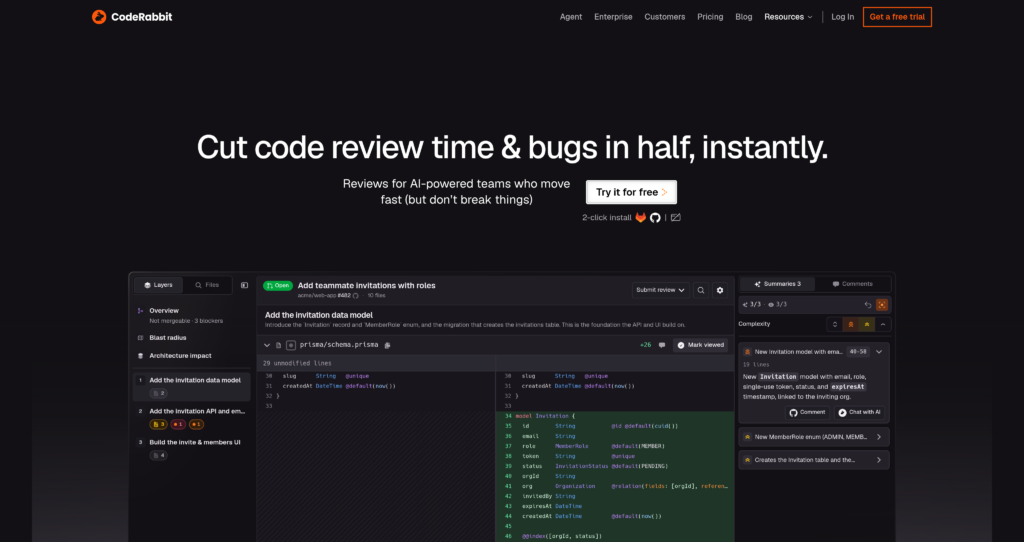
CodeRabbit is an AI-first pull request reviewer built to automate and enhance code reviews. Operating directly inside development repositories, CodeRabbit reviews commits, checks for logic bugs and security issues, and outputs line-by-line feedback. Instead of leaving passive review comments, it provides ready-to-commit autofix code suggestions that developers can commit with one click.

The platform supports major version control platforms like GitHub, GitLab, and Bitbucket, and works across more than 30 programming languages. Through its context-aware chat, developers can speak directly with the CodeRabbit AI within pull request comments to explain logic, ask follow-up questions, or request adjustments. CodeRabbit also features deep task integrations with Jira and Linear, Slack notifications, and a dedicated Slack Agent for troubleshooting tickets and automating tasks.

To compare this platform with other developer code assistants, view our Cursor AI Review and the Amazon Q Developer Review, or browse our list of verified coding engines in the Developer Tools Category.


Key Features

AI Code Reviews : Scans pull requests automatically to deliver line-by-line feedback, bug identification, and logic correction suggestions.

Context-Aware Chat : Converses with developers directly inside pull request comments to resolve review queries and explain AI changes.

Lint & SAST Support : Interfaces with standard linting engines and static application security testing tools to enforce code quality rules.

Issue & Jira Integrations : Connects pull requests to Jira and Linear boards, keeping feature tasks synced with development status.

Autofix Code Generation : Offers drop-in code fixes that developers can commit directly with a single click inside GitHub or GitLab.

Unit Test Generation : Generates comprehensive unit tests automatically to cover code changes and prevent logic regressions.

Customizable Guidelines : Instructs the AI using project-specific instructions to match internal formatting, security rules, and styles.

Local IDE & CLI Reviews : Connects reviews directly to development environments via integrated IDE extensions and terminal CLI tools.

Pros

✔ Drastically reduces the time required for senior developers to perform pull request reviews.

✔ Line-by-line code suggestions can be committed directly from the git client UI.

✔ Offers a 14-day free trial on all plans without credit card entry.

✔ Integrates seamlessly with popular Git hosts like GitHub, GitLab, and Bitbucket.

✔ Bring your own key (BYOK) configurations allow advanced cost control.

✔ The Slack agent provides quick incident investigations and alerts.

✔ Support for over 30 programming languages ensures high cross-stack versatility.

Cons

✖ AI suggestions can sometimes result in false positives or minor formatting disagreements.

✖ The Free tier is limited and only outputs high-level PR summaries.

✖ Custom pre-merge checks and UTG are locked behind the Pro Plus plan.

✖ High-tier plans can become costly for large engineering organizations.

✖ Enterprise self-hosting options require complex initial setup and maintenance.

✖ Does not offer offline offline local processing for high-security closed networks.

✖ Complex code patterns occasionally require manual chat clarification.

Plans & Pricing

PlanMonthly PriceAnnual Price (Billed Annually)Key Features & Limits Included
FreeFreeN/A14-day Pro Plus trial, PR summarization, IDE/CLI reviews
Pro$30/user/month$24/user/month ($288/year)Line-by-line reviews, linter/SAST support, Jira/Linear integrations, dashboards
Pro Plus$60/user/month$48/user/month ($576/year)Everything in Pro + custom pre-merge checks, unit test generation, issue planner
EnterpriseCustomCustomEverything in Pro Plus + self-hosting, custom RBAC, SSO, dedicated strategic support

Source: CodeRabbit pricing page.

FAQs

Q1: How does CodeRabbit review my code?+

CodeRabbit hooks into your git repository, automatically analyzing commits and pull requests to post line-by-line feedback, security issues, and autofix code suggestions.

Q2: Which git host platforms are supported by CodeRabbit?+

CodeRabbit provides native integrations for GitHub, GitLab, and Bitbucket Cloud/Server.

Q3: What is included in the 14-day free trial?+

The 14-day free trial provides full, unrestricted access to the Pro Plus plan capabilities without requiring any credit card details up front.

Q4: Does CodeRabbit support my programming language?+

Yes, CodeRabbit supports over 30 programming languages, including JavaScript, TypeScript, Python, Java, Go, C++, Rust, and Ruby.

Q5: How does the Slack Agent work?+

The Slack Agent runs at $0.50 per agent minute, allowing teams to troubleshoot tickets, investigate incidents, and open PRs directly from Slack chat.

Detailed Assessment & Score

Overall Rating
9.1 Excellent
Core Performance Metrics
Ease of Use 9.2/10
Features 9.0/10
AI Quality 9.1/10
Value 9.1/10
Key Facts & Details
Free Plan Available Yes
API Integration Support Yes
Official Mobile App No
Browser Extension Support No
Best Suited For
Automating code reviews and pull request approvals Generating context-aware unit tests and code fixes Enforcing code standards across GitHub, GitLab, and Bitbucket
System Integrations
GitHub GitLab Bitbucket Jira Linear Slack VS Code JetBrains IDEs

User Ratings & Reviews

0
Based on 0 User Reviews
5 Star
(0)
4 Star
(0)
3 Star
(0)
2 Star
(0)
1 Star
(0)

Leave a Reply

Published: Updated:
Comparison Matrix
Key Features
CodeRabbit Icon CodeRabbit Active
shadcn/ui Icon shadcn/ui
GitHub Copilot Icon GitHub Copilot
v0 Icon v0
Review Score 9.1/10 9.8/10 9.6/10 9.6/10
Pricing Model Freemium / Monthly & Annual Subscription Free / Open Source $10/month or $100/year Freemium / Usage-Based / Enterprise
Free Plan ✔ Yes ✔ Yes ✖ No ✔ Yes
Starting Cost Freemium Free Freemium Freemium
Details Page Active Page Compare Compare Compare

Similar Alternatives to CodeRabbit

shadcn/ui Logo

shadcn/ui

0 user reviews
9.8
Free / Open Source Free

shadcn/ui is an open-source component collection for building customizable React design systems with Tailwind CSS, Radix UI patterns, charts, blocks, and copyable source code.

GitHub Copilot Logo

GitHub Copilot

0 user reviews
9.6
$10/month or $100/year Freemium

GitHub Copilot is an AI coding assistant that suggests code, functions, and solutions directly within your IDE in real time.

v0 Logo

v0

0 user reviews
9.6
Freemium / Usage-Based / Enterprise Freemium

v0 by Vercel is an AI app builder for generating, editing, integrating, and deploying full-stack websites and applications from natural-language prompts.

Windsurf Logo

Windsurf

0 user reviews
9.5
($0–$200) Freemium

Windsurf is an AI-powered coding editor with Cascade agents, Tab autocomplete, and enterprise-ready collaboration tools, offering flexible plans from Free to Enterprise.

LangChain Logo

LangChain

0 user reviews
9.4
Freemium Freemium

LangChain is a leading open-source orchestration framework designed to simplify the construction of applications powered by large language models.

retool Logo

retool

0 user reviews
9.4
Free plan available, paid plans from $10/builder/month Freemium

Retool allows developers to build functional internal tools and workflows by connecting databases and APIs to drag-and-drop React components.

Cursor Logo

Cursor

1 user review
9.4
Free / Subscription / Team / Enterprise Freemium

Cursor is an AI coding agent and AI-native code editor for writing, editing, reviewing, and shipping software across desktop, CLI, cloud agents, automations, and team workflows.

Together AI Logo

Together AI

0 user reviews
9.4
Usage-Based / Enterprise Premium

Together AI is an AI-native cloud for running, fine-tuning, evaluating, and deploying open models with serverless APIs, dedicated inference, and GPU clusters.