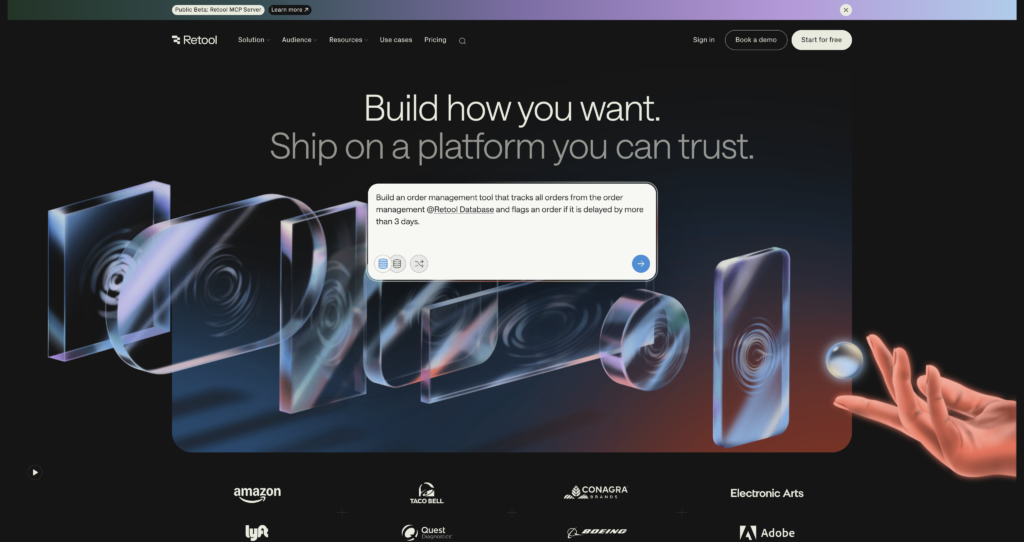
Retool allows developers to build functional internal tools and workflows by connecting databases and APIs to drag-and-drop React components.

Pricing Model : Free plan available, paid plans from $10/builder/month , Freemium

AI Categories:

retool

About retool

retool Retool is a powerful low-code development platform designed for developers, engineering teams, and operations specialists to build custom internal applications rapidly. By connecting directly to database engines, gRPC services, and REST or GraphQL APIs, it provides a highly unified visual interface to construct administrative panels, custom CRM dashboards, and database GUIs. Under the hood, Retool leverages standard web languages like React, JavaScript, and SQL, allowing developers to write custom scripts and complex queries whenever they hit the limits of basic visual configurations. Its primary use case is accelerating the delivery of essential operational software, helping organizations bypass the overhead of writing boilerplate frontend code from scratch.

Under the hood, Retool compiles a visual layout of pre-configured UI components into a high-performance, responsive React application. The platform acts as a secure proxy to query your databases and APIs, meaning it never stores your underlying records or transactional data on its own servers. It also features modern developer capabilities like Retool Workflows for backend automation and Retool Agents for building custom LLM-powered tasks. However, one honest limitation is its visual flexibility; customizing the UI layout beyond the rigid grid system can be highly restrictive, often forcing developers to write complex custom CSS or embed custom-built iframe components to achieve precise designs.


Key Features

Drag-and-Drop React Component Library : Provides over 100 pre-built React components like tables, forms, charts, and file uploaders. These components connect dynamically to your data, allowing developers to assemble full application frontends in minutes rather than days.

Universal Data Connectors : Supports native integrations with PostgreSQL, MongoDB, Slack, Salesforce, and virtually any REST, GraphQL, or gRPC endpoint. This ensures developers can read and write data across disparate systems inside a single dashboard.

Retool Workflows : Allows developers to build event-driven backend automations and scheduled cron jobs using a visual canvas. This feature supports writing custom JavaScript and SQL steps to orchestrate complex ETL tasks and system syncs seamlessly.

AI-Native App Builder : Integrates smart AI capabilities directly into the editor to generate initial layouts, write query logic, and debug errors. This minimizes routine coding tasks and accelerates the time it takes to build functional interfaces.

Granular Access Controls (RBAC) : Enables administrators to establish role-based permissions, securing apps and data resources at a granular level. This ensures internal staff only see the records and tools appropriate for their respective business roles.

Managed Retool Database : Includes a built-in, fully managed PostgreSQL database with up to 5GB of storage. This allows teams to store application data locally within Retool without needing to provision external cloud hosting.

Git-Based Source Control : Integrates with enterprise code repositories like GitHub or GitLab to provide clear version history and branch-based editing. It helps teams maintain staging pipelines and perform code reviews before deploying internal apps.

Pros

✔ Slashes front-end development time by providing highly functional, pre-styled UI blocks.

✔ Allows custom JavaScript execution globally across components and queries for infinite flexibility.

✔ Provides robust security configurations and support for self-hosting in private clouds (VPCs).

✔ Comprehensive querying interface with built-in auto-complete and database schema inspection.

✔ Differentiated seat pricing structure lowers costs for non-technical internal app consumers.

✔ Supports importing bespoke custom React components when default visual options fall short.

Cons

✖ Imposes a steep learning curve for users who are not already familiar with SQL or JavaScript.

✖ Highly rigid visual layout system makes custom branding and precise UI designs hard to implement.

✖ Cloud-hosted instance lacks support for offline application execution and editing.

✖ Overall licensing costs can scale rapidly as the headcount of both builders and internal users grows.

✖ Advanced version control and Git sync are locked exclusively behind the custom Enterprise tier.

✖ Mobile app builder operates on a distinct framework, requiring separate layouts from web dashboards.

Plans & Pricing

PlanTypePriceUsage LimitInclusions
Free ⚠️Monthly$0Up to 5 users, 500 workflow runs/monthUnlimited web & mobile apps, 5GB data storage, up to 20 hours/month of Agents, 250 AI credits/month.
TeamMonthly$10/mo per builder + $5/mo per internal user5,000 workflow runs/monthEverything in Free, staging environment, app release versions, access for more than 5 users, 1,000 AI credits/month.
BusinessMonthly$50/mo per builder + $15/mo per internal user5,000 workflow runs/month (additional runs $75 per 5k)Everything in Team, audit logging, rich permission controls, portals and embedded apps, unlimited environments, 3,000 AI credits/month.
EnterpriseCustomContact SalesCustom limitsEverything in Business, SAML/OIDC SSO, git source control, custom branding, independent workspaces, platform APIs, 10,000 AI credits/month, dedicated support.

FAQs

Q1: Does Retool store my database credentials or actual records? +

Retool securely encrypts and stores your database connection credentials using AES-256 encryption. However, it does not store your transactional records; queries run dynamically from your infrastructure straight to your user interface, passing safely through the proxy.

Q2: Can I deploy and run Retool on my own private infrastructure? +

Yes, Retool supports a self-hosted deployment option using Docker or Kubernetes. This allows organizations with strict security standards to run the entire application environment behind their own virtual private clouds (VPCs).

Q3: What is the difference between a builder and an internal user? +

A builder is a user account configured with the permissions to build, write queries, and publish Retool applications or workflows. An internal user is an employee who can access and execute those published applications but cannot make structural modifications.

Q4: Does Retool allow us to import custom React code? +

Yes, if the native components in Retool do not suit your requirements, you can write and import custom React components. These custom components can easily exchange state variables with the rest of your Retool workspace.

Q5: How do AI credits function in the Retool pricing structure? +

AI credits are pooled at the account level and cover all app generation assistance and developer AI actions. These credits are renewed on your monthly billing cycle and do not roll over to the following month.

0/5
from 0 reviews
★★★★★
(0)
★★★★
(0)
★★★
(0)
★★
(0)
(0)

Leave a Reply

Alternative AI Tools

Kimi

0 user reviews
Freemium / Subscription , Freemium

Kimi is an AI assistant from Moonshot AI for chat, research, file analysis, coding help, agent workflows, long-context reasoning, and everyday productivity.

, ,

Magic Patterns

0 user reviews
Freemium / Subscription , Freemium

Magic Patterns is an AI product design and prototyping tool that helps teams generate UI screens, frontend components, React/Tailwind code, and clickable product mockups from prompts and references.

, , ,

whacka

whacka

0 user reviews
Free plan available, paid plans start from $9/month , Freemium

Whacka is an AI-powered app builder that generates functional web applications. It provides free database, storage, and push infrastructure.

base44

Base44

0 user reviews
Freemium / Subscription , Freemium

Base44 is an AI-powered app builder that turns natural language into full-stack apps with built-in backend, database, authentication, analytics, integrations, domains, and collaboration.

, , , ,