About Vocal Remover
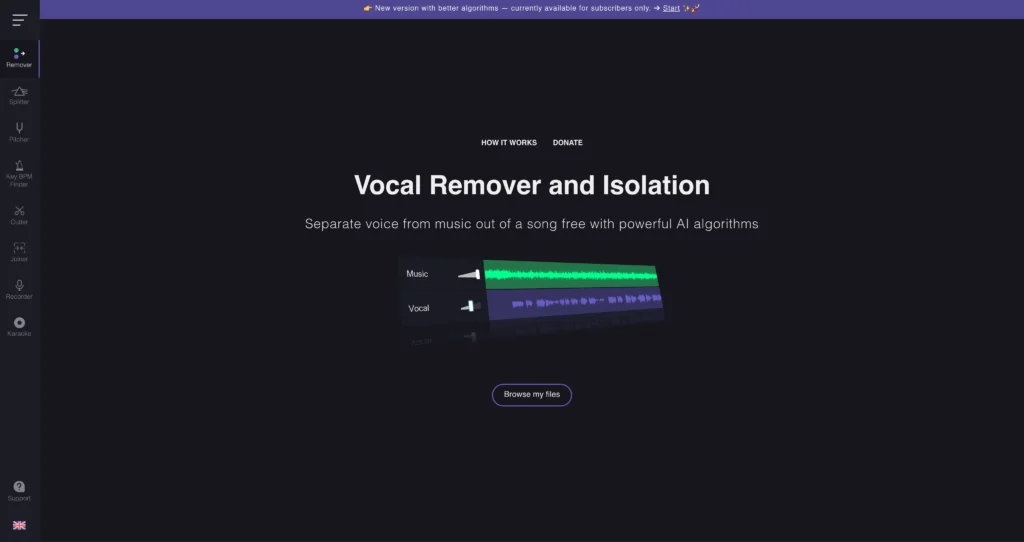
Vocal Remover is a free online audio tool for separating vocals from instrumentals using AI. Users upload an audio file, wait for processing, and download separated vocal and karaoke/instrumental tracks.
The site also includes supporting audio tools such as pitch changer, key/BPM finder, audio cutter, audio joiner, karaoke recorder, voice recorder, and audio converter. It is useful for karaoke creators, remix makers, musicians, DJs, students, and content creators who need quick vocal isolation without installing desktop software.

Key Features
AI vocal separation : Split songs into vocal and instrumental/karaoke tracks.
Karaoke maker : Create backing tracks by removing lead vocals from songs.
Pitch changer : Change song pitch for practice, singing, or remixing.
Key and BPM finder : Detect song key and tempo for music production or DJ preparation.
Audio cutter and joiner : Trim or combine audio clips directly in the browser.
Voice and karaoke recorder : Record audio or sing over karaoke-style tracks.
Audio converter : Convert audio files for easier use across apps and platforms.
Browser-based workflow : Use the tool online without installing a DAW or plugin.
Pros
✔ Free and easy to use for quick vocal/instrumental separation.
✔ Includes several handy audio utilities beyond vocal removal.
✔ Useful for karaoke, practice, remixes, covers, and music education.
✔ No software installation required.
✔ Good companion to AI audio and music tools.
Cons
✖ No detailed paid pricing or account plan table is shown on the site.
✖ Free usage may have processing limits or availability constraints depending on server load.
✖ Separation quality can vary by source mix, mastering, compression, and background effects.
✖ Users must respect copyright and licensing before reusing song stems commercially.
Plans & Pricing
| Plan | Type | Price | Usage Limit | Inclusions |
|---|---|---|---|---|
| Online Tools | Free | $0 | No public detailed limit table shown | Vocal remover, karaoke maker, pitch changer, key/BPM finder, audio cutter, joiner, recorder, and converter tools. |
Source: vocalremover.org (verify availability and limits on official website).
FAQs
Q1: What is Vocal Remover used for?
It is used to separate vocals and instrumentals, create karaoke tracks, edit audio, detect BPM/key, and convert audio files.
Q2: Is Vocal Remover free?
The official site presents the tools as free online tools, with no public paid plan table shown.
Q3: Can I use extracted vocals commercially?
Only if you have the necessary rights to the original song and extracted stems.
Published on: May 29, 2026