
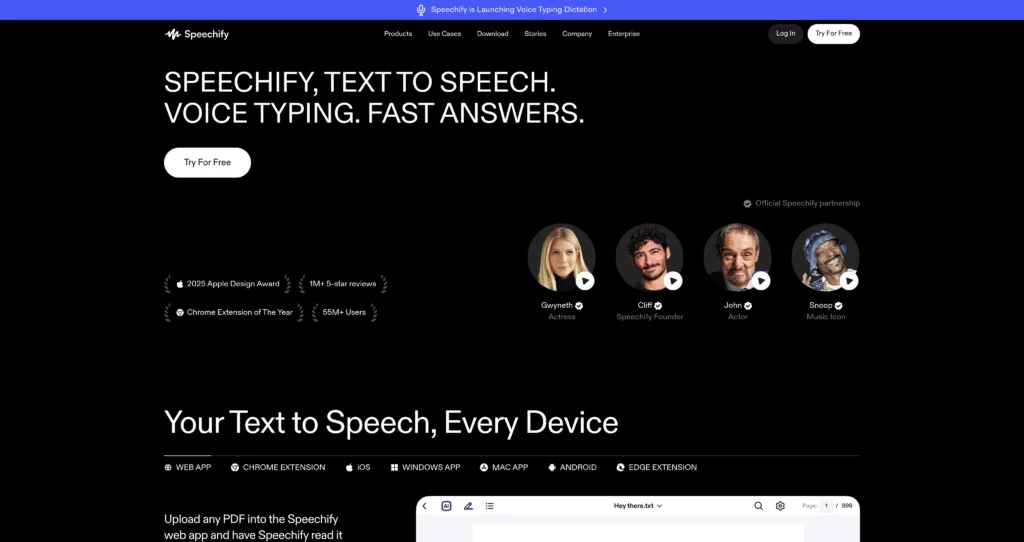
About Speechify
Speechify is an AI text-to-speech and voice productivity platform that turns written content into natural-sounding audio. Users can listen to PDFs, websites, emails, documents, Google Docs, articles, books, and study materials across mobile apps, browser extensions, desktop apps, and the web app.
The platform has expanded beyond simple text-to-speech into voice AI assistant workflows, AI podcasts, voice typing, AI voice generation, dubbing, voice cloning, captions, and enterprise voice products. On SearchMyTool, Speechify fits naturally beside voice cloning and text-to-speech tools, but its strongest everyday use case is helping students, professionals, readers, and accessibility users consume and create information faster by listening instead of reading.
Key Features
AI text-to-speech reader : Convert PDFs, documents, emails, websites, and articles into spoken audio with adjustable playback speed.
Premium natural voices : Premium unlocks 1,000+ high-quality natural voices and 60+ languages according to the official pricing page.
Faster listening : Free users can listen up to 1.5x, while Premium supports listening up to 5x faster speeds.
Scan and listen : Scan printed text or documents and turn them into audio for easier reading and accessibility.
AI summaries and chats : Premium includes AI summaries, chats, and a Voice AI Assistant for asking questions about websites, books, or content.
Voice typing : Speechify promotes voice typing dictation for writing faster by speaking instead of typing.
AI podcasts : Turn content into natural-sounding AI podcast-style audio for more engaging listening.
Apps and extensions : Available across iPhone, iPad, Android, Chrome, Edge, web, Mac, Windows, and other workflows.
Pros
✔ Strong fit for students, professionals, accessibility users, busy readers, and people who prefer listening to reading.
✔ Works across many surfaces: mobile apps, browser extensions, desktop apps, web app, PDFs, docs, and websites.
✔ Premium voice quality and speed controls help users consume long documents faster.
✔ Includes newer AI productivity features like summaries, chats, AI podcasts, and voice typing.
✔ Useful for dyslexia support, eye strain reduction, multitasking, language learning, and productivity.
✔ Speechify Studio and API are available as separate products for creators and developers.
Cons
✖ Free plan is limited to text-to-speech features, 10 robotic voices, and 1.5x listening speed.
✖ Premium costs $29/month on the official monthly pricing page, which may be high for casual users.
✖ Studio voiceover, dubbing, voice cloning, and API products have separate pricing from the main reader plan.
✖ AI summaries and chats still need human review for study, legal, medical, or professional use.
✖ Some document, storage, copyright, or organizational use cases may require reviewing Speechify’s terms and privacy policy.
Plans & Pricing
| Plan | Type | Price | Usage Limit | Inclusions |
|---|---|---|---|---|
| Free | Free | $0 | Text-to-speech features only | Listen at speeds up to 1.5x, listen anywhere, and access 10 robotic-sounding voices. |
| Premium | Subscription | $29/month | Premium reader access; annual plan advertises 60% savings | 1,000+ high-quality natural voices, 60+ languages, 5x listening speeds, Scan & Listen, AI summaries and chats, cloud integrations, voice typing, AI podcasts, and Voice AI Assistant. |
| Speechify Studio | Separate product | Separate pricing | Varies by studio plan | Voiceover, dubbing, voice cloning, studio voices, and captions for creators and teams. |
| Speechify API | Developer / enterprise | Separate pricing | Usage-based or enterprise terms | Integrate AI voices into apps and enterprise products through Speechify developer tools. |
Source: speechify.com/pricing (verify current monthly/yearly offers and product-specific pricing on official website).
FAQs
Q1: What is Speechify used for?
Speechify is used to turn text into speech, listen to PDFs and documents, read websites aloud, create AI podcasts, use voice typing, and interact with content through a voice AI assistant.
Q2: Is Speechify free?
Yes. Speechify has a Free plan with text-to-speech features, listening up to 1.5x, listening anywhere, and 10 robotic-sounding voices.
Q3: What does Speechify Premium include?
Premium includes 1,000+ natural voices, 60+ languages, up to 5x listening speed, Scan & Listen, AI summaries and chats, cloud integrations, voice typing, AI podcasts, and Voice AI Assistant.
Q4: Does Speechify work on mobile and desktop?
Yes. Speechify offers iPhone, iPad, Android, Chrome, Edge, web, Mac, and Windows options, plus related creator and developer products.
Q5: Who should use Speechify?
Speechify is best for students, professionals, readers, people with dyslexia, accessibility users, multitaskers, creators, and anyone who wants to consume written content by listening.
Published on: May 25, 2026