
About QuillBot
QuillBot is an AI writing assistant that helps users rewrite, edit, summarize, translate, cite, humanize, and check content. It is widely used by students, researchers, bloggers, professionals, marketers, and creators who want to improve clarity, fix grammar, avoid accidental plagiarism, and speed up everyday writing tasks.
The platform includes a paraphraser, grammar checker, AI detector, plagiarism checker, AI humanizer, summarizer, citation generator, translator, AI chat, image generator, browser extensions, mobile apps, desktop apps, and a Microsoft Word add-in. On SearchMyTool, QuillBot fits alongside AI writing and copywriting tools and research and summarization tools because it supports both content creation and academic/professional editing workflows.
Key Features
AI paraphraser : Rewrite text in different modes to improve clarity, tone, fluency, concision, or style.
Grammar checker : Fix basic grammar on the free plan and unlock advanced writing suggestions with Premium.
AI detector : Check whether text may be AI-generated, with limited access on Free and unlimited access on Premium.
AI humanizer : Humanize text with limited free usage and unlimited Premium usage, plus human score and tone insights.
Plagiarism checker : Premium helps prevent accidental plagiarism with a monthly word allowance.
Summarizer : Generate basic summaries for free and create longer, custom summaries on Premium.
Translation and citations : Translate text into 40+ languages and create accurate citations for academic or professional writing.
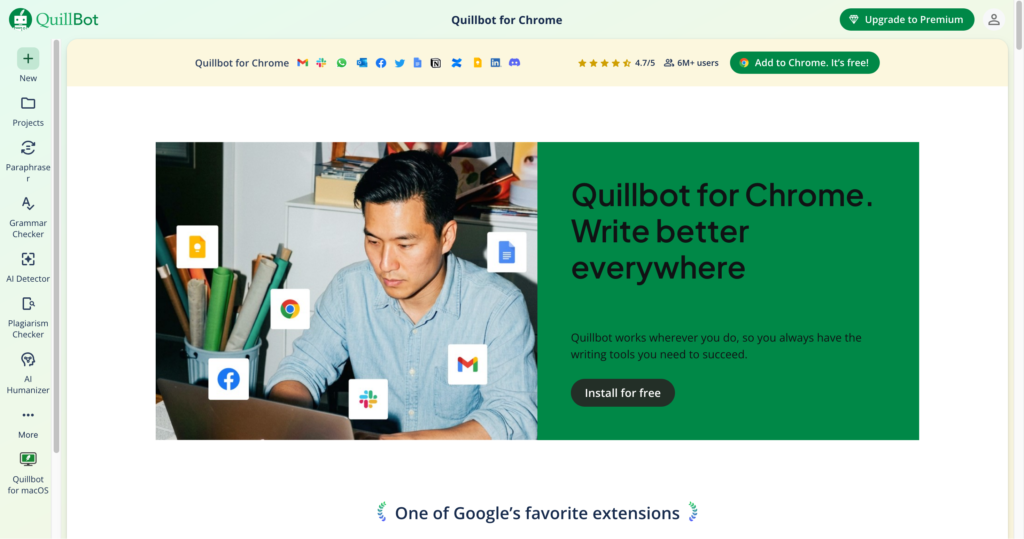
Apps and extensions : Use QuillBot through Chrome, Edge, macOS, Word add-in, Android keyboard/app, and iOS keyboard/app.
Pros
✔ Strong all-in-one writing toolkit for rewriting, grammar, summarizing, citations, AI detection, and plagiarism checks.
✔ Free plan is useful for quick paraphrasing, basic grammar fixes, limited humanizing, and basic summaries.
✔ Premium unlocks unlimited paraphrasing, unlimited modes, advanced grammar, unlimited AI detection, and custom summaries.
✔ Helpful for students, educators, researchers, bloggers, marketers, and working professionals.
✔ Apps and extensions make it easy to use inside browsers, Word, mobile keyboards, and desktop workflows.
✔ Team plan supports usage metrics, user management, centralized billing, data control, and priority support.
Cons
✖ Free paraphrasing is limited to 125 words and only 2 modes.
✖ AI detector and plagiarism checker results should be treated as signals, not absolute proof.
✖ Premium pricing is shown in localized currency, so users should verify their regional price before subscribing.
✖ Overusing paraphrasing tools can make writing sound generic if users do not review tone and meaning.
✖ Academic users should follow school policies around paraphrasing, AI assistance, and plagiarism tools.
Plans & Pricing
| Plan | Type | Price | Usage Limit | Inclusions |
|---|---|---|---|---|
| Free | Free | $0 / local equivalent | Paraphrase up to 125 words; Humanize up to 125 words, 6 uses/day | 2 paraphrasing modes, basic grammar fixes, basic summaries, limited AI Detector access, 1,200-word summaries, 20 AI chats, 3 AI images/day, 10 MB document storage, and apps/extensions. |
| Premium | Subscription | AU$12.49/month billed annually on fetched page ⚠️ regional pricing may vary | Unlimited paraphrasing and humanizing; 25,000 plagiarism-check words/month; 300 AI images/month | Unlimited modes, 9 built-in paraphrasing modes, custom modes, advanced grammar recommendations, AI Detector unlimited, plagiarism prevention, custom summaries, 6,000-word summaries, unlimited AI chat, 100 MB document storage, faster processing, and full app access. |
| Team Plan | Team subscription | Volume pricing / contact team | 5+ members eligible for volume discounts | Everything in Premium plus team usage metrics, user management dashboard, centralized billing, data control, priority assistance, and account management support. |
Source: quillbot.com/premium (verify regional pricing and current limits on official website).
FAQs
Q1: What is QuillBot used for?
QuillBot is used for paraphrasing, grammar checking, summarizing, translating, citing sources, detecting AI text, checking plagiarism, humanizing writing, and improving everyday documents.
Q2: Is QuillBot free?
Yes. QuillBot has a free plan with limited paraphrasing, grammar checking, humanizing, summaries, AI detection, chats, AI images, and app access.
Q3: What does QuillBot Premium unlock?
Premium unlocks unlimited paraphrasing, more modes, advanced grammar suggestions, unlimited AI detection, plagiarism prevention, custom summaries, unlimited humanizing, more AI images, larger document storage, and faster processing.
Q4: Can QuillBot be used by teams?
Yes. QuillBot offers a Team Plan with usage metrics, user management, centralized billing, data control, priority support, and account management features.
Q5: Is QuillBot safe for academic writing?
QuillBot can help improve writing, but students should follow their institution’s academic integrity rules and review all paraphrased or AI-assisted content before submission.
Published on: May 25, 2026