About Jigso
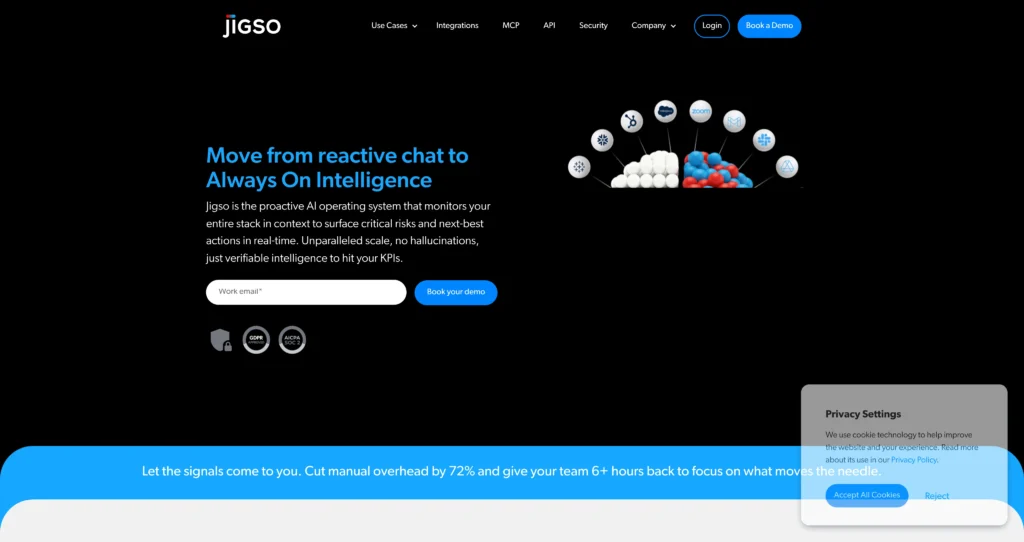
Jigso is a proactive AI work assistant designed to help teams stay on top of critical signals across their daily tools. Instead of waiting for someone to notice a risk in a CRM, a stuck ticket, or a missed action item, Jigso monitors connected systems and surfaces context-aware alerts and next-best actions.
It’s built for workflows where speed and accuracy matter: revenue teams tracking pipeline health, customer success teams watching renewals, and operations teams coordinating across many systems. The core value is reducing “search and prep” work by turning fragmented updates into a single, verifiable view of what needs attention.
Key Features
Proactive monitoring & alerts : Watches connected apps for meaningful changes (risks, blockers, anomalies) and pushes updates so you don’t rely on manual check-ins.
Permission-aware intelligence : Surfaces answers and insights based on what a user is allowed to access, helping keep sensitive data scoped correctly.
Unified cross-app search : Ask questions once and pull relevant context from multiple tools (CRM, support, docs, comms) without hopping tabs.
Meeting prep & briefings : Generates a structured snapshot for accounts/projects (status, risks, action items) so you start meetings aligned.
Action item detection : Detects follow-ups hidden in email/chat threads and turns them into reminders, reducing dropped tasks.
Integrations across work systems : Connects to common business tools (e.g., Slack, CRM, ticketing, email, calendars) to build a single intelligence layer.
Next-best action recommendations : Goes beyond reporting by suggesting what to do next (who to contact, what to review, what’s at risk).
Enterprise readiness : Designed for multi-team environments with onboarding support and controls suitable for larger organizations.
Pros
✔ Strong fit for teams that live inside many tools and need “signals, not dashboards”.
✔ Reduces meeting prep time by consolidating context across systems.
✔ Helpful for revenue and customer success workflows (pipeline risks, renewals, follow-ups).
✔ Alerts are more actionable than generic notifications because they include context.
✔ Works well as a daily “command center” in Slack-centric teams.
✔ Action item detection reduces the chance of missed follow-ups.
✔ Cross-app search can replace a lot of tab switching and manual data hunting.
✔ Enterprise tier supports deeper rollout needs (support, onboarding, controls).
Cons
✖ The value depends heavily on which integrations your team uses and how well they’re connected.
✖ Teams with minimal tool sprawl may not feel the same ROI.
✖ Pricing and limits can change; verify details on the official website before committing.
✖ Some advanced workflows may require setup time to tune alerts and mappings.
✖ Best outcomes require consistent usage (otherwise teams fall back into reactive habits).
✖ Enterprise features may be gated behind custom agreements.
Plans & Pricing
| Plan | Type | Price | Usage Limit | Inclusions |
|---|---|---|---|---|
| Free | Freemium | $0 | Limited queries/alerts ⚠️ (Verify on official website) | Core assistant, limited integrations, basic monitoring |
| Pro | Subscription | From ~$15–$19 per user/month ⚠️ (Verify on official website) | Higher or unlimited usage ⚠️ (Verify) | More integrations, advanced monitoring, priority support |
| Enterprise | Enterprise | Custom | Custom | Unlimited/advanced integrations, onboarding, roles & controls |
FAQs
Q1: Who is Jigso best for?
Jigso is best for teams working across multiple systems (CRM, support, docs, chat, email) who want proactive signals and next-best actions instead of manually checking dashboards and threads.
Q2: Does Jigso work inside Slack?
Many teams use Jigso as a Slack-first assistant for alerts and briefings. Exact integration behavior depends on your connected systems and your setup.
Q3: What kind of alerts can it send?
Common examples include stuck pipeline stages, customer health risks, overdue action items, ticket escalations, and changes that need a fast response. The best alerts are tailored to your KPIs.
Q4: Can I control what data Jigso can access?
In general, proactive assistants rely on permissions and connected accounts. For exact details on access controls and compliance, confirm on Jigso’s official documentation or with their team.
Q5: Is there a free plan?
Yes, Jigso is commonly offered as a freemium product with a free tier and paid tiers. Limits and pricing can change, so verify on the official website.
Published on: May 9, 2026