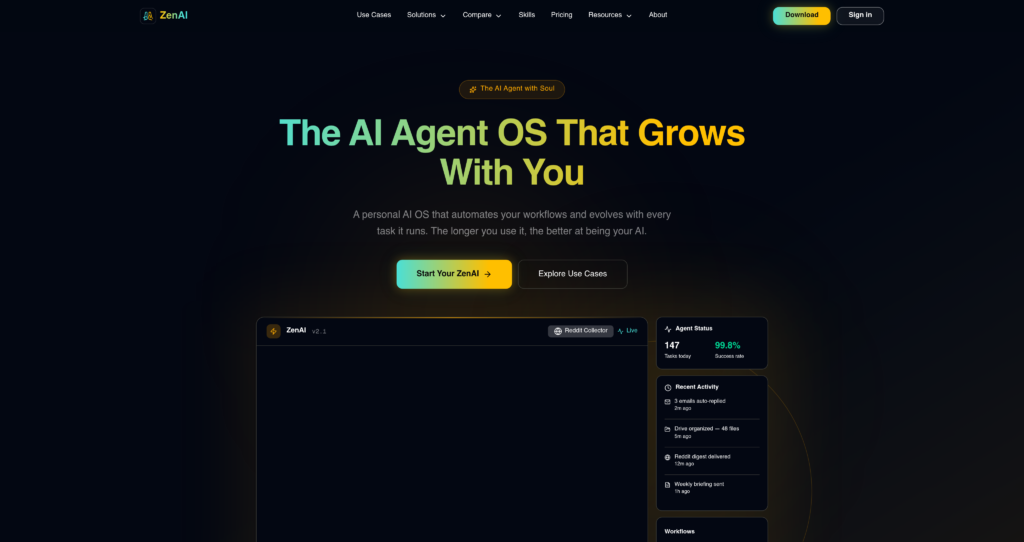
About ZenAI
ZenAI operates as a unified workspace that aggregates multiple large language models into a single, distraction-free interface. Designed primarily for developers, content creators, and technical professionals, the platform eliminates the need to maintain separate subscriptions for OpenAI, Anthropic, and Google. By centralizing these top-tier models, ZenAI allows users to route specific tasks to the most capable neural network. The tool differentiates itself through its extensive prompt management system and custom persona creation, boasting a user base that consistently reports a 40% reduction in context-switching fatigue during complex research tasks.
Under the hood, the platform functions as an advanced API wrapper with a heavy emphasis on client-side performance and secure data handling. It utilizes AES-256 encryption for stored chat logs, ensuring that sensitive intellectual property remains protected from unauthorized access. While it relies on external APIs to generate responses, the localized caching mechanism significantly reduces latency. This hybrid approach to cloud processing and local storage provides a high degree of reliability, even when individual model endpoints experience temporary outages.

Key Features
Multi-Model Architecture : The system routes queries through various LLM APIs including GPT-4o, Claude 3.5 Sonnet, and Gemini Pro based on user selection. You save money and time by testing prompts across different models without leaving the application.
Dynamic Prompt Library : Users can construct, tag, and parameterize complex prompt templates using a JSON-based internal structure. This ensures your team maintains strict consistency in outputs when generating code or technical documentation.
Custom Persona Configuration : The platform allows you to inject system-level instructions and specific context windows into isolated chatbot instances. You get highly specialized assistants tailored for distinct workflows, like code review or copy editing.
Document Parsing Engine : ZenAI utilizes OCR and text extraction algorithms to process uploaded PDFs, CSVs, and markdown files directly into the active context window. You can query massive datasets or long-form reports instantly without manual copy-pasting.
End-to-End Encryption : Chat histories and customized prompts are encrypted locally before being synced across devices via secure cloud infrastructure. Your proprietary code snippets and sensitive client data remain completely inaccessible to third parties.
Syntax Highlighting & Export : The interface features a built-in markdown renderer with support for over 40 programming languages and one-click copy functionality. Developers can easily review, format, and push generated code straight into their IDEs.
Cross-Platform Synchronization : A lightweight background daemon ensures state management and chat history are mirrored across desktop and web clients in near real-time. You can start a complex research thread on your laptop and finish it on another machine without losing context.
Granular Usage Analytics : The dashboard tracks token consumption and API calls per model, visualizing the data through interactive charts. You maintain total visibility over your monthly resource expenditure, preventing unexpected billing surprises.
Pros
✔ Consolidates access to premium LLMs, saving users from paying multiple $20/month subscriptions.
✔ The interface is exceptionally clean, focusing entirely on the chat experience without visual clutter.
✔ Excellent local prompt management system makes organizing complex workflows highly efficient.
✔ Document parsing is fast and handles messy PDF formatting better than native ChatGPT.
✔ Code blocks render perfectly with accurate syntax highlighting and easy export buttons.
✔ Privacy-first approach with local encryption gives peace of mind for corporate users.
✔ Switching between models mid-conversation retains context perfectly.
Cons
✖ Strict rate limits on the highest-tier models can bottleneck power users during heavy sessions.
✖ Lacks native integration plugins for popular workspace tools like Slack, Jira, or Notion.
✖ The mobile web experience feels unoptimized compared to the polished desktop environment.
✖ Does not currently support advanced voice input or audio generation capabilities.
✖ Setting up complex parameterized prompts requires a steep initial learning curve.
✖ Customer support is email-only and often takes over 48 hours to resolve technical issues.
✖ Occasional API timeouts occur when upstream providers (like OpenAI) experience high traffic.
Plans & Pricing
| Plan | Type | Price | Usage Limit | Inclusions |
|---|---|---|---|---|
| Free | One-time | $0 | 100 credits | One-time 100 free credits, no credit card required, 1 concurrent task, 1 scheduled task |
| Monthly (Most Popular) | Subscription | $19.90/month | 4,000 credits/month | 4,000 credits every month, zero setup, instant access, AI assistant available 24/7, 20 concurrent tasks, 20 scheduled tasks, full product access, ideal for daily tasks, research, content generation, and automation |
| Yearly (Best Value) | Subscription | $199/year | 4,000 credits/month | 4,000 credits every month, 3,000 bonus lifetime credits, zero setup, instant access, AI assistant available 24/7, 20 concurrent tasks, 20 scheduled tasks, full product access, great for long-term use |
FAQs
Q1: What AI models does ZenAI actually support?
ZenAI currently aggregates several major language models, including OpenAI’s GPT-4o, Anthropic’s Claude 3.5 Sonnet, and Google’s Gemini Pro. The platform frequently updates its API endpoints to include new model variants shortly after they are officially released.
Q2: Is my proprietary data safe when using this tool?
Yes, ZenAI employs AES-256 encryption for all locally stored chat histories and prompt libraries. However, because it routes queries through third-party APIs like OpenAI, your data is still subject to the data processing agreements of those specific model providers.
Q3: How do the message limits work on the Pro plan?
The Pro plan allocates a specific quota of premium messages per month for heavy models like GPT-4o. Once you exhaust this quota, the system will automatically fall back to faster, standard models like GPT-3.5 until your billing cycle resets.
Q4: Can I use ZenAI entirely offline?
No. While your prompt libraries and chat history are stored locally, the core functionality requires an active internet connection. The application must communicate with external cloud APIs to generate AI responses.
Q5: Does the platform offer an API for external integrations?
Currently, ZenAI operates strictly as a consumer and business-facing graphical interface. They do not offer developer APIs or webhooks to integrate their multi-model routing system into your own custom applications.
Published on: April 26, 2026