About Canva AI Image Generator
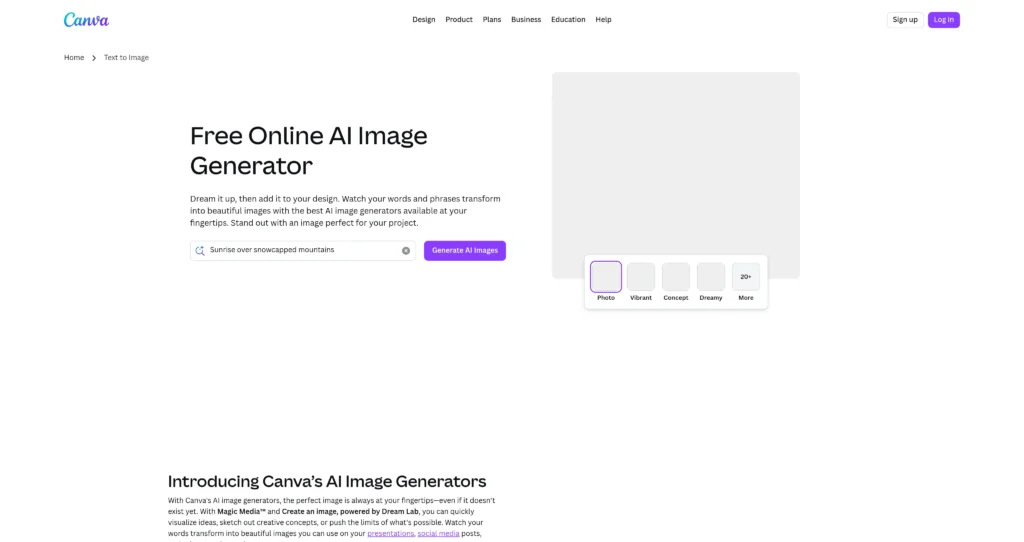
Canva AI Image Generator is Canva’s built-in text-to-image workflow that helps you create visuals from a prompt and place them directly into a design. It’s made for creators who want to generate images fast and then immediately refine them using Canva’s editor for posts, presentations, ads, and brand assets.
Canva offers multiple AI image generation experiences under the hood, including Magic Media™ (Text to Image) and “Create an image” powered by Dream Lab. This makes it easy to experiment with styles and aspect ratios, then continue editing (filters, background removal, Magic Edit, typography, templates) without switching tools.
Key Features
Text to Image in Canva : Generate images from prompts and add them directly to a Canva design without exporting/importing files.
Magic Media™ styles : Choose from many visual styles (photo, drawing, neon, concept, etc.) to match your brand and creative direction.
Create an image (Dream Lab) : Generate images and refine the look by iterating quickly, including workflows that can use reference images.
Magic Edit : Add, replace, or modify parts of an image using a text prompt to adjust details without restarting the generation.
Canva editor + templates : Combine AI images with templates, typography, layouts, and brand kits for production-ready designs.
Background remover (Pro) : Remove backgrounds for product images, thumbnails, and marketing creatives (availability depends on plan).
Export and sharing : Download in common formats (PNG/JPG/PDF/PPTX) and publish/share from Canva workflows.
Safety measures : Prompt moderation and reporting controls to help keep image generation safer for broad audiences.
Pros
✔ Generates images directly inside Canva—fast workflow for content production.
✔ Great for social posts, presentations, thumbnails, and marketing creatives.
✔ Strong editing and layout tools after generation (templates, type, brand kit).
✔ Multiple AI experiences (Magic Media + Dream Lab) for different creative needs.
✔ Collaboration features make it easy for teams to review and iterate.
Cons
✖ Free usage is limited; higher volume and features may require paid plans.
✖ Commercial use rules and rights depend on Canva’s terms—review before using at scale.
✖ Output quality and style control can vary by generator mode and prompt clarity.
✖ Some features (like background remover) are plan-dependent.
Plans & Pricing
| Plan | Type | Price | Usage Limit | Inclusions |
|---|---|---|---|---|
| Free | Freemium | $0 ⚠️ (Verify on official website) | Limited AI image generation | Access Canva editor with limited AI image generator usage and core design tools. |
| Canva Pro | Subscription | Paid ⚠️ (Verify on official website) | Higher AI limits | More AI usage, premium assets, and Pro features (availability varies by region and plan terms). |
| Teams / Enterprise | Subscription | Paid ⚠️ | Higher limits | Collaboration, admin controls, and business features for organizations. |
FAQs
Q1: Which AI image tools does Canva offer?
Canva offers AI image generation via Magic Media™ and “Create an image” powered by Dream Lab, each designed for quick text-to-image creation inside Canva.
Q2: Is Canva’s AI image generator free?
It’s available with limited usage on Free accounts. Paid plans generally unlock higher limits and additional features.
Q3: Can I use the generated images commercially?
Canva allows commercial use in many cases, but you should review Canva’s AI product terms and usage rules for your specific scenario.
Q4: Can I edit AI images after generating them?
Yes—this is the main advantage. You can immediately use Canva’s editor (effects, layouts, text, background tools, and more) on generated images.
Q5: What helps improve output quality?
Add specific subject details, style references, and composition hints (lighting, lens, colors, aspect ratio). Iterating with small prompt tweaks usually helps.
Published on: May 8, 2026