Firebase Studio

Firebase Studio is a dedicated desktop client for managing Google Firebase projects. It provides a clean GUI to view, edit, and query your Firestore and Realtime Database data locally and in the cloud.

Pricing: 0$ - 15$/month Starts with : $59/year ⚠️ (Verify on official website)
9.0 Score
firebase-studio
9.0 Score
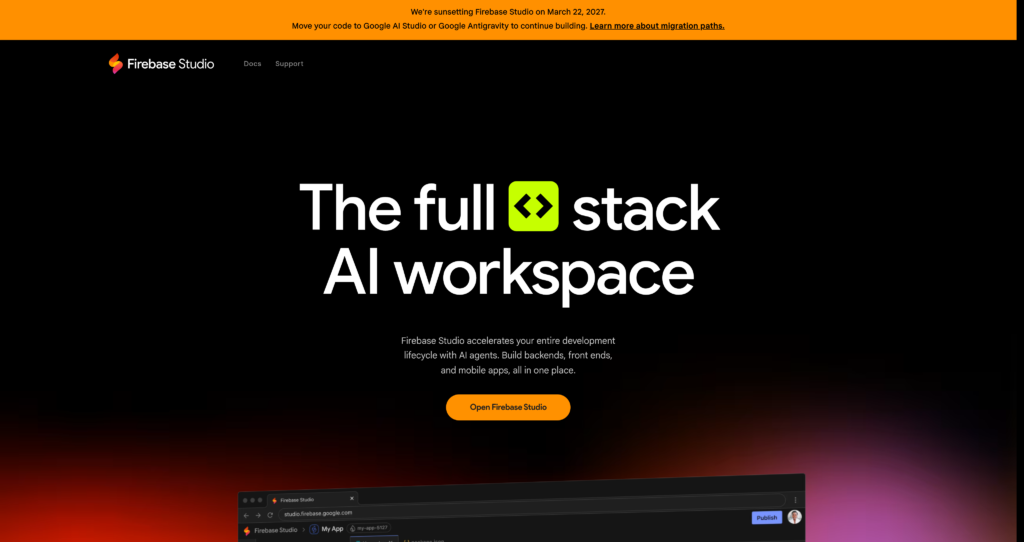
Firebase Studio Mockup Screenshot

About Firebase Studio

For developers tired of navigating Google’s sluggish web console, Firebase Studio offers a native desktop alternative. Built specifically for software engineers and database administrators, this GUI client consolidates Firestore, Realtime Database, Storage, and Authentication into a single, highly responsive interface. By moving database management to the desktop, it eliminates browser tab fatigue and significantly speeds up basic CRUD operations. The tool operates completely cross-platform, giving Mac, Windows, and Linux users a unified way to interact with their cloud infrastructure without writing custom admin scripts.

The application works by connecting directly to your Firebase projects via secure service account keys. It functions strictly as a local client, meaning your sensitive database traffic never routes through third-party proxy servers. This architecture ensures high security and compliance with strict data privacy policies. Furthermore, it integrates directly with the Firebase Local Emulator Suite, allowing developers to test complex database structures and security rules entirely offline before pushing anything to production.


Key Features

Firestore Data Editor : Modify JSON documents directly through an inline desktop editor. This prevents formatting errors and saves developers from writing custom admin scripts for minor data tweaks.

Realtime Database Manager : Navigate complex JSON trees via a collapsible, visual sidebar. It makes debugging deeply nested nodes much faster than scrolling through raw data feeds.

Local Emulator Support : Connect the client directly to the Firebase Local Emulator Suite. This keeps your testing environment entirely offline, preventing accidental reads that cost money.

Advanced Query Builder : Construct complex compound queries using visual dropdowns and filters. It eliminates the need to memorize specific Firebase query syntax for quick data lookups.

Authentication Management : Create, edit, and delete user accounts instantly from the dashboard. It simplifies password resets and custom claim assignments without requiring the Firebase Admin SDK.

Storage Browser : Manage your Firebase Storage buckets with native drag-and-drop file support. This bypasses the slow load times and clunky upload mechanics of the official web console.

Import & Export : Transfer data in bulk using JSON or CSV formats. It acts as a reliable tool for creating manual database backups or migrating data between staging and production environments.

Multi-Project Workspaces : Switch between different Firebase environments with a single click. You can color-code your production and staging tabs to prevent accidental data overwrites.

Pros

✔ Native desktop performance is significantly faster and more responsive than the standard Firebase web console.

✔ Direct connection to the Firebase Local Emulator Suite makes offline testing highly efficient.

✔ Inline JSON editing catches syntax errors before you commit changes to the database.

✔ Cross-platform availability ensures your whole team can use it, regardless of their operating system.

✔ The visual query builder handles complex compound queries without requiring manual code.

✔ Allows for rapid duplication of complex nested documents with a single click.

✔ Keeps service account keys stored securely on your local machine rather than in a cloud portal.

Cons

✖ Setup requires manually generating and managing service account JSON files from Google Cloud.

✖ Lacks deep integration with other Firebase services like Cloud Functions or Hosting.

✖ No built-in analytics dashboard for tracking database read/write costs or performance metrics.

✖ The free version is strictly limited in features and the number of active projects you can manage.

✖ The UI can feel slightly cluttered when viewing deeply nested subcollections on smaller laptop screens.

✖ Does not support real-time collaborative editing with other team members.

✖ Official documentation is somewhat sparse regarding advanced import/export operations and edge cases.

Plans & Pricing

PlanTypePriceUsage LimitInclusions
FreeFree Tier$01 ProjectBasic database viewing, limited document editing, local emulator connection.
ProBilled Annually$59/year ⚠️ (Verify on official website)Unlimited ProjectsFull CRUD operations, advanced query builder, import/export tools, multi-project workspaces.
TeamBilled Annually$149/year ⚠️ (Verify on official website)Up to 5 UsersAll Pro features, shared workspace configurations, priority email support.
EnterpriseCustomContact SalesUnlimited UsersCustom deployment options, SSO integration, dedicated account manager, custom invoicing.

FAQs

Q1: Does Firebase Studio work offline? +

Yes. If you connect it to the Firebase Local Emulator Suite, the application functions entirely offline. You will only need an internet connection when interacting with live, cloud-hosted Firebase projects.

Q2: Is my Firebase data routed through third-party servers? +

No. Firebase Studio is a local desktop client. It connects directly from your machine to Google’s servers using the official Firebase Admin SDK and your local service account keys.

Q3: Can I connect to the Firebase Local Emulator? +

Absolutely. You can point the client to your localhost ports to interact with local instances of Firestore, Realtime Database, and Authentication. This is ideal for testing without incurring read/write charges.

Q4: How does it compare to the official Firebase web console? +

Firebase Studio is noticeably faster because it relies on native desktop rendering rather than browser technologies. It also offers more advanced data manipulation tools, like bulk JSON imports and a visual query builder, which the web console lacks.

Q5: Does it support Firebase Authentication management? +

Yes. You can view your entire user list, create new accounts, delete users, and modify custom claims directly from the application interface. It handles auth management just as effectively as database management.

Detailed Assessment & Score

Overall Rating
9.0 Excellent
Core Performance Metrics
Ease of Use 9.1/10
Features 8.9/10
AI Quality 8.5/10
Value 9.2/10
Key Facts & Details
Free Plan Available No
API Integration Support No
Official Mobile App No
Browser Extension Support No
Best Suited For
Firebase developers needing an intuitive GUI database manager Frontend engineers querying Firestore collections visually Mobile app developers testing cloud functions and security rules
System Integrations
Firebase Firestore Google Cloud React Flutter

User Ratings & Reviews

0
Based on 0 User Reviews
5 Star
(0)
4 Star
(0)
3 Star
(0)
2 Star
(0)
1 Star
(0)

Leave a Reply

Published: Updated:
Comparison Matrix
Key Features
Firebase Studio Icon Firebase Studio Active
shadcn/ui Icon shadcn/ui
GitHub Copilot Icon GitHub Copilot
v0 Icon v0
Review Score 9.0/10 9.8/10 9.6/10 9.6/10
Pricing Model 0$ - 15$/month Free / Open Source $10/month or $100/year Freemium / Usage-Based / Enterprise
Free Plan ✖ No ✔ Yes ✖ No ✔ Yes
Starting Cost Free Free Freemium Freemium
Details Page Active Page Compare Compare Compare

Similar Alternatives to Firebase Studio

shadcn/ui Logo

shadcn/ui

0 user reviews
9.8
Free / Open Source Free

shadcn/ui is an open-source component collection for building customizable React design systems with Tailwind CSS, Radix UI patterns, charts, blocks, and copyable source code.

GitHub Copilot Logo

GitHub Copilot

0 user reviews
9.6
$10/month or $100/year Freemium

GitHub Copilot is an AI coding assistant that suggests code, functions, and solutions directly within your IDE in real time.

v0 Logo

v0

0 user reviews
9.6
Freemium / Usage-Based / Enterprise Freemium

v0 by Vercel is an AI app builder for generating, editing, integrating, and deploying full-stack websites and applications from natural-language prompts.

Windsurf Logo

Windsurf

0 user reviews
9.5
($0–$200) Freemium

Windsurf is an AI-powered coding editor with Cascade agents, Tab autocomplete, and enterprise-ready collaboration tools, offering flexible plans from Free to Enterprise.

LangChain Logo

LangChain

0 user reviews
9.4
Freemium Freemium

LangChain is a leading open-source orchestration framework designed to simplify the construction of applications powered by large language models.

retool Logo

retool

0 user reviews
9.4
Free plan available, paid plans from $10/builder/month Freemium

Retool allows developers to build functional internal tools and workflows by connecting databases and APIs to drag-and-drop React components.

Cursor Logo

Cursor

1 user review
9.4
Free / Subscription / Team / Enterprise Freemium

Cursor is an AI coding agent and AI-native code editor for writing, editing, reviewing, and shipping software across desktop, CLI, cloud agents, automations, and team workflows.

Together AI Logo

Together AI

0 user reviews
9.4
Usage-Based / Enterprise Premium

Together AI is an AI-native cloud for running, fine-tuning, evaluating, and deploying open models with serverless APIs, dedicated inference, and GPU clusters.