
About Tool
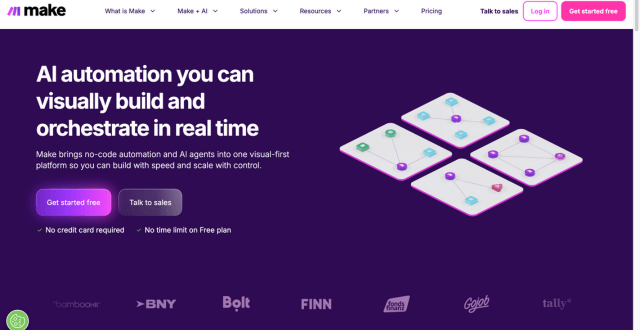
Make (formerly known as Integromat) is a no-code automation platform that lets users design, build, and manage automated workflows—called “scenarios”—without writing code. It provides a visual drag-and-drop builder where you connect apps, APIs, and data processes to automate repetitive tasks, data syncs, and multistep operations. Make is versatile enough for small teams and large organisations, offering advanced logic handling, branching, iterators, filters, and conditional paths to create both simple and highly sophisticated automations. Over time the platform has expanded its capabilities with AI agent integration, data transformation tools, and an extensive ecosystem of pre-built modules, making it a strong choice for business operations, marketing workflows, and cross-system data coordination.
Key Features
- Visual Scenario Builder – Build automation flows visually using a drag-and-drop interface.
- Extensive App Integrations – Connect with thousands of apps, databases, and APIs for seamless data flow.
- Advanced Logic Controls – Use filters, routers, loops, and conditional logic to refine automation behaviour.
- AI Capabilities & Agents – Add intelligent, goal-driven automation agents to handle complex decisions.
- Real-Time Monitoring & Debugging – Watch your workflows execute and troubleshoot errors directly within the platform.
- Data Transformation Tools – Manipulate and format data within workflows to ensure accurate deliveries.
- HTTP & Webhook Support – Trigger scenarios from external systems or custom integrations.
- Role-Based Access & Collaboration – Control team permissions and build workflows collaboratively for teams.
Pros
- Powerful visual builder that reduces the need for coding
- Supports complex, multi-branch workflows with precision
- Strong integration breadth across business categories
- Scales from simple automations to enterprise operations
- AI and data transformation tools increase automation intelligence
Cons
- Learning curve can be steeper than some beginner-focused tools
- Automation credits (operations) can be consumed quickly in large workflows
- Support experience varies in user reviews
Pricing
Pricing Type: Free + Paid Subscription Plans (based on credits/operations)
Make’s pricing is structured around monthly credits (operations) you can use to run automation steps within your workflows. The platform offers both free and paid plans, with annual billing typically providing cost benefits.
| Plan | Type | Price (Approx) | Monthly Credits | Who It’s For |
|---|---|---|---|---|
| Free Plan | Free | $0 | ~1,000 credits | Casual users, testing automations |
| Core | Paid | ~$9/month | ~10,000 credits | Individuals & small businesses |
| Pro | Paid | ~$16/month | ~10,000+ credits | Growing teams needing advanced automation |
| Teams | Paid | ~$29/month | ~10,000+ credits | Collaborative work with roles & shared scenarios |
| Enterprise | Paid | Custom | Custom credits | Large organisations with high demands |
Notes on Pricing:
– Credits represent the number of operations your workflows can perform.
– You can purchase additional credits if you exceed the monthly allocation.
– Paid plan features typically include faster run intervals, advanced logs, team permissions, and priority execution.
FAQs
Q1: Is Make free to use?
Yes, Make offers a free plan with a limited amount of monthly credits so you can explore and build basic automations.
Q2: What does “credits” mean in Make pricing?
Credits are units used to run operations within your workflows. Each action in a scenario consumes credits, and plans include a set monthly allowance.
Q3: Can I build workflows without coding?
Absolutely. Make’s visual interface is no-code, although advanced logic and custom API calls may be easier with some technical familiarity.
Q4: Who should use Make?
Make is ideal for businesses and teams that need complex workflows, data integrations, and scalable automation across multiple apps.
Q5: Does Make support AI in workflows?
Yes, Make has integrated AI agent capabilities that bring intelligent decision-making into automated scenarios, expanding beyond rule-based workflows.
Published on: January 30, 2026