What is Codiga?
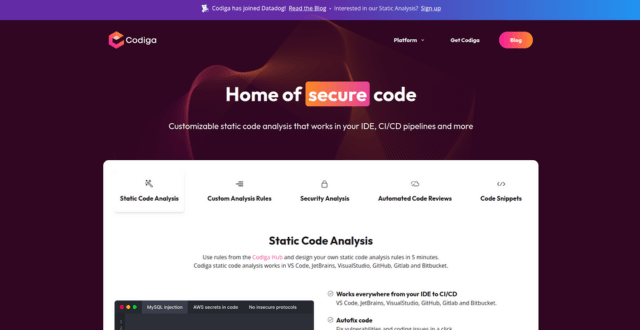
Codiga is a static code analysis and automated code review tool that integrates with IDEs and CI/CD pipelines to help developers catch issues early in the development process. It supports multiple programming languages and lets teams create custom rules to maintain coding standards. Codiga improves code quality by offering real-time feedback, security checks, and reusable code snippets—all while integrating seamlessly into GitHub, GitLab, Bitbucket, and VS Code.
Key Features
- Static Code Analysis
Scans code in real time or during CI to detect bugs, vulnerabilities, and bad practices across multiple languages. - Coding Assistant
Provides intelligent recommendations as you code in your IDE, reducing the need for manual review. - Custom Rule Sets
Teams can define and enforce specific coding standards using custom rules tailored to their workflow. - Code Snippets (Smart Recipes)
Create, share, and reuse verified code snippets across teams to reduce redundancy and improve consistency. - IDE Integrations
Works with VS Code, JetBrains IDEs, and popular editors for inline suggestions and quality feedback. - GitHub/GitLab/Bitbucket Integration
Automatically reviews pull requests and suggests improvements before code is merged. - Security Scanning
Identifies security vulnerabilities in real time based on OWASP and other standards. - Metrics & Dashboards
Monitor project health, code quality scores, and compliance with coding guidelines.
Pros
- Supports multiple languages (Python, JavaScript, TypeScript, Java, and more)
- Real-time feedback during development and pull requests
- Helps enforce team-wide coding standards
- Built-in security and performance checks
- Customizable rules and snippet libraries for large teams
Cons
- Free tier limited in features for large teams
- Focused on analysis and review—not full AI code generation
- Requires setup and onboarding to define rules effectively
- Interface may feel complex for new users
- No support for advanced AI pair programming features
Pricing Model
- Free Plan: Static analysis for one user, basic rules, and IDE support
- Pro Plan: $14/month per user – Unlimited rules, private snippets, team management features
- Enterprise Plan: Custom pricing – Includes SSO, advanced integrations, priority support, and tailored onboarding
(Pricing based on monthly billing; annual billing available with discounts)
Conclusion
Codiga is a highly effective tool for developers and teams looking to automate code reviews, improve quality, and enforce best practices across multiple languages. Its real-time feedback, custom rules, and security scanning make it a reliable assistant during development and code review. While it doesn’t generate code like some AI tools, its focus on quality, consistency, and security makes it a strong choice for modern dev teams.