
About Tool
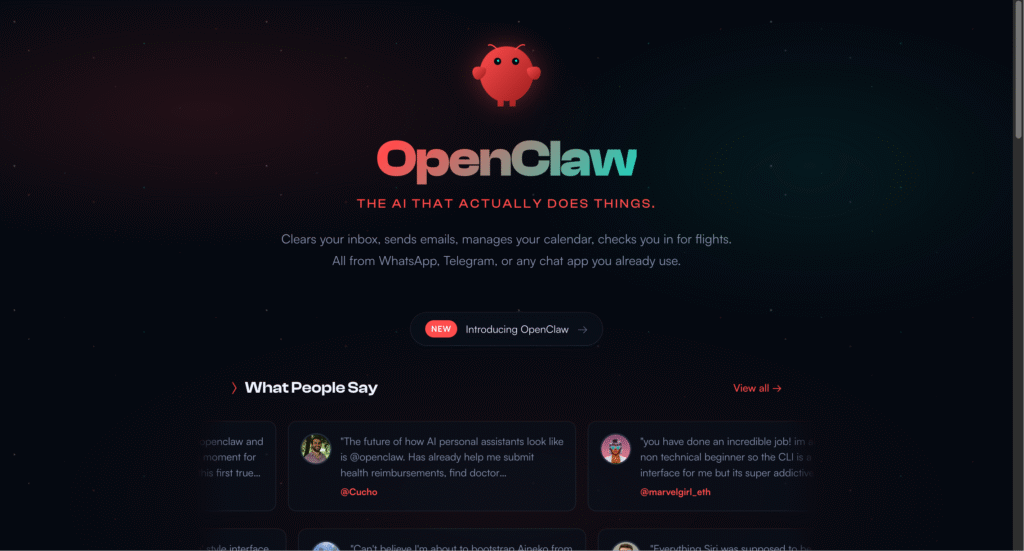
OpenClaw represents something fundamentally different from the AI assistants you’ve probably tried before. Instead of living in a web browser or mobile app, this open-source tool runs continuously on your own hardware – whether that’s a dedicated Mac Mini, a Raspberry Pi, a cloud server, or even your main computer if you’re feeling adventurous. You interact with it through messaging apps you already use daily, like WhatsApp, Telegram, Discord, or Slack, making it feel less like software and more like texting a particularly capable coworker who never sleeps.
What sets OpenClaw apart is genuine autonomy paired with actual system access. This isn’t an assistant that politely tells you how to complete a task – it’s one that goes ahead and does the work itself. Need to check your calendar, send emails, browse websites, run code, manage files, or pull data from various services? OpenClaw handles all of that through conversational commands while maintaining persistent memory of your preferences, workflows, and context across every interaction. The system uses “skills” – modular capabilities you can install, customize, or even have the AI write for itself – to expand what it can do. Popular use cases range from developer workflows (monitoring GitHub repos, running tests, checking deployment logs) to personal productivity (calendar management, email triage, research compilation) to creative automation (generating content, processing media files, coordinating multi-step tasks).
The catch? OpenClaw demands technical comfort that goes beyond what typical no-code tools require. You’ll be working with command-line interfaces, configuring API keys, managing permissions, and making security decisions that could expose your system if handled carelessly. The software itself is completely free and open-source, but you’ll pay for the AI model it connects to (like Claude or GPT) and the hardware it runs on. Costs vary wildly – anywhere from essentially free using Claude Max subscription tokens, to $5-20 monthly for basic cloud hosting, all the way up to hundreds per month if you’re careless with API usage. This isn’t a tool for everyone, but for developers, technical founders, and power users who value control and customization over simplicity, OpenClaw delivers capabilities that commercial AI assistants simply can’t match.
Key Features
- Local-First Architecture – Runs entirely on your own infrastructure with complete data privacy, keeping sensitive information under your control without third-party servers.
- Multi-Channel Messaging Integration – Control your assistant through WhatsApp, Telegram, Discord, Slack, Signal, iMessage, Google Chat, Microsoft Teams, and more from a single interface.
- Persistent Contextual Memory – Remembers your preferences, past conversations, and workflows across all interactions, eliminating the need to repeat context constantly.
- Full System Access – Execute shell commands, read and write files, run scripts, browse websites, fill forms, and automate any task your computer can handle.
- Extensible Skills System – Install pre-built capabilities from a growing library of 100+ skills, or have the AI create custom skills programmatically to fit your exact needs.
- Browser Control and Automation – Navigate websites autonomously, extract data, fill out forms, capture screenshots, and perform web research without manual intervention.
- Cron Jobs and Scheduled Tasks – Set up automated routines that run on schedules or triggers, enabling proactive assistance that works even while you sleep.
- Model Agnostic with Subscription Support – Connect to Claude, GPT, local models via Ollama, or use your existing Claude Max or ChatGPT Plus subscription without additional API costs.
Pros
- Completely free and open-source with no subscription fees or vendor lock-in
- True privacy with local execution – your data never leaves your infrastructure
- Remarkably powerful automation capabilities that commercial tools can’t match
- Active community building skills, integrations, and improvements constantly
- Works with existing AI subscriptions to avoid separate API costs
- Persistent memory creates genuinely personalized assistance over time
Cons
- Requires significant technical knowledge for setup and maintenance
- API costs can become unexpectedly expensive with heavy usage patterns
- Security risks are real if permissions aren’t configured carefully
- Documentation assumes technical familiarity that beginners lack
- Breaking changes happen frequently as the project evolves rapidly
- Not suitable for non-technical users despite some marketing claims
Pricing
Pricing Type: Free & Open-Source (Infrastructure & API Costs Apply)
OpenClaw itself costs nothing – it’s completely open-source under MIT license. However, running it involves costs that vary dramatically based on your setup choices and usage patterns.
| Cost Component | Type | Estimated Price | Details |
|---|---|---|---|
| OpenClaw Software | Free | $0 | Fully open-source, no licensing fees, unlimited users, complete code access |
| Hosting Options | Variable | $0 – $50/month | Local hardware (free after purchase), VPS hosting ($5-20/month), cloud servers ($10-50/month), managed hosting services ($5-19/month) |
| AI Model Costs | Variable | $0 – $200+/month | Claude Max subscription ($100/month, use existing), ChatGPT Plus ($20/month, use existing), Pay-per-token APIs ($1-200+/month depending on usage), Local models via Ollama (free, requires powerful hardware) |
| Hardware Investment | One-Time | $0 – $600+ | Raspberry Pi 4 ($50-100, limited capability), Mac Mini ($600+, popular choice), Dedicated gaming handheld ($200-400), Cloud VPS (no upfront cost), Existing computer (free) |
| Typical Light Usage | Monthly | $5 – $30 | VPS hosting + Claude subscription token, or local hardware + minimal API calls |
| Typical Heavy Usage | Monthly | $50 – $150 | Dedicated hosting + API costs for complex automation workflows |
Notes on Pricing:
– The “free” aspect refers to the software license, not total cost of ownership. Budget for hosting and AI model access.
– Using existing Claude Max or ChatGPT Plus subscriptions eliminates separate API costs for most users.
– API costs vary enormously based on usage patterns – automated tasks that run constantly consume far more than occasional manual queries.
– Local model hosting (Ollama) eliminates API costs but requires powerful hardware with minimum 16GB RAM, preferably 32GB.
– Security best practices recommend dedicated hardware or isolated VPS rather than your primary computer.
– Managed hosting services like Molted ($5-19/month) handle infrastructure while you bring your own AI subscription.
FAQs
Q1: Is OpenClaw really free?
The software itself is completely free and open-source with no hidden fees. However, you’ll pay for the infrastructure it runs on (hosting or hardware) and the AI model it connects to (API costs or subscriptions). Total costs typically range from $5-150 monthly depending on your setup.
Q2: Do I need coding experience to use OpenClaw?
Despite some marketing suggesting otherwise, OpenClaw genuinely requires technical skills. You should be comfortable with command-line interfaces, API configuration, basic security concepts, and troubleshooting. Non-technical users will struggle significantly with setup and maintenance.
Q3: How does OpenClaw compare to ChatGPT or Claude?
OpenClaw offers capabilities those services can’t match: full system access, persistent memory, automation, and complete privacy. However, it requires technical setup, ongoing maintenance, and careful cost management. ChatGPT and Claude are easier to use but less powerful for automation tasks.
Q4: What are the security risks?
OpenClaw can read files, execute commands, and access any service you give it credentials for. Misconfiguration could expose sensitive data or allow unintended actions. Best practice involves running it on isolated hardware or sandboxed environments, carefully managing permissions, and understanding what you’re authorizing.
Q5: Can I avoid API costs by running local models?
Yes, using Ollama with local models like Llama or Mistral eliminates API fees entirely. However, you’ll need powerful hardware (minimum 16GB RAM, preferably 32GB with a good GPU) and accept that local models generally perform worse than Claude or GPT for complex reasoning tasks.
Created on: February 13, 2026
Last updated: February 24, 2026