About Tool
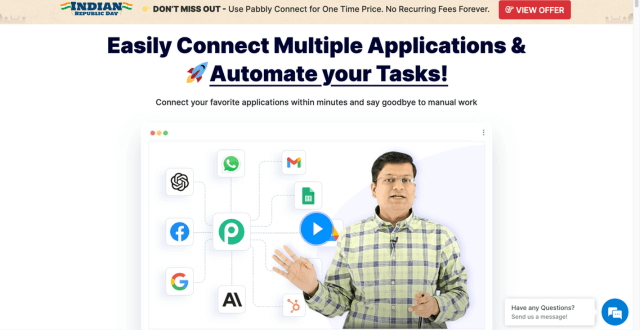
Pabbly Connect is an automation platform designed to simplify repetitive business tasks by linking different applications through visual workflows. It enables users to create automated processes that transfer data between forms, CRMs, email marketing apps, spreadsheets, payment tools, and more. Unlike many tools that charge for every internal action, Pabbly Connect includes unlimited workflow steps without extra costs, making it an affordable choice for businesses of all sizes. With conditional logic tools like filters and routers, real-time triggers, and support for custom API connections, Pabbly Connect is suitable for marketers, small teams, and agencies that want to streamline operations and improve productivity without extensive technical expertise.
Key Features
- Intuitive Visual Workflow Builder – Create automations with a drag-and-drop editor that is easy to navigate and customize.
- Wide App Integrations – Connect hundreds of popular business apps across categories including CRM, marketing, sales, support, and finance.
- Unlimited Workflow Steps – Build complex multi-step workflows without worrying about internal steps counting against your task limits.
- Real-Time Triggers – Initiate automations instantly when an event occurs in a connected app.
- Filters & Conditional Routing – Use filters and routers to control how data moves and to branch workflows logically.
- Webhook Support – Trigger workflows from external services or custom applications.
- Scheduled Automations – Run workflows at specific times or on a recurring schedule.
- Custom API Connections – Integrate apps that are not pre-built using API calls for seamless data transfer.
Pros
- Easy for beginners with a visual workflow editor
- High value for its price with generous task limits
- Does not count internal steps toward task totals
- Supports a broad range of app integrations
- Affordable automation solution for small teams and solopreneurs
Cons
- Not as advanced as enterprise-grade automation platforms
- Some integrations may require API knowledge for full customization
- Lifetime pricing availability fluctuates
Pricing
Pricing Type: Free Tier + Paid Plans + One-Time Lifetime Options
Pabbly Connect’s pricing is designed to be affordable with a free plan to start and multiple paid options that increase task allowances.
| Plan | Type | Price | Monthly Tasks | Description |
|---|---|---|---|---|
| Free Plan | Free | $0 | 100 tasks | Starter tier for basic automation with limited tasks |
| Standard | Paid Monthly | $19 | 12,000 tasks | Best entry tier with core workflow features |
| Pro | Paid Monthly | $39 | 24,000 tasks | Mid-level plan with higher automation capacity |
| Ultimate | Paid Monthly | $79 | 50,000 tasks | High task limit for growing automation needs |
| Lifetime Standard | One-Time | $249 | 3,000 tasks | Lifetime access with basic automation capacity |
| Lifetime Pro | One-Time | $499 | 6,000 tasks | Lifetime access with enhanced task limits |
| Lifetime Ultimate | One-Time | $699 | 10,000 tasks | Full lifetime access with higher task volume |
FAQs
Q1: Does Pabbly Connect offer a free version?
Yes, Pabbly Connect has a free plan that includes 100 tasks per month, which is ideal for trying out basic automations.
Q2: Can I connect multiple apps with Pabbly Connect?
Yes, Pabbly Connect supports connections to hundreds of popular apps across various categories such as CRM, email, forms, and finance.
Q3: Are internal steps counted toward task limits?
No, internal workflow steps like filters and routers do not count toward your monthly task limit, allowing more efficient use of tasks.
Q4: What is the difference between monthly and lifetime plans?
Monthly plans renew every month with a set task allowance, while lifetime plans are one-time purchases that grant long-term access with fixed tasks.
Q5: Is Pabbly Connect suitable for small businesses?
Yes, it is especially well-suited for small teams, solopreneurs, and businesses looking for cost-effective automation without complex development.
Published on: January 30, 2026