About Tool
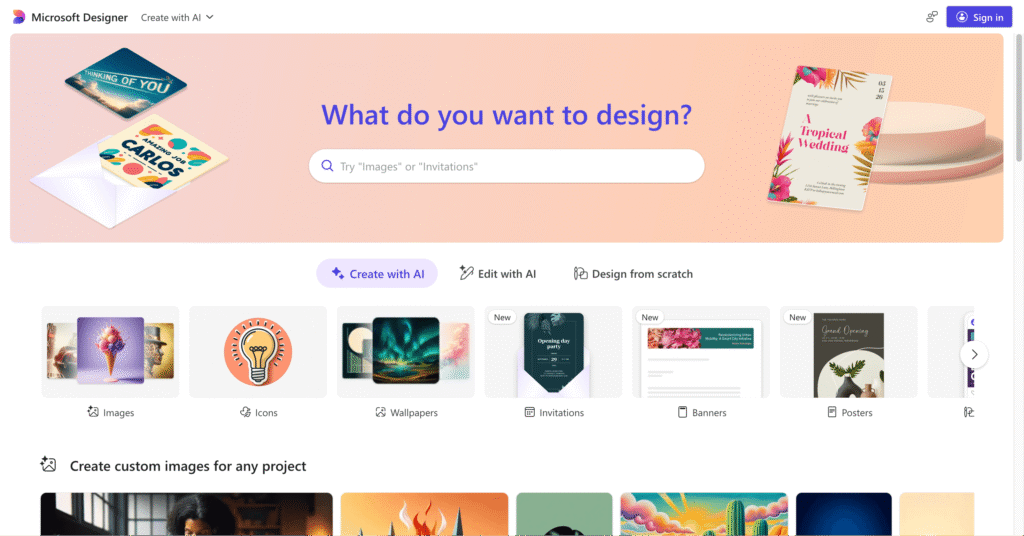
Microsoft Designer represents Microsoft’s strategic answer to Canva, offering completely free AI-powered design capabilities leveraging OpenAI’s DALL-E 3 for image generation and GPT models for copywriting – technologies Microsoft invested $13 billion to access. Launched publicly in October 2023 after months of preview testing, Designer targets the massive population already using Microsoft 365 who need quick social media graphics, presentations, digital postcards, and marketing materials without switching to separate design platforms or paying additional subscriptions.
Key Features
- DALL-E 3 Image Generation – Creates custom images from text descriptions directly within designs using OpenAI’s latest model, eliminating need for stock photos or external AI tools like Midjourney for most social content.
- AI Copywriting with GPT – Generates captions, headlines, social media text, and design copy automatically based on brief prompts, helping non-writers create professional messaging quickly.
- Prompt-to-Design Workflow – Describe what you need (“Instagram post about summer sale with beach theme”) and Designer generates complete layouts with images, text, and styling in seconds requiring minimal editing.
- Background Remover and Magic Eraser – One-click background deletion from photos plus object removal tool for cleaning up images without Photoshop, now works on videos too for expanded editing capabilities.
- Microsoft 365 Deep Integration – Seamlessly use designs in PowerPoint presentations, Word documents, Teams chats, and OneDrive storage with automatic syncing across ecosystem for workflow efficiency.
- Brand Kit (Microsoft 365 Subscribers) – Save and reuse brand colors, fonts, and logos across all designs ensuring visual consistency for businesses and maintaining professional appearance effortlessly.
- Template Library – Access thousands of pre-designed templates for social posts, invitations, announcements, cards, and marketing materials optimized for various platforms and occasions.
- Mobile Apps (iOS/Android) – Create and edit designs on smartphones and tablets with full desktop feature parity including AI generation, templates, and Microsoft 365 sync.
Pros
- Completely free with most features requiring only Microsoft account (no credit card)
- DALL-E 3 integration provides genuinely capable AI image generation at no cost
- Microsoft 365 integration invaluable for existing Office users streamlining workflows
- Clean, intuitive interface easier to learn than feature-dense Canva
- No daily credit limits or generation caps for free users (as of March 2026)
- Mobile apps enable design creation anywhere matching desktop functionality
- Microsoft’s enterprise-grade infrastructure ensures reliability and data security
Cons
- AI-generated imagery clearly identifiable as synthetic reducing professional credibility
- Limited to standard aspect ratios and file formats (no SVG export currently)
- Template library significantly smaller than Canva’s millions of options
- Advanced editing capabilities shallow compared to Adobe Express or Photoshop
- No team collaboration features or approval workflows for business use cases
- Export options basic – primarily PNG and JPG without extensive format choices
- Future monetization uncertain – may introduce paid tiers limiting current free features
Pricing
Pricing Type: Free (with Optional Microsoft 365 Integration)
| Plan | Type | Price (Annual) | Price (Monthly) | Key Inclusions |
|---|---|---|---|---|
| Free (Microsoft Account) | Free | $0 | $0 | Full design templates, DALL-E 3 image generation, AI copywriting, background remover, magic eraser, social media formats, HD export downloads, OneDrive sync (5GB free) |
| Microsoft 365 Personal | Bundled | $70/year | $7 | Everything in Free, plus: Brand Kit customization, 1TB OneDrive storage, premium Office apps (Word, Excel, PowerPoint), Copilot integration, workflow automation |
| Microsoft 365 Family | Bundled | $100/year | $10 | Everything in Personal for up to 6 users, 1TB storage per person, shared family features, admin controls, comprehensive Microsoft ecosystem access |
Notes on Pricing: Designer itself is free forever with Microsoft account. Microsoft 365 subscriptions unlock Brand Kit and deeper workflow integration but aren’t required for core design functionality. No standalone paid Designer tier exists as of March 2026.
FAQs
Q1: Is Microsoft Designer completely free?
Yes, Microsoft Designer is genuinely free requiring only a Microsoft account (also free). Core features including DALL-E 3 image generation, AI copywriting, templates, and background removal work without payment. Microsoft 365 subscribers get Brand Kit and deeper integration but it’s optional.
Q2: How does Designer compare to Canva?
Designer offers superior Microsoft 365 integration and completely free AI image generation. Canva provides significantly more templates, advanced features, and team collaboration tools but places many capabilities behind paid tiers. Choose Designer if already using Microsoft ecosystem, Canva for creative breadth.
Q3: Does Designer work offline?
No, Microsoft Designer is web-based requiring constant internet connection. However, designs sync to OneDrive enabling access across devices once connectivity returns.
Q4: Can I use Designer for commercial projects?
Yes, content created with Microsoft Designer can be used commercially including client work, monetized social media, and business marketing. Standard Microsoft Terms of Service apply regarding usage rights.
Q5: Will Microsoft Designer stay free?
Microsoft hasn’t announced monetization plans as of March 2026. However, the product is officially out of preview suggesting current free model is stable. Future premium tiers possible but core features likely remain free to compete with Canva’s freemium approach.
Published on: March 19, 2026