
What is Magic Studio?
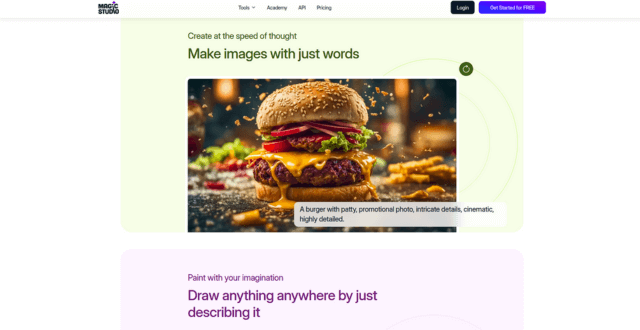
Magic Studio is an AI design platform that enables users to create high-quality images and product visuals effortlessly. Tailored for e-commerce sellers, content creators, and marketers, it provides tools like background removal, object isolation, AI-generated scenes, and automatic photo enhancement. Whether you’re showcasing a product, creating a headshot, or designing for social media, Magic Studio makes advanced photo editing accessible with just a few clicks.
Key Features
- AI Background Removal
Instantly remove or replace backgrounds from product photos or portraits with high precision. - Smart Resize & Crop
Automatically resize images for different platforms (e.g., Instagram, Shopify, Etsy) without losing composition. - Scene Creator
Generate lifestyle scenes or mockups around your product using AI for a realistic and styled look. - AI Headshots
Turn selfies or casual photos into professional-grade headshots with realistic styling and lighting. - Photo Enhancer
Automatically sharpen, brighten, and improve image quality with a single click. - Magic Eraser
Remove unwanted objects, blemishes, or distractions from photos cleanly using AI-powered inpainting. - Design Templates
Use pre-built templates tailored for product listings, ads, social posts, and more. - Easy Web Interface
No software required—fully accessible from your browser with drag-and-drop simplicity.
Pros
- Intuitive and beginner-friendly interface
- Excellent for e-commerce, resumes, and marketing visuals
- Saves time with automated design and retouching
- AI tools are fast and surprisingly accurate
- No design skills required to use effectively
Cons
- Free plan has watermark and limited exports
- Not suited for advanced manual editing
- AI results may need tweaking for complex subjects
- Limited support for multi-layer design workflows
- Works best with clean, well-lit images
Pricing Model
- Free Plan: Limited uses, watermark on exports, basic tools
- Pro Plan: $19/month – No watermark, HD exports, access to all AI tools, commercial usage rights
- Business Plan: Custom pricing – Tailored for teams, includes collaboration features, volume processing, and priority support
(Pricing based on monthly billing; discounts available for annual plans)
Conclusion
Magic Studio is a powerful yet easy-to-use tool for creating studio-quality visuals without the studio. Its smart background removal, enhancement tools, and product scene generation make it perfect for small businesses, marketers, and job seekers needing polished imagery fast. While it’s not a Photoshop replacement, it’s ideal for quick, high-quality results with minimal effort.
Published on: July 4, 2025