OpenClaw vs Nanobot vs PicoClaw: The Complete Comparison Guide
The AI assistant landscape exploded in early 2026.
OpenClaw launched in November 2025. Within three months? 211,000 GitHub stars. Massive adoption. Crazy momentum.
Then reality hit. Security issues. Resource problems. Complexity concerns.
The community responded fast. Built alternatives. Stripped things down. Focused on what matters.
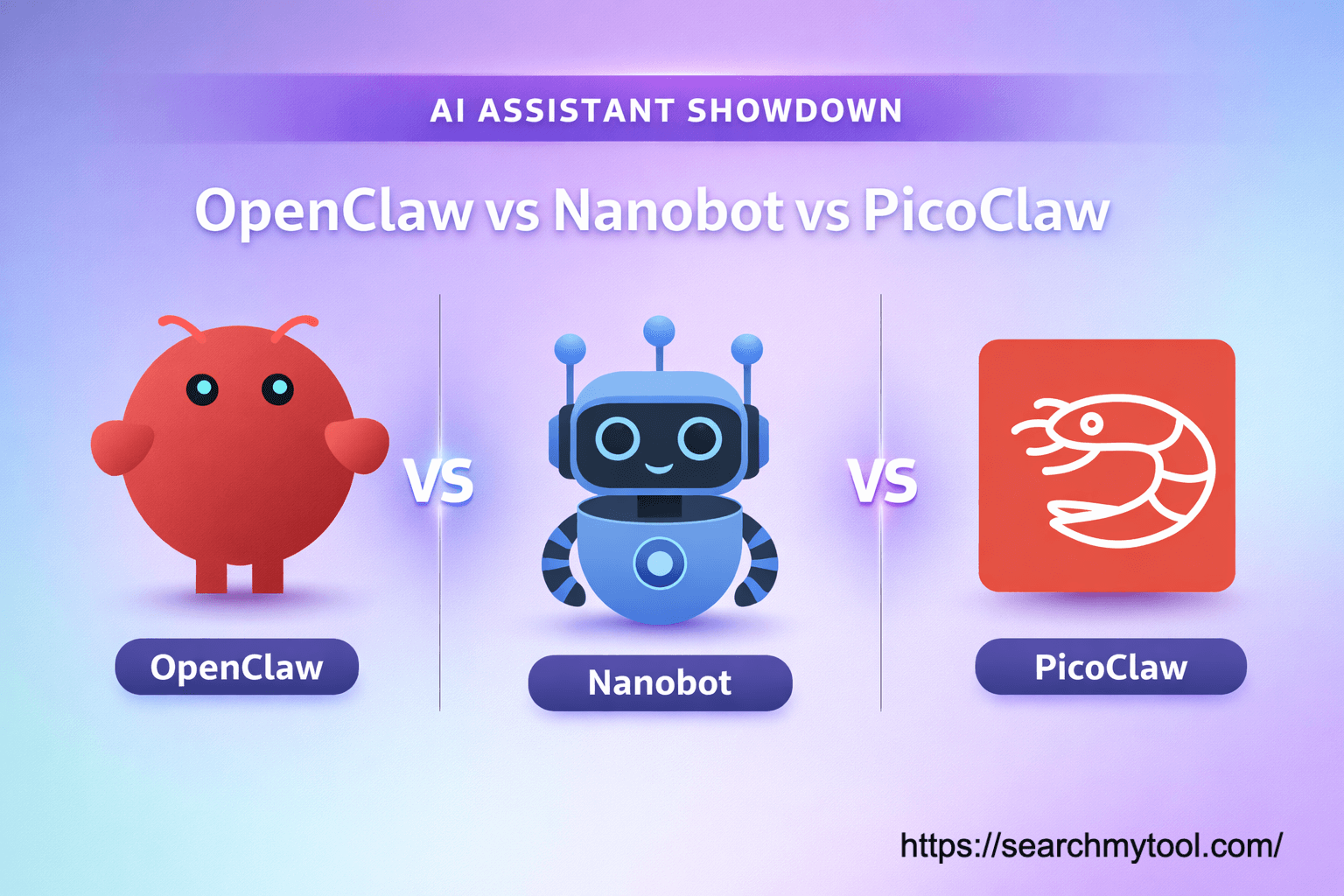
Three names dominate the conversation now. OpenClaw. Nanobot. PicoClaw.
Each takes a completely different approach. Different philosophy. Different trade-offs. Different users.
Let’s break down exactly what each one does, who it’s for, and which one you should pick.
Quick Summary: The Big Picture
Before diving deep, here’s the 30-second version.
OpenClaw is the original. Feature-rich. Full ecosystem. But heavy. Needs over 1GB RAM. Takes 500+ seconds to boot on low-end hardware.
Nanobot is the teacher. Ultra-clean Python code. Just 4,000 lines. Built for understanding and research. Needs 100MB+ RAM.
PicoClaw is the speed demon. Written in Go. Runs on $10 hardware. Under 10MB RAM. Boots in under 1 second.
That’s the headline. Now let’s get into details.
What Is OpenClaw? The Feature-Complete Original
OpenClaw started as Clawdbot in November 2025. Then became Moltbot. Then OpenClaw.
The creator, Peter Steinberger, announced in February 2026 he’s joining OpenAI and moving the project to an open-source foundation.
What It Does
OpenClaw clears your inbox, sends emails, manages your calendar, and checks you in for flights from WhatsApp, Telegram, or any chat app.
It’s not just a chatbot. It’s an agent. It takes action.
Browse the web. Run shell commands. Manage files. Remember context across days. Execute complex workflows.
The Architecture
OpenClaw implements a hub-and-spoke agent framework centered on a persistent local gateway.
The Gateway sits at the center. Normalizes different messaging protocols. WhatsApp. Telegram. Slack. Discord. iMessage. All into one canonical format.
OpenClaw rejects opaque vector databases in favor of a dual-layer memory system where the filesystem itself serves as the source of truth.
Short-term memory lives in timestamped daily logs. Markdown files. Long-term memory in MEMORY.md and SOUL.md.
Vector indices are ephemeral caches. They rebuild from Markdown on startup. No data loss if indices corrupt.
The Problem
OpenClaw’s codebase is massive. 430,000+ lines. TypeScript. Node.js runtime.
Resource requirements? Over 1GB RAM. Startup time on 0.8GHz hardware? Over 500 seconds.
That’s 8+ minutes just to boot.
And security? Cisco scanned popular OpenClaw skills on ClawHub and found at least one quietly exfiltrating users’ entire Discord message histories to an unknown endpoint via Base64 chunks.
A Palo Alto researcher called it “a data breach scenario waiting to happen.”
Who It’s For
Developers who want every feature. Don’t mind complexity. Have powerful hardware.
Teams building custom extensions. Enterprises needing broad integration support.
People willing to trade resources for capability.
What Is Nanobot? The Minimalist Teacher
Nanobot is an ultra-lightweight personal AI assistant from the University of Hong Kong Data Science Lab that delivers OpenClaw’s core capabilities in roughly 4,000 lines of code.
430,000 lines down to 4,000. That’s 99% smaller.
The Philosophy
Nanobot isn’t trying to replace OpenClaw. It’s trying to teach how agents work.
Nanobot provides core agent functionality (7×24 operation, tool calling, memory) in minimal code, positioning itself as a “skeleton” framework focused on educational value and understandability rather than production completeness.
The README publishes a live line count. With a verification script you can run yourself.
Transparency as a feature. Not a marketing claim.
What It Includes
All the core pieces. 7×24 operation. Tool calling. Memory system. Chat integration.
MCP support landed in v0.1.4 (February 14, 2026), meaning you can plug in GitHub, Slack, filesystem tools, or any MCP-compatible server.
Multiple chat platforms. Telegram. Discord. Slack. Email. QQ. Feishu. DingTalk.
Provider support for every major LLM. OpenRouter. OpenAI. Claude. Gemini. Qwen. VolcEngine.
The Trade-Offs
Written in Python. Interpreted language. Not compiled.
Memory footprint? Over 100MB. Startup time on 0.8GHz hardware? Over 30 seconds.
Nanobot sacrifices some features for extreme simplicity — ideal for learning agent architecture or building custom extensions.
This is intentional. Clarity over performance.
Who It’s For
Developers who want a readable, auditable codebase they can actually modify. Researchers experimenting with agent behavior. Teams that want MCP-native tooling without the complexity of a 430,000-line framework.
If you want to understand how AI agents work? Start here.
If you’re building custom tools? Fork this.
If you need production-grade speed? Look elsewhere.
What Is PicoClaw? The Hardware Specialist
PicoClaw is a groundbreaking open-source AI assistant built in Go by Sipeed, a hardware company, that runs comfortably on hardware with under 10MB of RAM and boots in less than one second — even on low-power processors clocking in at 0.6 GHz.
This isn’t theory. It’s shipping.
The Origin Story
PicoClaw draws direct inspiration from nanobot. Sipeed’s team used a fascinating self-bootstrapping approach: the AI agent itself generated about 95% of the refactored Go code, with human developers providing oversight and refinement.
AI building AI tools. Meta as hell.
The results? Dramatic gains — dropping memory usage from over 100MB to under 10MB and cutting startup times from tens of seconds to near-instantaneous.
The Performance Numbers
Let’s put the specs side by side.
Memory Usage:
- OpenClaw: >1GB
- Nanobot: >100MB
- PicoClaw: <10MB
Startup Time (0.8GHz hardware):
- OpenClaw: >500 seconds
- Nanobot: >30 seconds
- PicoClaw: <1 second
Binary Size:
- OpenClaw: Node.js runtime (~390MB overhead)
- Nanobot: Python interpreter required
- PicoClaw: Single self-contained binary
PicoClaw is 400× faster startup time, booting in 1 second even on 0.6GHz single core. 99% smaller memory footprint than OpenClaw.
400 times faster. Not 40%. Four hundred times.
The Hardware Story
PicoClaw compiles into a single standalone binary with no external dependencies, supporting RISC-V, ARM64, and x86 architectures.
That means it deploys on literally anything running Linux.
$10 embedded boards. RISC-V development kits. Old routers. IP cameras. Raspberry Pi. x86 servers.
PicoClaw is suitable for resource-constrained embedded boards such as the Sipeed LicheeRV Nano SBC going for around $15 and powered by a SOPHGO SG2002 RISC-V SoC with 256MB on-chip DDR3.
Think about that. A full AI assistant on a $15 board with 256MB total RAM.
The Features
Despite the tiny size, PicoClaw isn’t stripped down.
Multiple chat platforms. Telegram. Discord. QQ. DingTalk. LINE. WeCom.
LLM provider support. OpenRouter. OpenAI. Claude. Gemini. Local models.
Tool calling. Memory system. Scheduled tasks. Web browsing.
All in under 10MB.
The Limitations
PicoClaw emphasizes doing the basics well: automating repetitive tasks, enabling agent workflows, and staying minimal. Rather than offering a massive ecosystem.
It’s not trying to be OpenClaw. It’s trying to run where OpenClaw can’t.
Documentation is lighter. Plugin ecosystem is smaller. The community is newer.
But for embedded use cases? Nothing else comes close.
Who It’s For
If you want to run an agent on a $10 board for home automation, use PicoClaw.
IoT projects. Edge computing. Home servers. Routers. Old hardware. Anywhere resources are tight.
Developers who need speed. Startups minimizing infrastructure costs.
Anyone who wants “just works” deployment without dependency hell.
Side-by-Side Comparison Table
Let’s put everything in one place.
| Feature | OpenClaw | Nanobot | PicoClaw |
|---|---|---|---|
| Language | TypeScript | Python | Go |
| RAM Usage | >1GB | >100MB | <10MB |
| Startup (0.8GHz) | >500s | >30s | <1s |
| Binary Type | Node.js required | Python required | Single static binary |
| Lines of Code | 430,000+ | ~4,000 | Unknown (Go) |
| Architecture Support | x86, ARM | x86, ARM | RISC-V, ARM, x86 |
| Minimum Hardware | Mac Mini ($599) | Most Linux SBC (~$50) | Any Linux board ($10+) |
| Created By | Peter Steinberger | HKU Data Science Lab | Sipeed (hardware company) |
| Launch Date | Nov 2025 | Feb 2026 | Feb 9, 2026 |
| GitHub Stars | 211,000+ | Growing | 5,000+ in 4 days |
| Philosophy | Feature-complete | Educational clarity | Hardware efficiency |
| Security Focus | Mixed (had issues) | Standard | Standard |
| Community Size | Massive | Growing | Fast-growing |
| Plugin Ecosystem | ClawHub (large) | Growing | Limited |
| MCP Support | Yes | Yes (v0.1.4+) | Not yet |
| Best For | Power users | Researchers | Embedded systems |
The Real-World Cost Breakdown
Money talks. Let’s talk money.
Hardware Costs
OpenClaw: Minimum: Mac Mini at $599. Realistically? More. You need capable hardware. 8GB+ RAM. Modern processor.
Nanobot: Most Linux single-board computers. ~$50. Raspberry Pi 4. Orange Pi. Similar boards.
PicoClaw: Any Linux board as low as $10. 98% cheaper than a Mac mini. Old hardware works. Embedded boards. Even routers with 32-64MB RAM.
Operating Costs
All three use the same LLM APIs. OpenRouter. OpenAI. Claude.
API costs are identical. ~$0.15 per 1M input tokens. ~$0.60 per 1M output tokens.
The difference is infrastructure. Power consumption. Cloud hosting.
PicoClaw on a $10 board uses maybe 2-3 watts. Costs pennies monthly.
OpenClaw on dedicated hardware? 20-50 watts. Real electricity bills.
For cloud hosting:
- OpenClaw: $20-40/month minimum
- Nanobot: $5-10/month
- PicoClaw: $2-5/month
Security Considerations
This matters more than people realize.
OpenClaw’s Issues
Cisco found skills on ClawHub quietly exfiltrating Discord histories. Palo Alto called it a data breach waiting to happen.
The plugin system is powerful. But power creates risk.
Untrusted code can do anything. Access files. Steal credentials. Phone home.
Nanobot’s Approach
Smaller codebase means easier auditing. 4,000 lines you can actually read.
Standard Python security. Nothing special. But transparency helps.
Community can verify what’s happening. Submit fixes fast.
PicoClaw’s Position
PicoClaw focuses on speed, simplicity, and portability. Designed to be extremely small and easy to deploy.
Go’s memory safety helps. Single binary limits attack surface.
But it’s new. Less battle-tested. Fewer security audits.
General Best Practices
For any of these:
- Run in containers
- Use allow-lists for commands
- Restrict file access to workspace directories
- Set pairing codes for new connections
- Review tool permissions carefully
- Monitor network traffic
- Keep API keys in separate config files
Channel Support: Where You Can Use Them
Everyone supports Telegram. That’s the baseline.
OpenClaw Channel Coverage
WhatsApp (via Baileys). Telegram (via grammY). Slack. Discord. iMessage.
Broadest support. Most platforms.
Nanobot Channel Coverage
Telegram. Discord. Slack. Email. QQ. Feishu. DingTalk.
NanoBot covers more Asian platforms like DingTalk and QQ.
Great for Chinese market. Asian enterprises.
PicoClaw Channel Coverage
Telegram. Discord. QQ. DingTalk. LINE. WeCom.
Similar to Nanobot. Focused on Asia-Pacific.
No WhatsApp yet. No iMessage.
When to Pick Each One
Here’s the honest decision guide.
Pick OpenClaw If:
- You have powerful hardware (8GB+ RAM)
- You need the biggest plugin ecosystem
- You want maximum features and integrations
- You’re comfortable managing complexity
- Security concerns are secondary to capability
- You can dedicate a full machine to it
Pick Nanobot If:
- You want to understand how AI agents work
- You’re building custom tools from scratch
- You need clean, readable code for research
- MCP integration matters to you
- You want something auditable and transparent
- Educational value outweighs performance
Pick PicoClaw If:
- You’re running on constrained hardware
- Speed and resource efficiency matter
- You need deployment on embedded Linux
- You want a single static binary
- Home automation or IoT is your use case
- Cost is a major factor
- You need multi-architecture support (RISC-V)
The Technical Deep Dive
For developers who want details.
OpenClaw’s Architecture
Hub-and-spoke model. Gateway at center. Agents connect as spokes.
Memory is filesystem-based. Markdown as source of truth. Vector indices rebuild on boot.
Tool execution happens through sandboxed environments (when properly configured).
Heavy abstraction layers. Maximum flexibility. High complexity cost.
Nanobot’s Architecture
Nanobot uses a Provider Registry as the single source of truth. Adding a new provider only takes 2 steps — no if-elif chains to touch.
Clean separation of concerns. Provider layer. Channel layer. Memory layer. Tool layer.
Everything is pluggable. Everything is understandable.
Python means easier prototyping. Slower execution.
PicoClaw’s Architecture
Written in Go. Compiled to native code. No runtime overhead.
Single binary includes everything. No external dependencies.
Goroutines for concurrency. Channels for communication. Clean and fast.
Self-bootstrapped by AI. 95% agent-generated code. Humans refined the rest.
The Community and Ecosystem
OpenClaw
Massive. 211,000 GitHub stars. Huge community. Active Discord.
ClawHub has hundreds of skills. Custom integrations. Plugins for everything.
But security concerns linger. Trust is an issue.
Nanobot
Growing fast. University-backed. Research-oriented community.
Active development. Regular updates. Responsive maintainers.
Smaller ecosystem. Fewer pre-built tools. More DIY.
PicoClaw
Hit 5,000 stars in 4 days. Growing faster than anticipated.
Community exploding. During Chinese New Year holidays, PRs flooded in.
Team setting up developer groups. Finalizing roadmap. Building governance.
Ecosystem still young. But momentum is real.
Installation and Setup Comparison
OpenClaw Setup
- Install Node.js (if not present)
- Clone repository
- Install dependencies (npm install – takes time)
- Configure environment variables
- Set up messaging platforms
- Configure memory system
- Start gateway and agents
Time: 30-60 minutes for first setup.
Nanobot Setup
- Install Python 3.8+
- Clone repository
- Install dependencies (pip install – quick)
- Set API keys in config.json
- Configure channels
- Run nanobot
Time: 5-15 minutes.
That’s it! You have a working AI assistant in 2 minutes.
PicoClaw Setup
- Download binary for your platform
- Set API keys in config.json
- Configure chat channels
- Run picoclaw
Time: Literally 2-5 minutes.
One-click to Go!
No dependencies. No compilation. Just run.
Future Roadmap: What’s Coming
OpenClaw
Transitioning to open-source foundation. Creator joining OpenAI.
Future unclear. Community will likely fork and continue.
Focus on stabilization. Security improvements needed.
Nanobot
Active development continues. Regular releases.
Recent additions: MCP support. More providers. Better memory system.
Focus on educational value. Research applications.
PicoClaw
Team just announced maintainer recruitment. Community exploding with PRs.
Roadmap being finalized. Weekly meetings planned.
Feature requests flooding GitHub Discussions.
Focus: expand platform support. Add more channels. Improve documentation.
The Honest Bottom Line
All three are legitimate. All three solve real problems.
OpenClaw is the Swiss Army knife. Every feature. Every integration. But heavy. Complex. Security concerns.
Nanobot is the teaching tool. Clean. Understandable. Perfect for learning and research. But not the fastest.
PicoClaw is the specialist. Blazing fast. Tiny footprint. Perfect for embedded systems. But newer. Smaller ecosystem.
None is universally “best.” Each excels in its domain.
Want maximum capability? OpenClaw. Want maximum clarity? Nanobot. Want maximum efficiency? PicoClaw.
The real question is what matters to you. Features? Understanding? Performance?
Answer that. The choice becomes obvious.
For most hobbyists and home users? PicoClaw is compelling. Fast. Cheap. Easy.
For researchers and developers building tools? Nanobot makes sense. Clean code. Easy to modify.
For enterprises needing broad integrations? OpenClaw’s ecosystem wins. Despite the baggage.
The AI assistant space is still evolving fast. New forks appearing weekly. Features leapfrogging.
What’s true today might shift tomorrow.
But right now, February 2026, these three represent the spectrum. Power. Clarity. Efficiency.
Pick your priority. Pick your tool.
Key Takeaways
- OpenClaw: 430K+ lines, >1GB RAM, 500s+ boot, massive ecosystem, security concerns
- Nanobot: ~4,000 lines, >100MB RAM, 30s+ boot, educational focus, Python-based
- PicoClaw: Go-based, <10MB RAM, <1s boot, embedded-focused, $10 hardware capable
- All support Telegram; channel support varies by platform
- OpenClaw has biggest feature set; Nanobot easiest to understand; PicoClaw fastest and lightest
- Security matters across all three; container isolation recommended
- Choice depends on your constraints: hardware, use case, technical skill
- Community momentum strongest around PicoClaw currently (5K stars in 4 days)
- MCP support: OpenClaw yes, Nanobot yes, PicoClaw not yet
- Cost ranges from $10-$599 for hardware depending on choice