Recraft AI
Recraft AI is a powerful AI design platform that generates vector illustrations, icons, 3D graphics, and digital art in a scalable format.
Pricing:
$10-$55/month (Free)
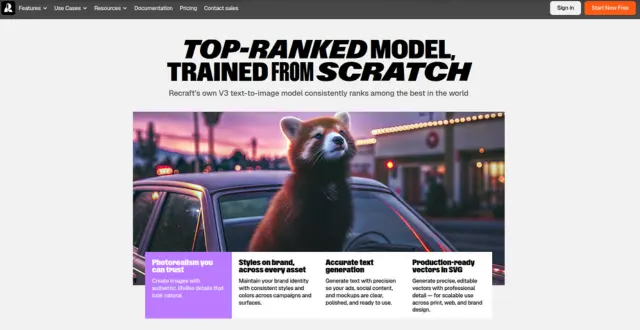
Recraft AI is a powerful AI design platform that generates vector illustrations, icons, 3D graphics, and digital art in a scalable format.
Recraft AI is a design studio built specifically for creating and editing vector graphics, icons, and illustrations. It outputs clean SVGs and consistent brand graphics, making it ideal for UI/UX designers.
Vector Generation: Export clean vector illustrations in SVG and Lottie animation formats.
Brand Style Sets: Maintain unified design styling across icons, mockups, and illustrations.
Figma Plugin: Generate vector layouts directly inside Figma canvas.
✔ Outputs genuine vector files (SVGs) rather than just flat pixel graphics.
✔ Figma integration streamlines graphic layout tasks.
✖ Vector styles need review for complex curve node cleanliness.
✖ Heavy usage requires paid rendering subscription credits.
| Plan | Type | Price | Details |
|---|---|---|---|
| Free | Freemium | Free | Standard speed vector generations, public assets. |
| Pro | Subscription | $20/month | Fast generation priority, private creations, full SVG tools. |
Yes, Recraft supports direct downloads in SVG format for all generated illustrations and icon sets.
| Key Features |
Recraft AI
Active |  Midjourney
 |  Stable Diffusion
 |  Leonardo AI
 |
|---|---|---|---|---|
| Review Score | 9.5/10 | 9.7/10 | 9.6/10 | 9.5/10 |
| Pricing Model | $10-$55/month | $10/month | Pay-as-you-go | $10 monthly |
| Free Plan | ✔ Yes | ✖ No | ✔ Yes | ✔ Yes |
| Starting Cost | Free | Freemium | Free | Free |
| Details Page | Active Page | Compare | Compare | Compare |
Midjourney is an AI image generation tool that transforms written prompts into highly artistic and stylized visuals using powerful neural networks.
Stable Diffusion is an open-source AI model that generates high-quality images from text prompts using deep learning and latent diffusion techniques.
Leonardo AI is an AI art generation tool that creates high-quality images, game assets, and design elements from text prompts.
Canva is an online design and visual communication platform for creating presentations, social posts, videos, documents, websites, brand assets, and AI-powered marketing content.
Ideogram is an AI image generator specializing in creating images with clear, readable text—perfect for logos, posters, social media graphics, and marketing materials.
Veo 3.1 is Google Gemini's AI video generation model for creating high-quality 8-second videos with native audio from text prompts or images.
Adobe Firefly is a generative AI tool by Adobe that creates high-quality images, text effects, and designs from simple text prompts.
Magnific AI transforms low-resolution images into breathtaking high-definition masterpieces. By utilizing generative AI, it adds realistic details, textures, and lighting to any digital asset.